
Crosslist from Shopify to Vinted — Automatically
Move your Shopify inventory to Vinted in minutes — titles, descriptions, images, prices, and variants map automatically. Inventory stays in sync. Free for 30 days.



- Shopify: Your own branded store with full product control, unlimited images, and direct customer relationships
- Vinted: 100M+ registered users across 22+ countries, zero seller fees in most markets, Europe’s largest second-hand marketplace
- Fields that transfer automatically: title, description, images, price (with currency conversion), brand (from vendor), condition, size, and colour
- Inventory sync: When it sells on one platform, it’s removed from the other within minutes
- Time saved: ~10–15 minutes per item manually vs ~30 seconds with FLUF Connect
- Cost: Free for 30 days, then from £19/month — includes auto-relisting and offer management on Vinted
Why Sell on Both Shopify and Vinted?
Crosslisting from Shopify to Vinted puts your products in front of over 100 million registered users across Europe — without rebuilding listings from scratch. Shopify gives you brand ownership and direct customer relationships. Vinted gives you access to a massive, built-in audience of value-conscious buyers who are actively searching for exactly what you sell.
Shopify is your owned storefront. You control the branding, the checkout experience, and the customer data. But you have to drive your own traffic — through ads, SEO, social media, or email marketing. Every visit costs you time or money. Vinted’s 100 million users are already browsing and searching, ready to buy. Adding Vinted as a sales channel means tapping into a pre-existing audience at zero seller cost.
The economics are compelling. Shopify charges a monthly subscription plus payment processing fees (typically 1.5–2% + 25p). Vinted charges sellers nothing — the buyer pays a protection fee on top of the listed price. This means a £40 dress listed on both platforms nets you roughly £39 on Shopify (after payment processing) and the full £40 on Vinted. Listing on both lets you keep your brand presence while capturing sales from Vinted’s massive buyer base.
| Shopify | Vinted | |
|---|---|---|
| Active users | Your own traffic (you drive it) | 100M+ registered users |
| Primary age range | Varies by brand | 25–34 (Millennials) |
| Top markets | Global (wherever you market) | France, UK, Germany, Italy, 22+ countries |
| Strongest categories | Any — full control | Everyday fashion, mid-range brands, homeware, kids’ clothing |
| Seller fees | Monthly subscription + ~1.5–2% payment processing | None — buyer pays protection fee |
| Listing format | Full product pages with unlimited customisation | Search + browse (category-based, filter-driven) |
| Buyer intent | Brand-loyal, direct-to-consumer | Value-seeking, sustainability-conscious, bargain hunting |
Sellers who list on multiple platforms typically see 30–50% more sales than those who stick to one. With Shopify and Vinted, you are reaching completely different buyer types — brand-loyal direct shoppers and price-conscious marketplace browsers — with zero audience overlap.


How to Crosslist from Shopify to Vinted with FLUF Connect
Crosslisting from Shopify to Vinted with FLUF Connect takes about 30 seconds per item — or minutes for hundreds of items in bulk. Here is the exact process, step by step.
1. Sign Up and Connect Shopify
Create a free FLUF Connect account at fluf.io/connect. Connect your Shopify store via OAuth — Shopify’s official authorisation flow. FLUF imports your entire Shopify product catalogue automatically, including all images, descriptions, variants (sizes, colours), prices, and tags.
2. Connect Vinted
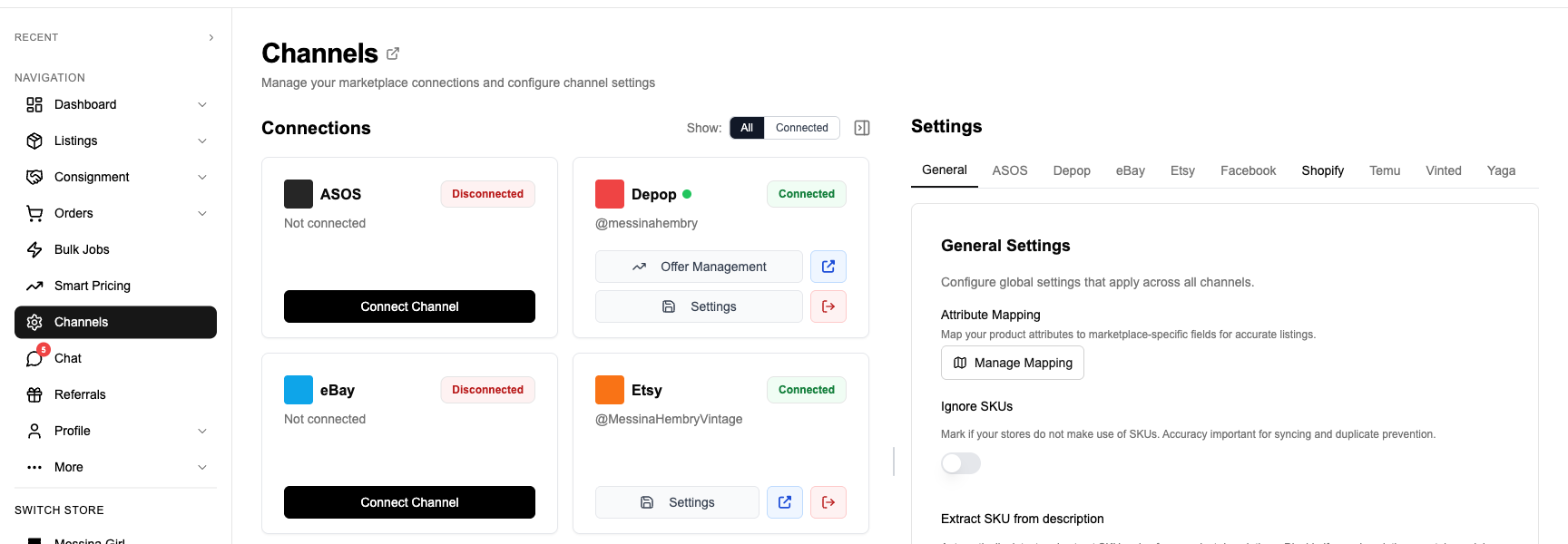
Install the FLUF Connect Chrome extension, visit Vinted, and click the extension icon. This securely links your Vinted account. Any existing Vinted listings are also imported into the same dashboard.
3. Select Products to Crosslist
In the FLUF Connect dashboard, select the Shopify products you want to list on Vinted. You can select individually, use filters (by collection, price range, vendor, product type), or select all.
4. Review Field Mapping
FLUF shows you a preview of how each listing will appear on Vinted. Title, description, images, price, brand, and condition are mapped automatically. Shopify’s tags and product type are used to intelligently select the right Vinted category. You can adjust anything before publishing — for example, tweaking the description for Vinted’s audience or selecting a specific size from Vinted’s system.
5. Crosslist
Click crosslist. FLUF uploads your images, maps your Shopify product data to Vinted’s taxonomy, handles currency conversion if needed, and publishes the listings. Products typically appear on Vinted within a few minutes.
6. Inventory Syncs Automatically
From this point on, everything is automatic. When something sells on either platform, it is removed from the other. When a Vinted order comes in, it appears in your Shopify admin for unified fulfilment. No manual tracking, no spreadsheets, no overselling.
Auto-crosslisting: Set up rules so new Shopify products are automatically crosslisted to Vinted. Add a product to your Shopify store, and it appears on Vinted without any extra steps — filtered by collection, product type, price range, or tags.
What Transfers When You Crosslist from Shopify to Vinted?
When you crosslist a Shopify product to Vinted, FLUF Connect maps every available field to its Vinted equivalent. Shopify stores products in a flexible format with custom fields, variants, and unlimited metadata. Vinted uses a structured catalogue system with required fields that vary by category. Here is exactly what happens to each field.
Field Mapping — Shopify to Vinted
| Shopify Field | Vinted Field | Transfer | Notes |
|---|---|---|---|
| Title (unlimited) | Title (100 chars max) | ✅ Automatic | Truncated intelligently to 100 characters if your Shopify title is longer. Excessive capitalisation is normalised to prevent Vinted rejection. |
| Description (HTML) | Description (plain text) | ✅ Automatic | Shopify’s rich HTML descriptions are converted to clean plain text for Vinted. Links, formatting, and embedded media are stripped gracefully. |
| Images (unlimited) | Images (up to 20) | ✅ Automatic | First 20 images transfer. Shopify stores often have high-quality product photography that performs well on Vinted. |
| Price | Price | ✅ Automatic | Converted to your Vinted marketplace currency if different. Price rules can adjust automatically — e.g., lower on Vinted to attract bargain-hunting buyers. |
| Product type + Tags | Catalogue (Vinted taxonomy) | ⚡ Smart mapped | Shopify uses tags and product types for organisation. FLUF uses AI-enhanced matching to map these to the closest Vinted catalogue category. |
| — | Condition | ⚠️ May need input | Shopify has no built-in condition field. If your products are new, FLUF defaults to “New with tags.” For pre-owned items, set condition during crosslisting or use a tag-based rule. |
| Vendor | Brand | ✅ Automatic | Shopify’s Vendor field maps to Vinted’s brand. Matched against Vinted’s brand database using AI catalogue matching. |
| Variant: Size | Size | ⚡ Mapped | Shopify size variants are mapped to Vinted’s size system. Size charts may differ (UK vs EU vs US) — FLUF handles conversion. |
| Variant: Colour | Colour IDs | ⚡ Mapped | Shopify colour variants are mapped to Vinted’s colour ID system. Vinted uses a fixed colour palette, so close matches are selected automatically. |
| — | Package size | ⚠️ Auto-set | Vinted requires a shipping package size. FLUF sets this based on the product category. Oversized items may need manual adjustment. |
| Variant: Weight | — | ❌ Not used | Shopify tracks weight for shipping calculations. Vinted uses its own package-size system instead. |
| SKU | — | ❌ Not applicable | Shopify SKUs don’t transfer to Vinted. FLUF tracks the association internally for inventory sync. |
| Compare at price | — | ❌ Not applicable | Shopify’s “Compare at” price (strikethrough pricing) doesn’t exist on Vinted. |
| SEO title / meta | — | ❌ Not applicable | Shopify’s SEO metadata is specific to your store and doesn’t transfer to marketplace listings. |
| Multi-variant products | Separate listings | ⚡ Handled | A Shopify product with 5 size variants becomes up to 5 individual Vinted listings — one per variant. Vinted is a one-item-per-listing platform. |
Legend:
- ✅ Automatic — transfers directly, no action needed
- ⚡ Smart mapped — FLUF converts between the platforms’ different systems
- ⚠️ May need input / Auto-set — FLUF sets a default you can review or override
- ❌ Not applicable — field doesn’t exist on the destination platform
Category Mapping Examples
Shopify uses a free-form product type and tagging system. Vinted uses a structured catalogue. FLUF maps between them using your product type, tags, and title to find the best match.
| Shopify Product Type / Tags | Vinted Category | Notes |
|---|---|---|
| Product type: “T-Shirt”, Tags: “women, cotton” | Women > Clothes > Tops > T-shirts | Gender tag determines Women vs Men |
| Product type: “Trainers”, Tags: “men, Nike” | Men > Shoes > Trainers & sneakers | Brand maps to Nike in Vinted’s database |
| Product type: “Bag”, Tags: “women, leather, crossbody” | Women > Bags > Crossbody bags | Tags refine subcategory selection |
| Product type: “Mug”, Tags: “home, kitchen” | Home > Tableware > Cups & mugs | Non-fashion items mapped via product type |
| Product type: “Dress”, Tags: “women, vintage, midi” | Women > Clothes > Dresses > Midi dresses | Style tags help select specific subcategory |
Fields That Need Your Attention
- Condition: Shopify has no built-in condition field. For new items, FLUF defaults to “New with tags.” For secondhand or vintage stock, set condition per product or use a tag-based rule (e.g., tag “preowned” → Vinted condition “Good”).
- Title length: Shopify titles are unlimited. Vinted caps at 100 characters. Overly long Shopify titles are truncated automatically, but review them to ensure they still make sense on Vinted.
- Multi-variant products: A Shopify product with size and colour variants becomes multiple individual Vinted listings. A dress available in S, M, and L creates three Vinted listings. Review variant inventory before crosslisting to avoid listing sold-out sizes.
- Price strategy: Vinted buyers are price-conscious bargain hunters. Consider setting a price rule to lower your Shopify price by 5–15% on Vinted — you’ll still keep more per sale since Vinted has zero seller fees.
- Description format: Shopify descriptions often include rich HTML with tables, bullet points, and embedded images. These are stripped to plain text on Vinted. If your Shopify descriptions rely heavily on formatting, review how they read as plain text.
Inventory Sync Between Shopify and Vinted — What Stays in Sync?
Inventory sync between Shopify and Vinted is automatic and bidirectional. When an item sells on either platform, FLUF Connect removes it from the other within minutes. Vinted orders also sync directly to your Shopify admin, so you can fulfil everything from one place.
| Event | What Happens | Timing |
|---|---|---|
| Item sells on Shopify | Automatically removed from Vinted (and any other connected channels) | Within minutes |
| Item sells on Vinted | Order created in Shopify + removed from other channels | Within minutes |
| Item deleted on Shopify | Left active on Vinted (deletion ≠ sold) | — |
| Item deleted on Vinted | Left active on Shopify | — |
| Price changed on Shopify | Not automatically updated on Vinted | — |
| Description edited on Shopify | Not automatically updated on Vinted | — |
| New variant added on Shopify | No automatic new Vinted listing | Use auto-crosslisting rules |
| Item relisted on Vinted | No effect on Shopify listing | — |
When an item sells on Shopify, FLUF Connect automatically removes it from Vinted (and every other connected channel) within minutes. When it sells on Vinted, the order appears in your Shopify admin and inventory is deducted everywhere. You never have to worry about selling the same item twice.
Order Sync — Vinted Orders in Shopify
One of the biggest advantages of the Shopify-to-Vinted connection is order centralisation. When a customer buys your product on Vinted, the order is automatically created in your Shopify admin. You fulfil it from Shopify like any other order — print the shipping label, mark as shipped, and tracking information flows back. This means one fulfilment workflow, one packing station, one set of shipping supplies, regardless of which platform the sale came from.
What does NOT sync: Price changes, title edits, and description updates made directly on one platform do not automatically propagate to the other. If you change a price on Shopify and want it reflected on Vinted, update it in the FLUF Connect dashboard where it applies to both. Relisting on Vinted is independent of Shopify — Vinted has separate relisting automation (see below).
Crosslisting from Shopify to Vinted: Before and After FLUF Connect
Without FLUF Connect (Manual Crosslisting)
- Open your Shopify admin, navigate to the product
- Save each product image individually
- Copy the title and description
- Open Vinted, tap “Sell an item”
- Upload photos one by one (Vinted accepts up to 20)
- Paste title and trim to 100 characters
- Rewrite description (strip HTML formatting, convert to plain text)
- Navigate Vinted’s category tree (completely different from Shopify’s tags/types)
- Select brand from Vinted’s dropdown (match your Shopify vendor)
- Select size from Vinted’s size system (convert from your Shopify variants)
- Select colour from Vinted’s colour palette
- Select condition (Shopify has no condition field — decide per item)
- Set price (consider Vinted’s zero seller fees)
- Choose shipping option
- Publish
- Repeat for each variant (S, M, L = three separate Vinted listings)
- Track which items are on both platforms in a spreadsheet
- When an item sells: manually remove from the other platform
Time per item: 10–15 minutes. For 100 items: 17–25 hours of repetitive work. For multi-variant products, multiply by the number of variants.
With FLUF Connect
- Select products in FLUF Connect (individually, by filter, or select all)
- Click “Crosslist to Vinted”
- Review the preview (everything is pre-mapped, variants auto-split)
- Confirm
- Done — inventory syncs automatically, orders appear in Shopify
Time per item: ~30 seconds. For 100 items: under 1 hour (including review).
Manual: 17–25 hours. With FLUF Connect: under 1 hour. That is up to three working days back every time you crosslist a batch — time you can spend on marketing, sourcing, or growing your Shopify store.
Stop copying and pasting between platforms.
Automation Features for Shopify and Vinted Sellers
FLUF Connect does more than just crosslist. Both Shopify and Vinted benefit from a suite of automation features that keep your listings fresh and your operations efficient.
Auto-Relisting on Vinted
Fresh listings rank higher in Vinted’s search results and “newly listed” feeds. FLUF Connect automatically relists a portion of your Vinted inventory every day — removing old listings and recreating them as new, pushing them back to the top. This is one of the most effective ways to increase sales on Vinted, where recent listings get disproportionate visibility.
You control the strategy: prioritise items listed longest, focus on higher-priced items, boost categories with the best sellthrough rates, or adjust seasonally.
Offer Management on Vinted
Vinted has an active offer culture — buyers expect to negotiate. FLUF Connect automates this via the Chrome extension: accept offers above your threshold, counter below, and send offers to likers automatically. Set your pricing rules once, and offers are handled even while you sleep.
Auto-Crosslisting Rules
Set up rules so new Shopify products are automatically crosslisted to Vinted. Filter by collection, product type, price, vendor, or tags to control exactly what gets crosslisted. Add a product to your Shopify store, and it appears on Vinted without any extra clicks.
Bulk Operations
Find and replace across all your listings on both platforms. Bulk price changes, bulk crosslisting with filters, bulk delisting. Update thousands of listings in minutes, not hours.
| Feature | Shopify | Vinted |
|---|---|---|
| Crosslisting | ✅ | ✅ |
| Auto-relisting | N/A (not applicable — Shopify listings don’t expire) | ✅ |
| Offer management | N/A (Shopify doesn’t have offers) | ✅ |
| Inventory sync | ✅ | ✅ |
| Order sync | ✅ (Native — Shopify is the order hub) | ✅ (orders flow to Shopify) |
| Bulk operations | ✅ | ✅ |
| Auto-crosslisting rules | ✅ | ✅ |
Shopify acts as your central hub in this setup. All Vinted orders flow into Shopify for unified fulfilment. Vinted gets the full automation suite — relisting, offer management, and sync — while Shopify provides the operational backbone.
How Much Does It Cost to Crosslist from Shopify to Vinted?
FLUF Connect pricing is based on how many products you manage — not which channels you use. Every plan includes full Shopify and Vinted integration.
| Plan | Price | Products | Includes |
|---|---|---|---|
| Free Trial | £0 for 30 days | Unlimited | All features — no credit card required |
| Growth | £19/month | 500 | All automation features |
| Seller | £99/month | 5,000 | All automation features |
| Super Seller | £299/month | Unlimited | Priority sync, all features |
All plans include crosslisting, inventory sync, automated relisting, offer management, and bulk operations across all supported channels — not just Shopify and Vinted. Connect Depop, eBay, Facebook Marketplace, Temu, and more at no extra cost. See full details on the pricing page.
Shopify vs Vinted Fees — Why Listing on Both Makes Financial Sense
The fee difference between Shopify and Vinted makes crosslisting financially compelling. On Shopify, you pay a monthly subscription (from £25/month for Basic) plus payment processing fees of 1.5–2% + 25p on each transaction. On Vinted, sellers pay nothing — the buyer pays a protection fee on top of the listed price.
This means a £50 jacket that sells on your Shopify store nets you roughly £48.75 after payment processing. The same jacket on Vinted nets you the full £50. Even if you price it £5 lower on Vinted to attract its value-conscious audience, you keep £45 — which is still more than your Shopify net after your monthly subscription is factored in.
With FLUF Connect, you can set price rules to automatically adjust pricing per platform — for example, pricing 10% lower on Vinted while still netting a healthy margin. The goal is not to choose one over the other: it is to sell on both and maximise your total revenue.
What About Adding eBay, Depop?
FLUF Connect does not limit you to two platforms. From the same dashboard, you can also crosslist your Shopify products to:
- Depop — 35M+ registered users, Gen Z audience, strong in streetwear and vintage fashion
- eBay — 134M+ active buyers worldwide, broadest category range
- Facebook Marketplace — Local and national visibility
- Temu — 292M+ monthly users, ultra-high-volume reach
All channels sync together. Sell on any one platform, and the item is removed from all others automatically. Manage everything from one dashboard.
Frequently Asked Questions
Yes. FLUF Connect supports automatic crosslisting from Shopify to Vinted, including bulk operations and auto-crosslisting rules for new products.
When an item sells on Shopify, FLUF Connect automatically removes it from Vinted and all other connected marketplaces to prevent overselling.
FLUF Connect offers a free 30-day trial with full access. After that, plans start at £19/month for 500 products. No credit card required to start.
Yes. FLUF Connect offers a 30-day free trial with full access to all features, including crosslisting, inventory sync, and bulk operations. No credit card required.
Yes. FLUF Connect provides real-time inventory sync between Shopify and Vinted. When stock changes on one platform, it updates automatically on the other.
Yes. FLUF Connect supports bulk crosslisting — you can move hundreds of listings at once using filters by brand, category, price, or tags.
No. FLUF Connect handles the listing creation on Vinted automatically, mapping your product details, images, and pricing across platforms.
FLUF Connect supports 9 marketplaces: Depop, eBay, Etsy, Facebook Marketplace, Shopify, Temu, Vestiaire Collective, Vinted, and Yaga — all manageable from one dashboard.
FLUF Connect maps your product details intelligently across platforms, adapting to each marketplace's format while preserving your titles, descriptions, images, and pricing.
Start Crosslisting for Free Today
500 free crosslistings. No credit card. Set up in under 10 minutes.