
Crosslist from Vinted to Depop — Automatically
Move your Vinted listings to Depop in minutes — photos, descriptions, sizes, and categories map automatically. Inventory stays in sync. Free for 30 days.



- Vinted: 100M+ registered users across 22+ countries, zero seller fees, Europe’s largest second-hand marketplace
- Depop: 35M+ registered users, 7M active buyers, Gen Z audience, strong in streetwear, vintage, and curated fashion
- Fields that transfer automatically: title, description, up to 8 images, price, brand, size, colour, condition, and category
- Inventory sync: When it sells on one platform, it’s removed from the other within minutes
- Time saved: ~3–5 minutes per item manually vs ~30 seconds with FLUF Connect
- Cost: Free for 30 days, then from £19/month — includes auto-relisting and offer management on both Vinted and Depop

Why Sell on Both Vinted and Depop?
Crosslisting from Vinted to Depop puts your products in front of two completely different buyer pools — over 135 million registered users combined — without creating listings from scratch. Vinted’s value-conscious European shoppers and Depop’s trend-driven Gen Z audience rarely overlap, so the same item can attract very different buyers on each platform.
Vinted attracts a slightly older, budget-conscious audience (primarily 25–34) who browse for everyday basics, mid-range brands, and sustainable alternatives to fast fashion. Depop attracts fashion-forward buyers under 26 who pay a premium for curated, unique finds — they search by style (Y2K, streetwear, vintage) and follow sellers like social media accounts. A mid-range Zara dress that sits for weeks on Vinted might sell within days on Depop if styled and photographed with the right aesthetic — and vice versa.
The fee structures complement each other too. Vinted charges the buyer a protection fee — sellers keep 100% of the listed price. Depop charges sellers a payment processing fee (2.9% + £0.30 in the UK) but no commission. By listing on both, you benefit from Vinted’s zero-seller-fee model while tapping into Depop’s premium-paying fashion audience.
| Vinted | Depop | |
|---|---|---|
| Registered users | 100M+ | 35M+ |
| Primary age range | 25–34 (Millennials) | 16–26 (Gen Z) |
| Top markets | France, UK, Germany, Italy, 22+ countries | UK, US |
| Strongest categories | Everyday fashion, mid-range brands, basics, homeware | Streetwear, vintage, Y2K, curated fashion |
| Seller fees | None — buyer pays protection fee | 2.9% + £0.30 processing (UK) |
| Listing format | Search-driven (category browsing, filters) | Social/curated (followers, likes) |
| Buyer intent | Value-seeking, sustainability-conscious | Trend-seeking, willing to pay for uniqueness |
Sellers who list on multiple platforms typically see 30–50% more sales than those who stick to one. The audiences are different enough that crosslisting isn’t cannibalising your own listings — it’s genuinely expanding your reach. For the full story on each platform, see our guides to selling on Vinted and selling on Depop.
How to Crosslist from Vinted to Depop with FLUF Connect
Crosslisting from Vinted to Depop with FLUF Connect takes about 30 seconds per item — or minutes for hundreds of items in bulk. Here is the exact process, step by step.
1. Sign Up and Connect Vinted
Create a free FLUF Connect account at fluf.io/connect. Install the FLUF Connect Chrome extension, visit Vinted, and click the extension icon. This securely links your Vinted account. Your existing Vinted listings are imported into the FLUF dashboard automatically.
2. Connect Depop
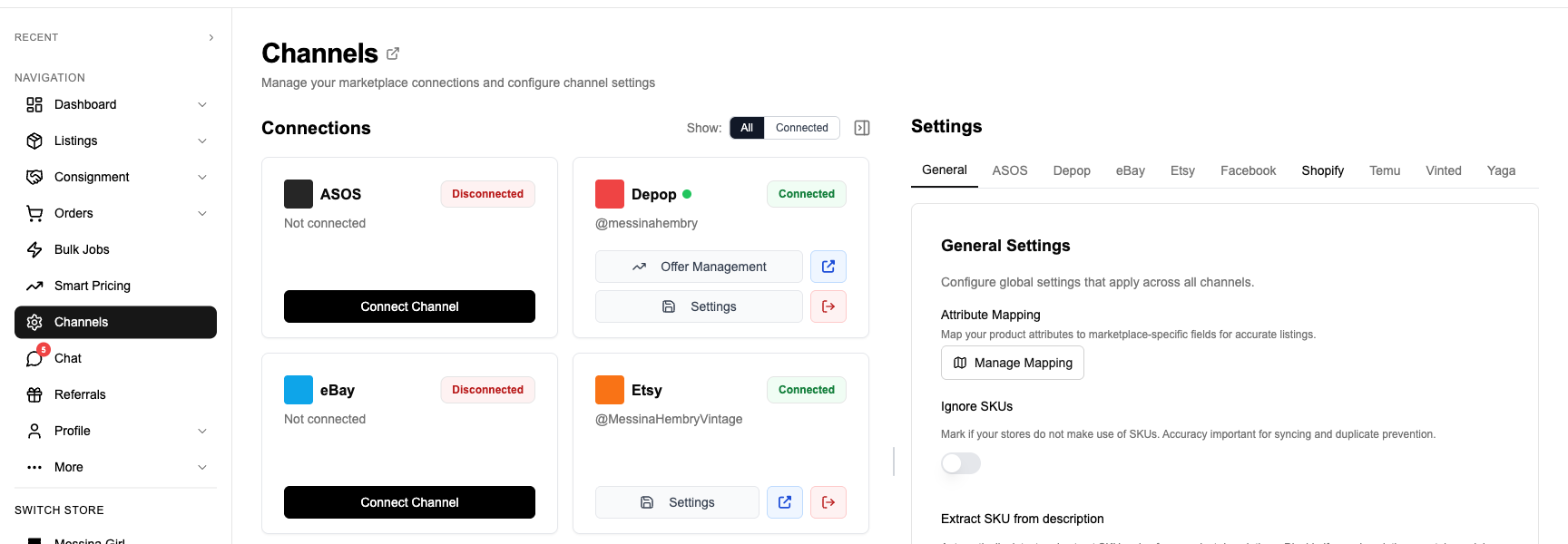
Connect your Depop account from the FLUF Connect dashboard. FLUF imports your existing Depop listings too — giving you a unified view of your inventory across both platforms.
3. Select Products to Crosslist
In the FLUF Connect dashboard, select the Vinted products you want to list on Depop. You can select individually, use filters (by category, price range, brand), or select all.
4. Review Field Mapping
FLUF shows you a preview of how each listing will appear on Depop. Title, description, images, price, size, brand, colour, and condition are mapped automatically. You can adjust anything before publishing — for example, adding Depop-friendly hashtags to descriptions or adjusting prices upward for Depop’s premium-paying audience.
5. Crosslist
Click crosslist. FLUF uploads your images, maps your categories to Depop’s taxonomy, converts condition grades, and publishes the listings. Products typically appear on Depop within a few minutes.
6. Inventory Syncs Automatically
From this point on, everything is automatic. When something sells on either platform, it’s removed from the other. No manual tracking, no spreadsheets, no overselling risk.
Auto-crosslisting: You can also set up rules so new Vinted listings are automatically crosslisted to Depop. List once on Vinted, and it appears on Depop without any extra steps.
What Transfers When You Crosslist from Vinted to Depop?
When you crosslist a Vinted listing to Depop, FLUF Connect maps every field to its Depop equivalent. Some fields transfer directly. Others are intelligently converted between the two platforms’ different systems. Here is exactly what happens to each field.
Field Mapping — Vinted to Depop
| Vinted Field | Depop Field | Transfer | Notes |
|---|---|---|---|
| Title | Title | ✅ Automatic | Vinted titles are up to 100 characters. Depop allows longer titles, so no truncation needed. |
| Description | Description | ✅ Automatic | Vinted descriptions transfer fully. Consider adding Depop-friendly hashtags for better discoverability. |
| Images (up to 20) | Images (up to 8) | ✅ Automatic | First 8 images transfer. If your Vinted listing has more than 8, the remaining images are skipped. Lead with your strongest photos. |
| Price | Price | ✅ Automatic | Currency converted if needed. Price rules can adjust automatically (e.g., price 10–15% higher on Depop for the premium-paying audience). |
| Catalog (category) | Category | ⚡ Smart mapped | Vinted and Depop use completely different category taxonomies. FLUF maps to the closest Depop equivalent. AI enhancement available for ambiguous categories. |
| Condition (status) | Condition | ⚡ Mapped | Vinted’s 5-point scale converts to Depop’s condition grades. |
| Brand | Brand | ✅ Automatic | Mapped to Depop’s brand database. |
| Size | Size | ⚡ Smart mapped | Size systems differ. FLUF validates the size belongs to the correct Depop category and auto-corrects mismatches. |
| Colour IDs | Colour | ⚡ Mapped | Vinted’s colour ID system is mapped to Depop’s colour names. |
| Unisex flag | Department (gender) | ⚡ Mapped | If the Vinted listing has is_unisex set, Depop’s department is set accordingly. |
| Package size | — | ❌ Not applicable | Depop doesn’t use package size. Shipping is set separately. |
| Measurements | Description | ⚡ Included | Vinted measurement fields are appended to the Depop description for buyer reference. |
| — | Hashtags | ⚠️ Optional | Vinted doesn’t use hashtags. FLUF can auto-generate relevant Depop hashtags based on the listing’s brand, category, and style. AI enhancement recommended. |
Legend:
- ✅ Automatic — transfers directly, no action needed
- ⚡ Smart mapped — FLUF converts between the platforms’ different systems
- ⚠️ Optional — you can add this for better results on the destination platform
- ❌ Not applicable — field doesn’t exist on the destination platform
Category Mapping Examples
Vinted and Depop organise products into completely different category trees. FLUF maps between them automatically. Here are some common examples:
| Vinted Category | Depop Category | Notes |
|---|---|---|
| Women > Clothes > Tops > T-shirts | Women’s > Tops > T-Shirts | Direct equivalent |
| Men > Shoes > Trainers & sneakers | Men’s > Footwear > Trainers | Size chart differs — FLUF validates size-to-category match |
| Women > Clothes > Dresses > Mini dresses | Women’s > Dresses > Mini | Direct equivalent |
| Men > Clothes > Jackets & coats | Men’s > Outerwear > Jackets | Depop splits jackets and coats into separate subcategories |
| Home > Tableware > Cups & mugs | Home > Mugs | Depop has a flatter home taxonomy |
Condition Mapping
Vinted and Depop use different condition grading systems. FLUF maps between them:
| Vinted Condition | Depop Condition |
|---|---|
| New with tags | Brand New |
| New without tags | Like New |
| Very good | Good |
| Good | Fair |
| Satisfactory | Poor |
Fields That Need Your Attention
- Image count: Vinted allows up to 20 images, but Depop only accepts 8. Make sure your best photos are in the first 8 slots on Vinted.
- Hashtags: Depop relies heavily on hashtags for discoverability — Vinted doesn’t use them at all. Use FLUF’s AI enhancement or manually add relevant hashtags (brand, style, era) to maximise visibility on Depop.
- Price strategy: Depop’s Gen Z audience often pays more for curated, trend-driven pieces. Consider setting a price rule to automatically increase Depop prices by 10–15% compared to Vinted.
- Description style: Vinted descriptions tend to be practical and structured. Depop descriptions benefit from personality, styling suggestions, and hashtags. Consider tweaking descriptions for the Depop audience.
Inventory Sync Between Vinted and Depop — What Stays in Sync?
Inventory sync between Vinted and Depop is automatic and bidirectional. When an item sells on either platform, FLUF Connect removes it from the other within minutes. This is the core feature that prevents overselling — the nightmare scenario when you sell the same item on both platforms.
| Event | What Happens | Timing |
|---|---|---|
| Item sells on Vinted | Automatically removed from Depop (and any other connected channels) | Within minutes |
| Item sells on Depop | Automatically removed from Vinted (and any other connected channels) | Within minutes |
| Item deleted on Vinted | Left active on Depop (deletion ≠ sold) | — |
| Item deleted on Depop | Left active on Vinted | — |
| Price changed on Vinted | Not automatically updated on Depop | — |
| Description edited on Vinted | Not automatically updated on Depop | — |
| Item relisted on Vinted | No effect on Depop listing | — |
| Item relisted on Depop | No effect on Vinted listing | — |
When an item sells on Vinted, FLUF Connect automatically removes it from Depop (and every other connected channel) within minutes. When it sells on Depop, it’s removed from Vinted. You never have to worry about selling the same item twice — even at 3am on a Saturday.
What does NOT sync: Price changes, title edits, and description updates made directly on one platform do not automatically propagate to the other. If you change a price on Vinted and want it reflected on Depop, update it in the FLUF Connect dashboard where it applies to both. Relisting on one platform is independent — both Vinted and Depop have separate relisting automation (see below).
Crosslisting from Vinted to Depop: Before and After FLUF Connect
Without FLUF Connect (Manual Crosslisting)
- Open Vinted, navigate to your listing
- Save each photo individually (up to 20 images)
- Copy the title and description
- Open Depop on your phone
- Create a new listing
- Upload images one by one (max 8 — choose your best)
- Paste title, adjust length if needed
- Paste description, remove structured Vinted formatting, add hashtags
- Re-enter category manually (completely different taxonomy)
- Re-enter condition (different grading scale)
- Set price (accounting for Depop’s processing fee and premium audience)
- Set shipping method
- Publish
- Record in spreadsheet which items are listed where
- When item sells: manually go to other platform and delete
Time per item: ~5–8 minutes
With FLUF Connect
- Select products in FLUF Connect dashboard
- Click “Crosslist to Depop”
- Review (fields are pre-mapped, add hashtags if desired)
- Confirm
- Done — inventory syncs automatically from here
Time per item: ~30 seconds
Manual: ~8–13 hours. With FLUF Connect: ~50 minutes.
That’s an entire working day back in your week to source, photograph, and grow.
Automation Features for Vinted + Depop Sellers
Vinted and Depop are two of the most fully-supported channels on FLUF Connect. Both get the full suite of automation features — a combination no other crosslisting tool offers.
Auto-Relisting on Both Platforms
Fresh listings get more visibility on both Vinted and Depop. FLUF Connect’s auto-relisting automatically deletes and re-creates your listings on a schedule you set — daily, weekly, or based on listing age. This keeps your items at the top of search results without any manual effort. Relisting runs independently on each platform, so your Vinted and Depop listings can have different relisting strategies.
Offer Management on Both Platforms
FLUF Connect’s automated offer management sends offers to interested buyers on both Vinted and Depop. On Depop, offers go to users who have liked your items. On Vinted, offers go to users who have favourited them. Set your discount percentage and FLUF handles the rest — turning passive interest into active sales.
Auto-Crosslisting Rules
Set up rules to automatically crosslist new inventory. When you list a new item on Vinted, it can automatically appear on Depop (and any other connected channel) without you lifting a finger. Filter by category, price range, or brand to control what gets crosslisted where.
Bulk Operations
Bulk operations let you find and replace across both channels, adjust prices in bulk, and crosslist hundreds of items at once with filters. Update your entire inventory from one dashboard.
| Feature | Vinted | Depop |
|---|---|---|
| Crosslisting | ✅ | ✅ |
| Auto-relisting | ✅ | ✅ |
| Offer management | ✅ | ✅ |
| Inventory sync | ✅ | ✅ |
| Order sync | ✅ | ✅ (via Shopify) |
| Bulk operations | ✅ | ✅ |
This is a key differentiator: most crosslisting competitors either don’t support Vinted at all (Vendoo, List Perfectly) or charge extra for relisting and offer management. FLUF Connect includes everything on both channels at no additional cost.
How Much Does It Cost to Crosslist from Vinted to Depop?
| Plan | Price | Products | Includes |
|---|---|---|---|
| Free Trial | £0 for 30 days | Unlimited | All features — no credit card |
| Growth | £19/month | 500 | All automation features |
| Seller | £99/month | 5,000 | All automation features |
| Super Seller | £299/month | Unlimited | Priority sync |
All plans include crosslisting between ALL supported channels — not just Vinted and Depop. Connect eBay, Shopify, Facebook Marketplace, and more from the same dashboard at no extra cost. See full pricing details.
Frequently Asked Questions
Yes. FLUF Connect lets you crosslist your entire Vinted inventory to Depop in minutes. Select your Vinted products, click crosslist, and FLUF maps titles, descriptions, images, prices, sizes, brands, and categories automatically. Inventory syncs in real time — when an item sells on either platform, it is removed from the other.
Title, description, up to 8 images, price, brand, size, colour, condition, and category all transfer automatically. FLUF smart-maps between the platformsu0027 different category taxonomies and condition grading systems. Vintedu0027s package size field does not transfer (Depop handles shipping differently), and hashtags are optionally auto-generated for Depop since Vinted does not use them.
About 30 seconds per item with FLUF Connect, or minutes for hundreds of items in bulk. Manually, the same process takes 5-8 minutes per item because you need to save and re-upload images, re-enter categories in a completely different taxonomy, translate condition grades, and add hashtags.
Yes — bidirectionally. When an item sells on Vinted, FLUF Connect automatically removes it from Depop (and any other connected channels) within minutes. When it sells on Depop, it is removed from Vinted. This prevents overselling without any manual tracking.
Yes. FLUF Connect offers automated relisting on both Vinted and Depop — a combination no other crosslisting tool provides. Fresh listings get more visibility on both platforms. Set your relisting schedule (daily, weekly, or based on listing age) and FLUF handles the rest independently on each platform.
FLUF Connect automates offer management on both platforms. On Depop, offers go to users who have liked your items. On Vinted, offers go to users who have favourited them. Set your discount percentage and FLUF sends offers automatically — turning passive interest into sales.
FLUF Connect offers a free 30-day trial with full access to all features, no credit card required. After the trial, plans start at £19 per month for up to 500 products. All plans include crosslisting between ALL supported channels — not just Vinted and Depop.
Very few. Most competitors like List Perfectly and Vendoo do not support Vinted at all. FLUF Connect is one of the only crosslisting platforms with full Vinted support including crosslisting, auto-relisting, offer management, and inventory sync.
Yes. Depopu0027s Gen Z audience often pays more for curated, trend-driven pieces, while Vinted buyers are more price-sensitive and value-conscious. Many sellers price 10-15% higher on Depop than Vinted. FLUF Connect lets you set automatic price rules per channel so you donu0027t have to adjust each listing manually.
Yes — crosslisting works in both directions. You can crosslist from Vinted to Depop or from Depop to Vinted. See our guide to crosslisting from Depop to Vinted for the reverse direction.
Start Crosslisting for Free Today
500 free crosslistings. No credit card. Set up in under 10 minutes.