
Crosslist from eBay to Whatnot — Automatically
Move eBay inventory into Whatnot faster with mapped fields, sold-item sync, and one dashboard for eBay, Whatnot, and every other channel you sell on.



- Why this pair works: eBay gives you access to 135 million active buyers, while Whatnot gives you a live-commerce and Buy It Now channel built for high-intent communities around collectibles, fashion, and niche inventory.
- What FLUF Connect handles: title, description, images, price, quantity, SKU, category mapping, and key product attributes like condition, brand, and size where the destination category supports them.
- Whatnot listing type: FLUF creates Whatnot Buy It Now marketplace listings, which means you can get inventory onto Whatnot fast without manually rebuilding each product from scratch.
- Overselling protection: when the item sells on Whatnot, FLUF removes it from eBay within minutes; when it sells on eBay, FLUF removes it from Whatnot too.
- Best fit: especially strong for cards, collectibles, vintage, sneakers, toys, and fashion inventory that can benefit from both eBay search demand and Whatnot’s community-led discovery.
- Cost: plans start at £9/month, and all paid plans include crosslisting, sync, and bulk workflow tools.
Why crosslist from eBay to Whatnot?
Crosslisting from eBay to Whatnot is a smart way to put the same inventory in front of two very different buyer behaviours. eBay is still one of the biggest resale marketplaces in the world, with 135 million active buyers as of Q4 2025. Whatnot is a seller-first marketplace built around live selling and Buy It Now inventory, and it currently allows sellers to operate from nine supported countries, including the UK and US.
That difference matters. eBay is excellent for passive, search-driven demand. Buyers know what they want, search for it, and compare listings. Whatnot is stronger when discovery, urgency, and community matter more. The same product that sits quietly on eBay for weeks can move quickly on Whatnot once it is visible to the right audience, especially in categories like collectibles, trading cards, sneakers, toys, vintage, and fashion.
For many resellers, the real win is not choosing one marketplace over the other. It is combining them. eBay gives you always-on search visibility. Whatnot gives you another demand channel that can support both Marketplace Buy It Now inventory and downstream live-show selling workflows inside Whatnot. FLUF Connect sits in the middle so you are not copying titles, downloading photos, rebuilding categories, and manually deleting sold items one by one.
| eBay | Whatnot | |
|---|---|---|
| Core selling model | Search-led marketplace with fixed-price and auction listings | Live-commerce platform plus Buy It Now marketplace listings |
| Reach | 135M active buyers | Sellers supported in 9 countries |
| Best categories | Broad category coverage, from fashion to electronics to collectibles | Collectibles, cards, toys, sneakers, fashion, and community-led niches |
| Listing experience | Structured item specifics and long-tail search visibility | Marketplace BIN listings, with the option to sell within Whatnot’s ecosystem |
| Why use both | Steady search traffic | Additional audience and faster community discovery |
List once, then push your eBay inventory into Whatnot without rebuilding every product manually.
How to crosslist eBay listings to Whatnot with FLUF Connect
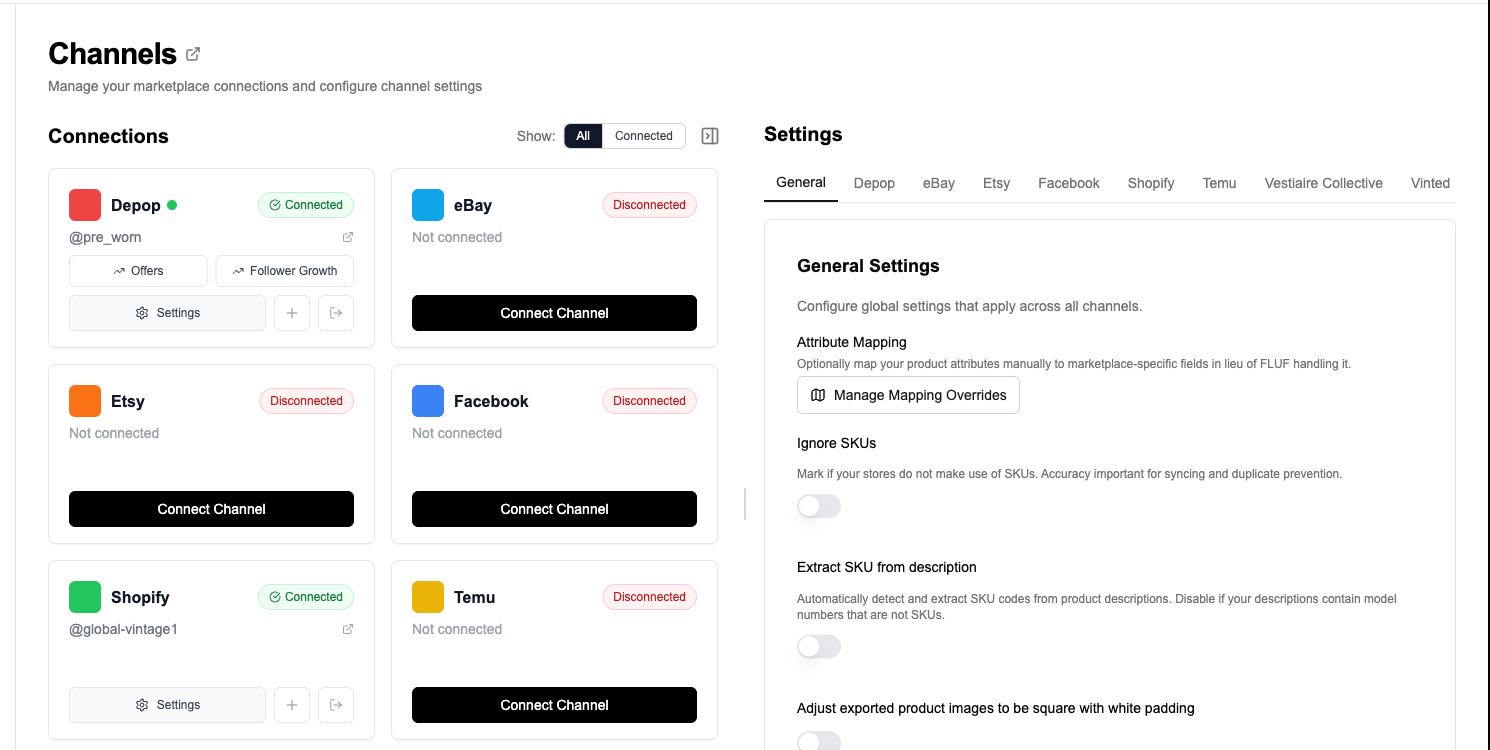
Crosslisting from eBay to Whatnot with FLUF Connect is designed to feel like a workflow, not a migration project. You connect both accounts, import your eBay inventory, review the mapped Whatnot fields, and publish. After that, the important part is automatic: sold-item sync keeps both marketplaces aligned.
1. Connect eBay and import your listings
Start by connecting your eBay account to FLUF Connect. Your active listings are pulled into the FLUF dashboard so you can work from one place instead of opening each eBay product individually.
2. Connect Whatnot
Connect Whatnot in FLUF Connect, then import and review the eBay listings you want to crosslist.
3. Select the products you want to send
Choose individual items or work in bulk. FLUF is especially useful when you have batches of similar inventory that would be painful to rebuild by hand, like cards, vintage pieces, or multi-category resale stock.
4. Review the mapped Whatnot listing
Review the Whatnot title, description, category, price, quantity, SKU, images, shipping profile and supported product attributes. Correct any category, size or condition issues before publishing.
5. Publish to Whatnot
Once you confirm the listing, FLUF creates the Whatnot listing as a Buy It Now marketplace product. That is important because it gives you a reliable path from structured eBay inventory into Whatnot without assuming every product is meant to launch as a live auction.
6. Let sold-item sync protect you from overselling
After crosslisting, the biggest time-saver is inventory sync. If the item sells on eBay, FLUF removes it from Whatnot. If it sells on Whatnot, FLUF removes it from eBay. That is the part that protects your account health and stops awkward cancellation messages to buyers.

What transfers from eBay to Whatnot?
Review the Whatnot title, description, category, price, quantity, SKU, photos, shipping profile and required product attributes before publishing.
| eBay listing data | Whatnot destination | How FLUF handles it |
|---|---|---|
| Title | Whatnot title | Transferred automatically and trimmed to Whatnot’s destination limit when needed |
| Description | Whatnot description | Transferred automatically with line-break cleanup so the destination stays readable |
| Images | Whatnot product photos | Transferred automatically from the standard FLUF image pipeline |
| Price | Whatnot BIN price | Transferred automatically |
| Quantity | Whatnot quantity | Transferred automatically |
| SKU | Whatnot SKU | Transferred when present |
| Category | Whatnot category | Review the Whatnot category before publishing. |
| Condition | Whatnot product attribute | Mapped to Whatnot’s destination condition vocabulary |
| Brand | Whatnot product attribute | Mapped where the category supports it |
| Size | Whatnot product attribute | Mapped where relevant, especially fashion categories |
| Weight / shipping context | Whatnot shipping profile | Used to choose the destination shipping profile |
In practice, most eBay to Whatnot work is straightforward when the source listing is already clean. Good photos, a sensible title, a usable category, and a clear condition description will all carry over well. The places that may need seller review are the usual ones: destination category selection, category-specific attributes, and inventory that is technically valid on eBay but a little too loose for a marketplace like Whatnot that expects cleaner destination structure.
- Category fit: eBay categories are broader than many Whatnot destination categories, so edge cases should be reviewed.
- Condition wording: FLUF maps condition values, but premium inventory should still be checked before publishing.
- Size and brand: especially important for fashion categories where Whatnot expects cleaner product attributes.
- Listing style: Whatnot marketplace listings work best when the title and description are concise and easy to browse, not over-optimised for eBay keyword stuffing.
Inventory sync between eBay and Whatnot
The most important automation in this pair is sold-state sync. FLUF Connect supports both eBay and Whatnot as live channels, and the practical outcome for sellers is simple: when a sale is detected on one side, the matching listing is removed from the other side within minutes. That is what prevents overselling.
| Event | What FLUF does |
|---|---|
| Item sells on eBay | Removes the linked Whatnot listing within minutes |
| Item sells on Whatnot | Removes the linked eBay listing within minutes |
| Order data | Can be pulled into FLUF for both channels |
| Manual text edits on one marketplace | Not the main sync path; sold-state sync is the critical automation |
| Bulk changes | Best done from FLUF so you keep one operational source of truth |
This is the difference between “I crosspost sometimes” and “I can actually run both channels safely.” Without sync, eBay and Whatnot together create risk. With FLUF, they create reach. If you sell something during a busy Whatnot session, you do not have to remember to race back to eBay and end the listing manually.
If sold-state sync is your biggest pain point today, it is worth also reading our inventory sync feature page. If your goal is broader marketplace coverage beyond this pair, start from the main crosslisting hub or compare this workflow to eBay to Vinted crosslisting.
Before and after FLUF Connect
Without FLUF Connect
- Open the eBay listing.
- Download or copy the photos.
- Rebuild the title and description inside Whatnot.
- Choose the right Whatnot category manually.
- Add price, quantity, condition, brand, size, and shipping details again.
- Publish the listing.
- Keep your own spreadsheet or memory of which products are live on both channels.
- Delete the duplicate manually when a sale happens.
Result: lots of repetitive admin, inconsistent listings, and a constant overselling risk.
With FLUF Connect
- Import the eBay inventory into FLUF.
- Select the items you want to send to Whatnot.
- Review the mapped destination fields.
- Publish.
- Let sold-item sync keep both marketplaces aligned.
Result: less copying, fewer mistakes, and a workflow you can repeat at scale.
Spend your time sourcing and selling, not rebuilding the same product twice.
Automation features for eBay and Whatnot sellers
eBay and Whatnot do not have identical automation coverage inside FLUF, so it is worth being precise. This pair is strongest when you need crosslisting, sold-item sync, and central inventory management. eBay has deeper mature automation around relisting and offer workflows. Whatnot is fully supported for crosslisting and sync, but its destination listing path is currently centred on marketplace Buy It Now listings rather than the full live-show selling stack.
| FLUF feature | eBay | Whatnot |
|---|---|---|
| Crosslisting | ✅ | ✅ |
| Inventory sync | ✅ | ✅ |
| Order sync | ✅ | ✅ |
| Auto-relisting | ✅ | Not a FLUF relisting channel today |
| Offer workflow | Strong automation support via eBay offer tooling | Whatnot BIN listings can accept offers, but this pair is mainly about crosslisting and sync |
| Bulk workflow | ✅ | Managed from FLUF as part of your wider inventory operations |
That balance still makes the pair valuable. Many sellers do not need every automation feature to match perfectly across both channels. They need a safe way to get inventory from eBay into Whatnot, plus automatic delisting when a sale lands. FLUF gives them that without forcing a full rebuild of the listing each time.
If your broader strategy includes multiple channels, FLUF can also connect eBay and Whatnot with Vinted, Depop, Shopify, and the rest of the marketplaces on the integrations page.
Pricing and marketplace fees
FLUF Connect pricing is based on your product volume, not on whether you use eBay, Whatnot, or both. Paid plans start at £9/month, with no cap on how much you list, then scale to seller and super-seller tiers for larger inventories.
| Plan | Monthly | Crosslisted products |
|---|---|---|
| Starter | £9/month | Unlimited |
| Seller | £29/month | Unlimited |
| Pro | £99/month | Unlimited |
| Super Seller | Custom pricing — tell us what you need | Unlimited |
The marketplace fees on each side are different, which is part of why listing on both can make sense. For Whatnot, the current official help docs say UK and EU sellers typically pay 6.67% + VAT commission plus 2.42% + £0.25 + VAT processing in most categories, with lower rates for some collectibles categories. On eBay UK, business sellers pay category-based final value fees plus per-order and regulatory fees according to eBay’s business seller fee schedule, while UK private sellers generally sell fee-free on standard items.
That means the best channel is often item-specific. Some inventory will perform better on Whatnot even if the audience is smaller, because the buyer is more engaged. Other inventory belongs on eBay because the search demand is broader. FLUF gives you the option to test both without creating twice the admin burden.
Sources and verification
Last verified: 2026-04-17.
- eBay Q4 and full-year 2025 results — active buyer count and high-level marketplace scale.
- Whatnot seller location and currency requirements — supported seller countries.
- Whatnot seller fees — current UK and EU fee structure.
- Whatnot Buy It Now offers — offers workflow on BIN products.
- eBay UK business seller fees — current final value fee structure.
- eBay UK private seller fees — fee-free selling terms for UK private sellers.
- FLUF Connect pricing — plan tiers and annual billing.
- FLUF Connect integrations — supported connected marketplaces.
Related Guides
Frequently Asked Questions
Yes. FLUF Connect lets you import eBay inventory, map it into a Whatnot-ready listing, and publish it without rebuilding the product manually.
FLUF Connect removes the linked eBay listing within minutes so you do not oversell the same item on both marketplaces.
The core eBay to Whatnot crosslisting flow creates Whatnot Buy It Now marketplace listings. Live-show selling stays inside Whatnot’s own workflow.
Core fields like title, description, images, price, quantity, SKU, category, and supported product attributes such as condition, brand, and size can be mapped into the Whatnot destination listing.
eBay has deeper relisting automation in FLUF. Whatnot is supported strongly for crosslisting and inventory sync, but it is not a FLUF relisting channel today.
Paid plans start at £9 per month, with no cap on how much you list, and larger plans available for higher-volume sellers.