
Smart Pricing — Automatic Repricing Across Depop, eBay, Vinted & More
Match the market on fresh listings. Drop prices on a schedule for aged stock. Multi-channel, with floor protections and full sell-through analytics — included free with FLUF Connect.



- What it does: Automatically reprices your listings using two modes — market-aware Pricing Rules and timed Progression Strategies that drop prices over time to clear stock
- Why use it: Stop pricing items by gut feel. Stop watching listings sit for months. Stop hand-editing prices across channels.
- Channels: Works on Depop, eBay, Vinted, Shopify and your other connected marketplaces
- Granular control: Per-channel, per-category rules. Floor protections so you never undercut your cost. Charm pricing rounding (e.g. .99 endings) built in.
- Sell-through analytics: See which categories are selling, which are stuck, and how price elasticity shapes your revenue — with built-in impact charts
- Cost: Included free with FLUF Connect. Plans from £19/month.
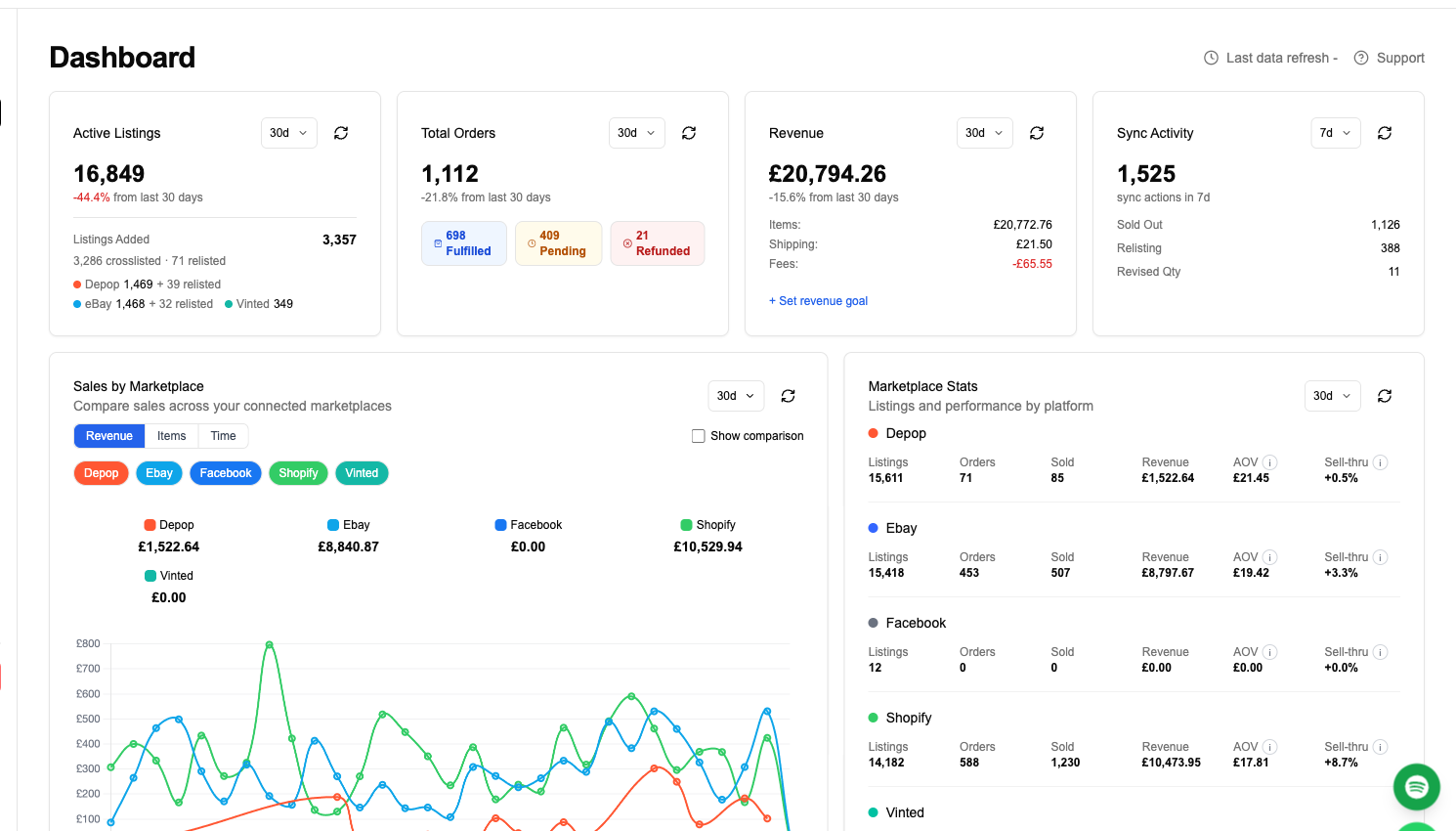
Table of Contents
- What Is Smart Pricing?
- The Two Modes: Pricing Rules vs Progression Strategies
- Mode 1 — Market-Aware Pricing Rules
- Mode 2 — Progression Strategies (Timed Price Drops)
- Sell-Through Analytics & Price Elasticity
- Channels Supported
- Floor Protections, Rounding & Safeguards
- How to Set It Up (5 Minutes)
- FAQ
What Is Smart Pricing?
Smart Pricing is FLUF Connect’s built-in repricing engine. It changes the price of your listings automatically — either to keep them competitive with the rest of the market in their category, or to drop them on a schedule until they sell.
Most resellers either price by gut feel (and miss the market) or price once and forget (and watch items sit unsold for months). Smart Pricing fixes both. You set the strategy once, and FLUF reprices your listings across every connected marketplace in the background — no spreadsheets, no manual edits, no per-channel logins.
It’s included free with every FLUF Connect plan and works alongside the rest of FLUF’s automation: auto-relisting, inventory sync, offer management, and bulk operations.
The Two Modes: Pricing Rules vs Progression Strategies
Smart Pricing has two complementary modes, and most sellers run both at once on different categories.
| Mode | What it does | Best for |
|---|---|---|
| Pricing Rules | Match the live market price for items in a given channel + category, with adjustments (e.g. “midpoint of category, minus 10%”) | Categories where market data is reliable and you want to stay competitive in real time |
| Progression Strategies | Drop the price on a recurring schedule (e.g. minus 10% every 7 days) until it hits a floor or sells | Aged stock, slow movers, end-of-season clearouts — anything you want to get out the door |
The two modes don’t conflict. You can have a pricing rule keeping a fresh listing competitive on the market, then a progression strategy take over after 30 days to start nudging the price down.
Mode 1 — Market-Aware Pricing Rules
A Pricing Rule sets your price relative to what similar items are currently selling for. You pick:
- Channel(s) — apply this rule to Depop, eBay, Vinted, Shopify, or any combination
- Category — the rule applies only to items in this category (or “all categories”)
- Anchor — the reference point in the market: ceiling (top of comparable prices), floor (bottom), midpoint, or your current price
- Adjustment — a percent or fixed-amount offset from the anchor. For example, “midpoint − 10%” or “midpoint − £3”
- Max deviation — cap how far each repricing event can move the price, so a noisy market data point can’t drop your £100 jacket to £20 overnight
FLUF watches market signals on each channel and updates the price accordingly — without you opening a single seller dashboard.
Mode 2 — Progression Strategies (Timed Price Drops)
A Progression Strategy is a scheduled series of price drops. You tell FLUF “every N days, take this much off, until you hit this floor.” It’s the resale-equivalent of a department store’s clearance ladder.
What you configure:
- Cadence — recurring (e.g. every 7 days) or one-off at a fixed date and time
- Step size — how much each drop takes off (percent or fixed amount)
- Floor — the price below which Smart Pricing will not go. Several floor types are supported:
- Percent of original price (e.g. never go below 40% of what I first listed it for)
- Fixed amount (e.g. never below £15)
- Market floor (don’t go below the cheapest comparable listing)
- Cost plus margin (e.g. never below cost × 1.2)
- Reset — optionally reset the price back to the original after a number of days, so you can run the ladder again
- Processing order — oldest listings first by default, so your aged stock moves before your fresh stock
Progression Strategies are ideal for items that didn’t sell at the original price — instead of letting them go stale, FLUF nudges the price down on autopilot until either a buyer takes the bait or the floor is reached.
Sell-Through Analytics & Price Elasticity
Smart Pricing isn’t a black box. The dashboard shows you, in plain English:
- Impact charts — how much revenue your active rules and strategies have generated, broken down by category and brand
- Sell-through rate — what percentage of items in each category have sold within a given window (7, 30, or 90 days)
- Price elasticity — for a given category, how sensitive sales are to price. Useful for working out whether your rules should be more aggressive or more conservative
- Activity log — every repricing event with the channel, the old price, the new price, and which rule fired
If a rule isn’t working — tanking your prices without lifting sell-through — you’ll see it in the data and you can pause it from the same screen.
Channels Supported
Smart Pricing is multi-channel. The same rule can target one marketplace, several, or all of them. Anchoring works wherever FLUF has visibility into market data for that category.
Repricing events run automatically in the background and respect your other automation: if inventory sync removes an item because it sold on another channel, Smart Pricing won’t try to update a price on a delisted listing. If auto-relisting refreshes a listing, Smart Pricing keeps repricing on the new listing seamlessly.
Floor Protections, Rounding & Safeguards
Automated repricing only works if you trust it. Smart Pricing has several safeguards by default:
- Floor protections — you set the minimum price (or formula). Smart Pricing will never go below it.
- Max deviation — per-event caps on how far a single repricing can move the price
- Charm pricing rounding — outputs land on .99 endings, .50 endings, or whole numbers depending on what you choose. No awkward £14.37 prices.
- Pause anytime — rules and strategies can be toggled off without losing the configuration
- Activity log — every change is logged so you can see exactly what happened, when, and why
How to Set It Up (5 Minutes)
- Open Smart Pricing in your FLUF Connect dashboard at fluf.io/connect → Smart Pricing.
- Create a Pricing Rule — pick a channel, a category (or all), an anchor, and an adjustment. Save.
- (Optional) Create a Progression Strategy — pick a cadence (e.g. every 7 days), a step size (e.g. −10%), a floor, and which rules or items it applies to.
- Watch the impact tab after a week or two and tune from there. Most sellers iterate twice before they’re fully dialled in.
Try Smart Pricing free
Included with every FLUF Connect plan. Plans from £19/month.
Smart Pricing in One Sentence
Smart Pricing turns "I should reprice that" from a recurring chore into something that just happens — safely, transparently, across every channel, included free with FLUF Connect.
Frequently Asked Questions
It changes the price of your listings automatically across every connected marketplace — either to keep them aligned with the live market in their category (Pricing Rules), or to drop them on a schedule until they sell or hit a floor (Progression Strategies). You set the strategy once and FLUF handles the rest in the background.
Depop, eBay, Vinted, Shopify and your other connected channels. The same rule can target one marketplace, several, or all of them — and you get separate analytics per channel so you can see which strategies are working where.
A normal schedule drops every item by the same amount on the same cadence. Smart Pricing layers on market-aware rules (so fresh items track the market by category), per-channel and per-category targeting, multiple floor types (percent of original, fixed amount, market floor, cost-plus-margin), charm-pricing rounding, and full impact analytics — sell-through, elasticity, revenue per rule.
Not unless you tell it to. You set a floor on every rule and strategy. The cost-plus-margin floor type lets you anchor the floor to your buy cost so the engine literally cannot price below your break-even point. Smart Pricing also caps how far a single repricing can move a price, so noisy market data can't tank a listing overnight.
Yes. Smart Pricing has no fashion-only assumptions — it works for electronics, books, homeware, collectibles, vintage, anything you sell. Wherever FLUF can read market data for the category, market-aware rules will work; wherever it can't, you can still run progression strategies that drop your price over time.
Yes — there's a full activity log of every repricing event with the channel, the rule that fired, the old price and the new price. Plus impact charts that show revenue, sell-through rate, and price elasticity broken down by category and brand.
Three layers of safety: (1) floor protections you control on every rule, (2) max-deviation caps on how far a single repricing event can move the price, and (3) one-click pause on any rule or strategy without losing the configuration. You also see every change in the activity log.
No — it's included free with every FLUF Connect plan. Plans start at £19/month.
Yes. Smart Pricing is part of FLUF's automation suite and respects the others — if inventory sync removes a listing because it sold elsewhere, Smart Pricing won't try to update it; if auto-relisting refreshes a listing, Smart Pricing keeps repricing seamlessly on the new one.
Most sellers see a change in sell-through within the first 2–4 weeks, particularly on aged stock that progression strategies start nudging downward. The impact tab shows revenue attribution per rule so you can see what's working and tune from there.