
Crosslist from Vestiaire Collective to Whatnot — Automatically
Move your Vestiaire Collective inventory to Whatnot in minutes. Core listing data carries across, and inventory stays in sync after every sale.



- Best use case: move luxury, designer, sneaker, and premium vintage inventory from Vestiaire Collective into Whatnot without rebuilding each listing from zero.
- What FLUF Connect carries over: core listing data like title, description, photos, price, quantity, and the product context already attached to your Vestiaire listing.
- What needs review: Whatnot category choice, category-specific attributes, and shipping-profile setup should be checked before publishing.
- Inventory sync: when the item sells on Vestiaire Collective or Whatnot, FLUF Connect removes it from the other channel within minutes to reduce overselling risk.
- Automation coverage: both channels support crosslisting, inventory sync, and order support. Neither is a FLUF relisting channel today.
- Pricing: FLUF Connect plans start at GBP 19/month on the £19/month Growth plan (1,000 products).
Why Crosslist from Vestiaire Collective to Whatnot?
Crosslisting from Vestiaire Collective to Whatnot is useful when you want the same premium inventory to reach two very different buying behaviours. Vestiaire Collective is built for pre-loved luxury and designer fashion, with a curated catalogue, global audience, and authentication-led trust. Whatnot is a live-commerce marketplace available to sellers in nine countries, combining Buy It Now listings with community-led discovery and live-show selling. One platform helps you sell through trust and premium positioning; the other helps you sell through energy, audience engagement, and faster turnover.
This pairing is strongest for inventory that sits between luxury resale and live-selling appeal: designer bags, premium sneakers, recognised streetwear labels, luxury accessories, curated vintage, and fashion pieces that benefit from storytelling. A product that feels passive on Vestiaire can move quickly when shown to a Whatnot audience that is ready to buy in the moment. At the same time, Vestiaire remains the better home for authentication-first buyers who want a polished designer marketplace experience.
The operational problem is that listing the same item on both channels manually creates admin fast. You end up copying photos, rewriting titles, rebuilding categories, and then trying to remember which item is live where. If the product sells on Whatnot while it is still active on Vestiaire, or vice versa, you risk overselling. FLUF Connect solves the operational side by connecting both channels in one dashboard and running inventory sync across your connected stack.
| Vestiaire Collective | Whatnot | |
|---|---|---|
| Best for | Luxury and designer fashion with trust-led pricing | Live-selling energy, community discovery, and faster turnover |
| Selling format | Curated fixed-price luxury listings | Live shows plus marketplace Buy It Now listings |
| Buyer mindset | Authentication, brand, condition, long-tail browsing | Urgency, show momentum, entertainment, niche communities |
| FLUF support | Crosslisting, sync, order support | Crosslisting, sync, order support |
| Main reason to use both | Premium positioning | Additional audience and faster sell-through options |
Move Vestiaire inventory into Whatnot without rebuilding every listing manually.
How to Crosslist from Vestiaire Collective to Whatnot with FLUF Connect
Vestiaire Collective to Whatnot crosslisting with FLUF Connect is a review-first workflow. You connect both channels, import your Vestiaire inventory into FLUF, choose the products you want on Whatnot, review the destination setup, and publish. After that, the important part is the sold-state sync that keeps the two channels aligned.
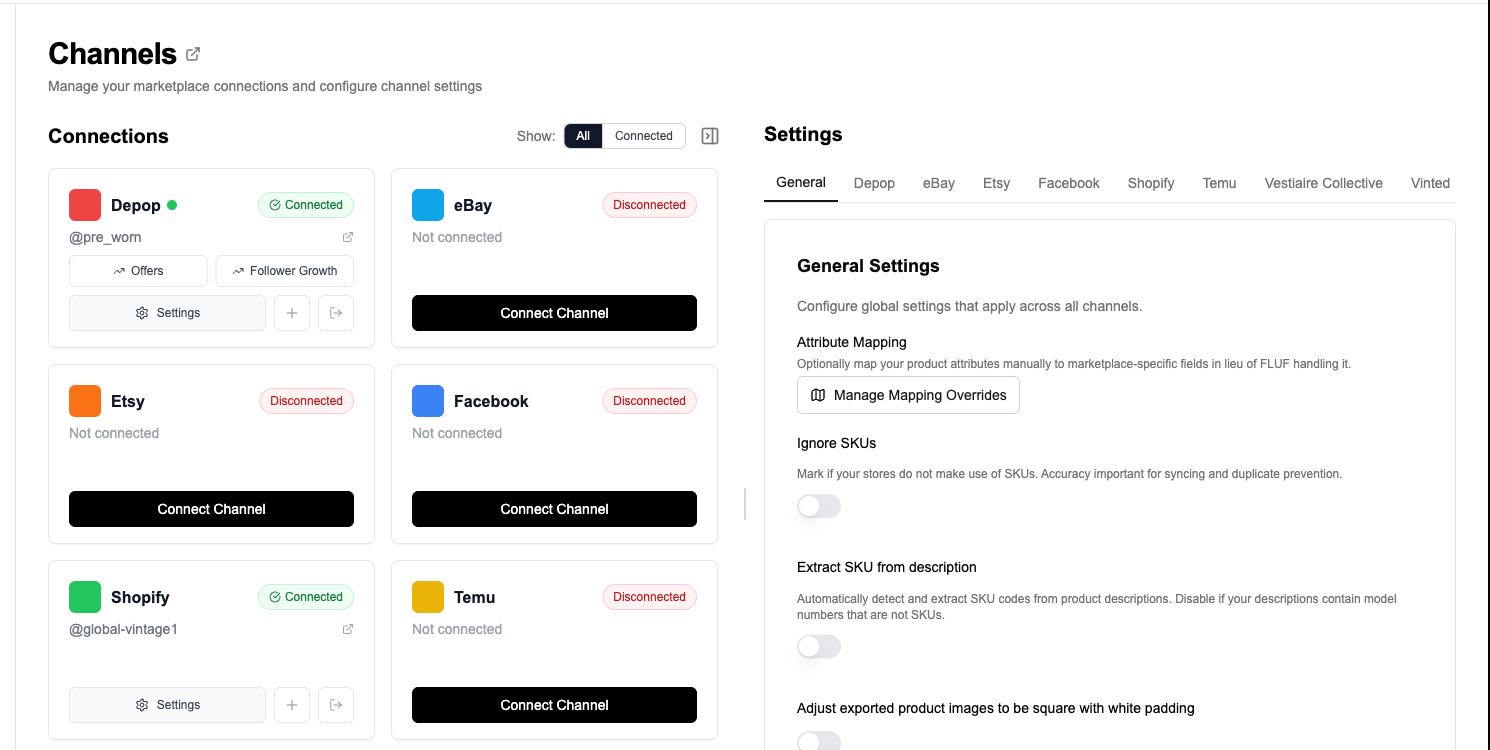
- Connect Vestiaire Collective and Whatnot. Start in FLUF Connect and link both channels so your listings can be managed from one dashboard.
- Import your Vestiaire inventory. FLUF reads your existing Vestiaire products so you are working from a central inventory view instead of copying from marketplace tabs.
- Select the products you want to send to Whatnot. This is especially useful when you want to test which luxury or designer items also work well in a live-selling or community-led environment.
- Review the Whatnot setup. FLUF prepares the Whatnot listing from your source data, but this is where you confirm the destination category, any category-specific attributes, and the shipping-profile choice.
- Publish to Whatnot. Once reviewed, FLUF creates the Whatnot marketplace listing and ties it back to the same connected inventory record.
- Let sold sync protect both channels. If the item sells on either side, FLUF removes it from the other connected channel within minutes.
This workflow matters because Vestiaire and Whatnot do not think about products in the same way. Vestiaire is built around luxury catalogue quality, brand recognition, and trusted presentation. Whatnot is built around seller momentum and fast buyer action. FLUF Connect does the operational work in the middle so you can focus on whether the inventory should be on both channels, not on retyping the same product all afternoon.

What Transfers When You Crosslist from Vestiaire Collective to Whatnot?
FLUF Connect carries over the core product data that makes a listing reusable, then turns it into a Whatnot-ready draft for review. The Whatnot integration already supports listing creation with title, description, images, price, quantity, SKU, and destination listing structure. At the same time, the current implementation still expects seller review around Whatnot category choice, product attributes, and shipping profile, so it is best to think of this as assisted crosslisting rather than a blind one-click mirror.
| Vestiaire listing data | Whatnot destination | Transfer status | Notes |
|---|---|---|---|
| Title | Whatnot title | ✅ Automatic | The core listing title carries across so you are not rewriting the product name from scratch. |
| Description | Description | ✅ Automatic | Your source copy is reused and can be tightened for Whatnot if needed. |
| Images | Listing photos | ✅ Automatic | FLUF sends the image set through the Whatnot listing flow. |
| Price | Buy It Now price | ✅ Automatic | The current price comes across and can be adjusted before publishing. |
| Quantity | Inventory quantity | ✅ Automatic | Useful for keeping linked listings aligned once the product is live on both channels. |
| SKU | SKU | ⚡ Supported where present | Helpful for inventory tracking if your source listing includes one. |
| Brand, condition, size, product context | Whatnot attributes | ⚠️ Review recommended | These details can inform the Whatnot listing, but they should be checked against the destination category requirements. |
| Vestiaire category | Whatnot category | ⚠️ Review required | Whatnot category selection should be confirmed before publishing. |
| Shipping setup | Whatnot shipping profile | ⚠️ Review required | Whatnot uses shipping-profile logic, so you should verify the destination setup. |
- Category fit: a luxury handbag, sneaker, or accessory may need a final Whatnot category check before it goes live.
- Attribute completeness: Whatnot categories can expect cleaner structured data than the source listing alone provides.
- Listing style: Whatnot buyers respond well to concise, browseable titles and clear condition framing.
- Shipping profile: confirm the destination profile you want before publishing.
That review step is not a weakness. It is what keeps the workflow realistic. Vestiaire and Whatnot are meaningfully different channels, so a short review is still far faster than rebuilding the listing manually from zero.
How Inventory Sync Works Between Vestiaire Collective and Whatnot
The biggest operational value in this pair is sold-state sync. Once the product is connected across Vestiaire Collective and Whatnot, FLUF Connect can remove the linked listing from the other channel within minutes when a sale is detected. That is what turns a risky dual-listing workflow into one you can actually scale.
| Event | What FLUF does | Typical outcome |
|---|---|---|
| Item sells on Vestiaire Collective | Removes the linked Whatnot listing | Reduces the chance of a duplicate live sale |
| Item sells on Whatnot | Removes the linked Vestiaire listing | Stops the item staying active on the luxury marketplace |
| Manual text edits on one channel | Not treated as a live mirrored document | Review in FLUF when you want parity |
| Bulk inventory management | Best handled from FLUF | One operational source of truth for connected listings |
This matters even more when Whatnot is part of your live-selling workflow. If an item moves quickly during a stream, you do not want to remember later that it is still sitting on Vestiaire. Likewise, if a luxury buyer checks out through Vestiaire first, you do not want to keep presenting the item on Whatnot. FLUF handles the clean-up layer that makes both channels usable together.
Crosslisting from Vestiaire Collective to Whatnot: Before and After FLUF Connect
Without FLUF Connect
- Open the Vestiaire listing.
- Copy the title and description manually.
- Download or resave the images.
- Create a Whatnot listing from scratch.
- Choose the Whatnot category and fill in the required structured details.
- Set the shipping profile.
- Publish.
- Keep track of the fact that the same item is now live on both channels.
- Delete the duplicate manually when it sells.
Result: slow listing work up front and an ongoing overselling risk after the sale.
With FLUF Connect
- Import your Vestiaire inventory into FLUF.
- Select the items you want on Whatnot.
- Review the destination setup.
- Publish.
- Let inventory sync handle the sold-state clean-up.
Result: less admin, fewer copy-paste errors, and a workflow that lets you test the same inventory on both a luxury marketplace and a live-commerce channel.
Run Vestiaire and Whatnot as one connected inventory system instead of two separate listing projects.
Automation Features for Vestiaire Collective and Whatnot Sellers
Vestiaire Collective and Whatnot are similar inside FLUF in one important way: both are valuable because they connect into the same inventory system, not because they both offer identical marketplace-side automation. This pair is strongest for crosslisting, sold sync, and order support. Neither channel is a FLUF relisting channel today, so the real win is safe multi-channel selling rather than mirrored relisting or offer automation.
| Feature | Vestiaire Collective | Whatnot |
|---|---|---|
| Crosslisting | ✅ | ✅ |
| Inventory sync | ✅ | ✅ |
| Order sync support | ✅ | ✅ |
| Auto-relisting | — | — |
| Offer management | Marketplace-native only | Marketplace-native only |
| Bulk workflow support | ✅ via FLUF workflow | ✅ via FLUF workflow |
If your wider strategy includes more channels, FLUF can connect this pair with eBay, Depop, Vinted, Shopify, and the rest of the supported stack on the integrations page.
Pricing and Marketplace Fees
FLUF Connect pricing is based on your inventory size, not on whether you use Vestiaire Collective, Whatnot, or both. Paid plans start at GBP 19/month for up to 1,000 products, with larger plans for established sellers and high-volume teams.
| Plan | Price | Product limit | Best for |
|---|---|---|---|
| Growth | GBP 19/month | 1,000 products | Side-hustle and early scaling sellers |
| Seller | GBP 99/month | 5,000 products | Established resale businesses |
| Super Seller | GBP 299/month | Unlimited | Large teams and high-volume operations |
The marketplace fees are different enough that listing on both can make commercial sense. Whatnot’s current official fee schedule says UK and EU sellers generally pay 6.67% + VAT commission, plus 2.42% on total order value and GBP 0.25 + VAT processing in most categories, with special rates for some collectibles categories. Vestiaire Collective’s current seller-fee page says UK sellers generally pay 12% selling fees on items between GBP 83 and GBP 16,667, plus 3% payment processing with a GBP 3 minimum, and it does not accept items listed below GBP 14. That means Whatnot is often better for lower-priced, faster-turnover stock, while Vestiaire is better for premium inventory where authentication and luxury positioning support stronger realised prices.
Frequently Asked Questions
Can I crosslist from Vestiaire Collective to Whatnot automatically?
Yes. FLUF Connect lets you import your Vestiaire inventory, prepare Whatnot listings from that source data, review the destination details, and publish without rebuilding each listing manually.
Does FLUF stop overselling between Vestiaire Collective and Whatnot?
Yes. When a linked item sells on one side, FLUF Connect removes it from the other connected channel within minutes to reduce duplicate-sale risk.
Does every Vestiaire field map perfectly into Whatnot?
No. The core listing data transfers well, but Whatnot category choice, structured attributes, and shipping-profile setup should still be reviewed before publishing.
Do Vestiaire Collective and Whatnot both support FLUF auto-relisting?
No. This pair is best thought of as strong for crosslisting, inventory sync, and order support. Neither marketplace is a FLUF relisting channel today.
Who should use Vestiaire Collective and Whatnot together?
Sellers with designer fashion, premium sneakers, luxury accessories, and selected high-value vintage pieces are the best fit. Vestiaire gives you trust-led luxury positioning, while Whatnot gives you a second route to sale through live and community-led demand.
Sources & Verification
Last verified: 2026-04-17. Please contact us if any marketplace policy or fee has changed.
- Vestiaire Collective: Our concept page — marketplace positioning, live listings, and global audience context.
- Vestiaire Collective seller fees — current UK seller fee structure and minimum listing thresholds.
- Whatnot seller location and currency requirements — supported seller countries and account rules.
- Whatnot seller fees — current UK and EU seller fee schedule.
- FLUF Connect pricing — plan tiers and product limits.
- FLUF Connect integrations — supported marketplace connections.
- FLUF Connect inventory sync — sold-state sync overview.
- FLUF guide: Sell on Vestiaire Collective — marketplace context for Vestiaire sellers.
- FLUF guide: Sell on Whatnot — marketplace context for Whatnot sellers.