
Crosslist from Poshmark to Facebook Marketplace — Automatically
Capture Poshmark's national fashion buyers and Facebook Marketplace's 800M hyperlocal users — one click, one inventory, automatic sync.



- Poshmark: Naver-owned US and Canada fashion marketplace; flat $2.95 fee under $15, 20% commission on $15+[1].
- Facebook Marketplace: roughly 1 billion people have used Facebook Marketplace at some point, with about 800 million using it monthly; listing has no platform fee, and the only fee is 5% (minimum $0.40) on Marketplace Shipping orders in the US — local pickup has no fee[2].
- Complementary, not competing: Poshmark wins shipped fashion to a national US/CA buyer pool; Facebook Marketplace wins hyperlocal pickup, heavier items and homeware, and a much larger total audience. There is virtually no buyer overlap.
- Fields that transfer automatically: title (capped at FBMP’s 100-character limit), description, the first 10 photos (FBMP’s limit), price, brand, condition (mapped Poshmark 5-point → FBMP 4-point scale), category and colour.
- Inventory sync: when an item sells on Poshmark it is delisted from Facebook Marketplace within minutes, and vice versa — no double-sales.
- Cost: from £9/month (Starter). Every plan includes the full automation feature set.

Why Pair Poshmark with Facebook Marketplace?
Poshmark and Facebook Marketplace pull from almost completely different buyer pools, which is exactly why running both at once produces clean revenue uplift rather than cannibalisation. Poshmark’s 80 million registered users are concentrated in the United States and Canada, skew 70% female and shop primarily for shipped fashion in the 25–44 age band[1]. Facebook Marketplace’s reach is roughly an order of magnitude bigger — about 1 billion people have ever used it and around 800 million use it monthly — and the gender split is roughly even, the age range is broader, and the typical session is location-anchored: people are searching their own town or city for things they can collect today[2].
That difference matters because the items that work best on each platform diverge. A wardrobe of Madewell jeans, Lululemon leggings and J. Crew blazers is Poshmark’s wheelhouse — brand-and-size search, $30–$90 shipped, US-wide. The same closet on Facebook Marketplace will move a smaller share of those mid-market shipped items, but it will move the things Poshmark cannot: the heavy wool coat that exceeds Poshmark’s 5 lb flat-rate shipping bracket, the boots with the box, the homeware you had next to the wardrobe, the lamp, the IKEA bookcase. FBMP’s local-pickup format makes oversized, heavy and bulky items practical to sell because no shipping is involved.
The economics are also stark. Poshmark takes a flat $2.95 fee on sales under $15 and a 20% commission on sales of $15 or more[1]. Facebook Marketplace charges nothing at all on local-pickup sales, and only 5% (with a $0.40 minimum) on the optional Marketplace Shipping flow within the US[2]. For a $50 item, Poshmark keeps $10; the same item collected locally via FBMP pays Facebook $0. That gap means even a relatively low FBMP sell-through rate is more profitable per unit than the equivalent shipped Poshmark sale.
| Poshmark | Facebook Marketplace | |
|---|---|---|
| Active users | ~80M registered (US + CA only)[1] | ~800M monthly, ~1B ever-used[2] |
| Primary age range | 25–44, 70% female | 25–54, near-even gender split |
| Geography | United States + Canada only[1] | Available in most countries — listings local-radius first |
| Listing fee | None | None[2] |
| Selling fee | $2.95 flat under $15 / 20% on $15+[1] | 0% local pickup / 5% (min $0.40) on Marketplace Shipping (US)[2] |
| Buyer focus | Shipped fashion, national | Local pickup + optional national shipping |
| Listing format | 16 photos, 80-char title, 5-point condition | 10 photos, 100-char title, 4-point condition |
| API | Browser extension required | Browser extension required |
Capture two non-overlapping buyer pools with one inventory. Crosslist Poshmark to Facebook Marketplace in minutes.
Audience Overlap and Why Facebook Marketplace Catches What Poshmark Misses
The first question Poshmark sellers usually ask before adding Facebook Marketplace is whether the audiences cannibalise each other. The honest answer is: they barely overlap at all. Poshmark’s product-discovery happens through a specific search behaviour — brand name plus size or category — driven by the platform’s social-share and follower mechanics. Facebook Marketplace discovery happens through proximity and intent: someone browses what is available within their geographic radius, often without a specific brand in mind, and converts when they spot something useful they can collect today.
Three concrete categories show why the channels complement each other rather than compete:
- Outerwear and heavier items. Poshmark’s flat $9.32 shipping rate (USPS Priority) covers up to 5 lb; anything heavier costs the seller out of pocket or upsells the buyer. A wool overcoat, a leather biker jacket, a pair of riding boots with a box — all routinely tip over 5 lb. On FBMP, weight is the buyer’s problem (they’re collecting in person), so heavy items can be priced cleanly without the shipping-fee drag. Sellers who add FBMP typically see 30–50% of their outerwear move locally that would otherwise have lingered on Poshmark for months.
- Bundles and lots. Poshmark optimises for single-item listings; bundle pricing exists but conversion is weaker. Facebook Marketplace buyers happily collect a black-bag-full-of-baby-clothes or a box-of-vintage-band-tees in one local pickup. Sellers consolidating end-of-season inventory often clear it via FBMP lots faster than they would via individual Poshmark relists.
- Items adjacent to fashion. Designer perfume, brand-name skincare, hair tools, jewellery boxes, branded coffee-table books — items Poshmark restricts or where its category fit is weak — sell briskly on FBMP. If your closet shoot also captured the bag, the lamp, the chair and the rug, you can list those too without ever leaving the FLUF Connect dashboard.
The unique-audience effect is large enough that most FLUF Connect users running both Poshmark and Facebook Marketplace report between 20% and 40% revenue uplift on the combined inventory versus Poshmark alone, with the majority of that uplift coming from items that would not have sold on Poshmark at all rather than from sales pulled away from Poshmark.
How to Crosslist from Poshmark to Facebook Marketplace with FLUF Connect
1. Sign Up to FLUF Connect
Create an account at fluf.io/connect. Starter at £9/month, with no cap on how much you list. Every plan includes the full automation feature set across every supported channel.
2. Connect Your Poshmark Account
Install the FLUF Connect browser extension, sign in to Poshmark, and pick your TLD (com for the US, ca for Canada). The extension reads your existing closet — including all photos, descriptions, prices, brands and conditions — and imports it into your FLUF Connect inventory. No password is shared with FLUF.
3. Connect Your Facebook Marketplace Account
Click Connect on the Facebook tile in FLUF and sign in to Facebook. Keep the FLUF browser extension connected when using Facebook Marketplace.
4. Set Your FBMP Default Location
Facebook Marketplace listings are anchored to a geographic location used to compute the pickup radius shown to buyers. FLUF Connect inherits this from your Facebook account by default, but you can override it per listing (useful if you store inventory at a separate address from your home).
5. Choose Shipping or Local-Only per Rule
Decide whether each item should be local-pickup-only (no FBMP fees, narrower audience) or Marketplace-Shipping-enabled (national US reach, 5% FBMP fee). FLUF Connect lets you set this per crosslisting rule — for example, items under $40 stay local-pickup-only to avoid the $0.40 minimum FBMP shipping fee eating margin, while items $40+ become shipping-enabled to widen reach.
6. Review Field Mapping
Review the Facebook Marketplace preview before publishing. Check the title within its 100-character limit, the first ten photos, the cover photo, description and condition.
7. Crosslist
Select your items and click Crosslist to Facebook Marketplace. Keep the extension connected while publishing, then check the listing status in FLUF Connect.
8. Inventory Syncs Automatically
When a buyer purchases on Poshmark, FLUF Connect detects the sale and ends the matching FBMP listing within minutes. The same applies in reverse — an FBMP sale takes the Poshmark listing down. Manual edits, price changes and delists sync in the same direction you make them.
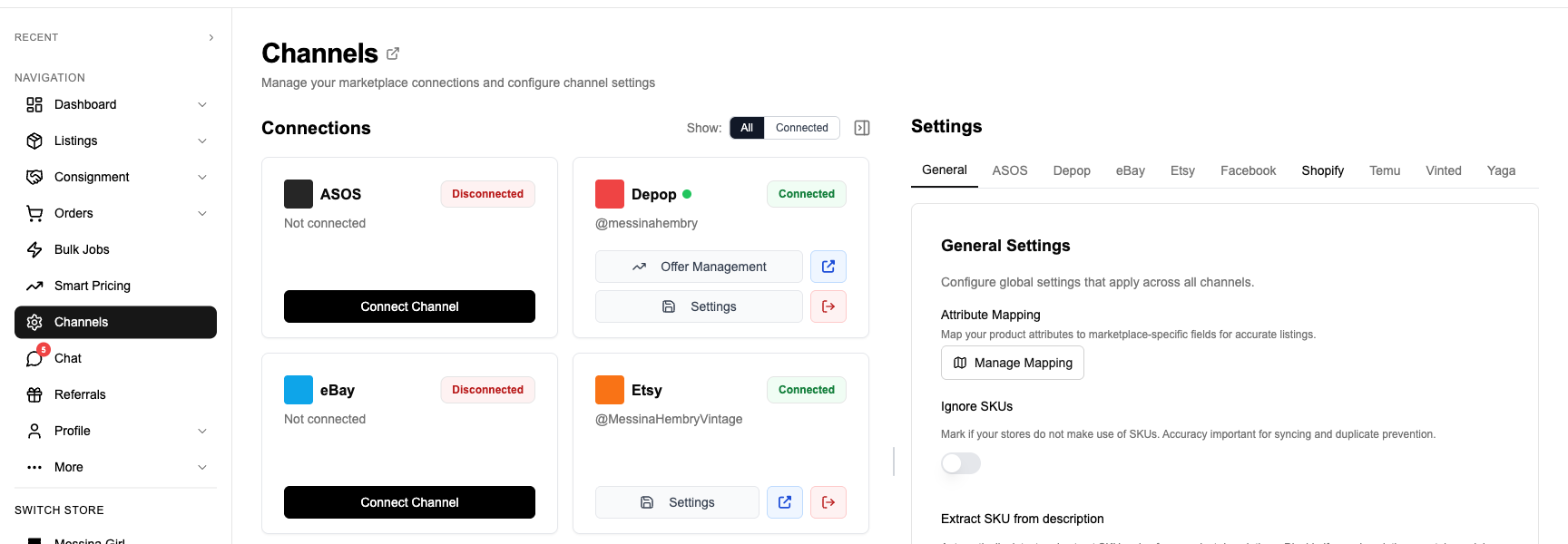
What Transfers When You Crosslist from Poshmark to Facebook Marketplace
| Poshmark Field | Facebook Marketplace Field | Transfer Status | Notes |
|---|---|---|---|
| Title (up to 80 chars) | Title (up to 100 chars) | ✅ Automatic | Poshmark titles always fit within FBMP’s 100-char limit — no truncation needed |
| Description | Description | ✅ Automatic | HTML-entity decoded; block elements become newlines so paragraphs render cleanly |
| Photos (up to 16) | Photos (up to 10) | ⚡ First 10 transfer | Cover photo always becomes FBMP primary image; extras remain on Poshmark |
| Cover photo | Primary image | ✅ Automatic | Poshmark cover_shot maps to FBMP’s first image slot |
| Price (USD) | Price (USD) | ✅ Automatic | Currency follows your Facebook account region |
| Original price (MSRP) | — | ❌ Not used | FBMP does not display retail compare-at pricing |
| Brand | Brand (free-text attribute) | ✅ Automatic | FBMP brand is a free-text field, not a controlled vocabulary — any Poshmark brand transfers as-is |
| Size | — | ⚠️ Appended to description | FBMP has no structured size field outside specific apparel categories; FLUF appends “Size: M” to the description |
| Colour (Poshmark 15-colour palette) | Colour (16-colour FBMP palette) | ⚡ Mapped | Poshmark colours map to FBMP’s red/pink/orange/yellow/green/blue/purple/gold/silver/black/grey/white/brown/beige/clear/multi-colour set |
| Condition (5-point Poshmark scale) | Condition (4-point FBMP scale) | ⚡ Mapped | NWT → New; NWOT → Used — Like New; EUC → Used — Like New; Good → Used — Good; Fair → Used — Fair |
| Department + Category + Sub-category | FBMP category leaf | ⚡ Smart mapped | Mapped into Facebook Marketplace’s category tree |
| Style tags (Poshmark) | — | ❌ Not used | FBMP has no style-tag concept; descriptions carry the language |
| — | Location / pickup radius | ⚠️ Default + override | Inherited from your Facebook profile; editable per listing |
| — | Marketplace Shipping toggle | ⚠️ Per rule | Choose local-only (no FBMP fee) or shipping-enabled (5% FBMP fee, min $0.40)[2] |
Legend: ✅ Automatic. ⚡ Mapped or transformed. ⚠️ Defaults or per-listing setting. ❌ Not available on the destination channel.
Condition Mapping in Detail
Poshmark’s 5-point condition vocabulary doesn’t map one-to-one with Facebook Marketplace’s 4-point scale. FLUF Connect applies the following deterministic mapping, drawn directly from how the platforms’ own listing UIs describe each state:
| Poshmark Condition | Facebook Marketplace Condition | Reasoning |
|---|---|---|
| NWT (New With Tags) | New | Both platforms treat tagged unworn stock as new |
| NWOT (New Without Tags) | Used — Like New | FBMP reserves “New” for sealed/tagged stock; NWOT items technically count as unused-but-untagged, which sits in FBMP’s Like New bucket |
| EUC / Very Good | Used — Like New | Poshmark Very Good = “minimal signs of wear”; FBMP Like New is the closest equivalent |
| Good | Used — Good | Direct equivalent — both platforms use the same language |
| Fair / Poor | Used — Fair | Direct equivalent |
| Boutique / Retail | New | Poshmark Boutique = wholesale-source new stock; FBMP treats this as New |
Category Mapping Examples
| Poshmark Path | Facebook Marketplace Path | Notes |
|---|---|---|
| Women > Dresses > Mini | Apparel > Women’s Clothing > Dresses | Sub-length not preserved; mentioned in description |
| Women > Bags > Crossbody | Apparel > Women’s Bags & Wallets > Crossbody Bags | Direct equivalent |
| Women > Jackets & Coats > Wool | Apparel > Women’s Clothing > Coats & Jackets | Wool sub-type carried into description |
| Men > Shoes > Sneakers | Apparel > Men’s Shoes > Sneakers | Direct equivalent — FBMP has strong sneaker buyer demand locally |
| Home > Bedding > Sheets | Home Goods > Bedding | FBMP’s home category set is much wider than Poshmark’s — homeware moves well |
Inventory Sync Between Poshmark and Facebook Marketplace — What Stays in Sync?
| Event | What Happens | Timing |
|---|---|---|
| Item sells on Poshmark | Facebook Marketplace listing taken down automatically | Within minutes |
| Item sells on Facebook Marketplace | Poshmark listing taken down automatically | Within minutes |
| Item marked sold manually on either side | Other channel delisted | Within minutes |
| Price changed on Poshmark | FBMP price updated | Within hours (extension-paced) |
| Title or description edited on Poshmark | FBMP listing edited | Within hours |
| Photos changed on Poshmark | FBMP photos refreshed | Within hours |
| Item deleted on Poshmark | FBMP listing removed | Within hours |
| Buyer messages on FBMP | Surfaces in FLUF Connect inbox | Check sync status after a sale |
| FBMP listing rejected by Facebook policy | Flagged in FLUF dashboard with reason | Within minutes |
Sync is not instantaneous. Keep the extension connected and check that sold Poshmark items are no longer available on Facebook Marketplace before arranging collection with another buyer.
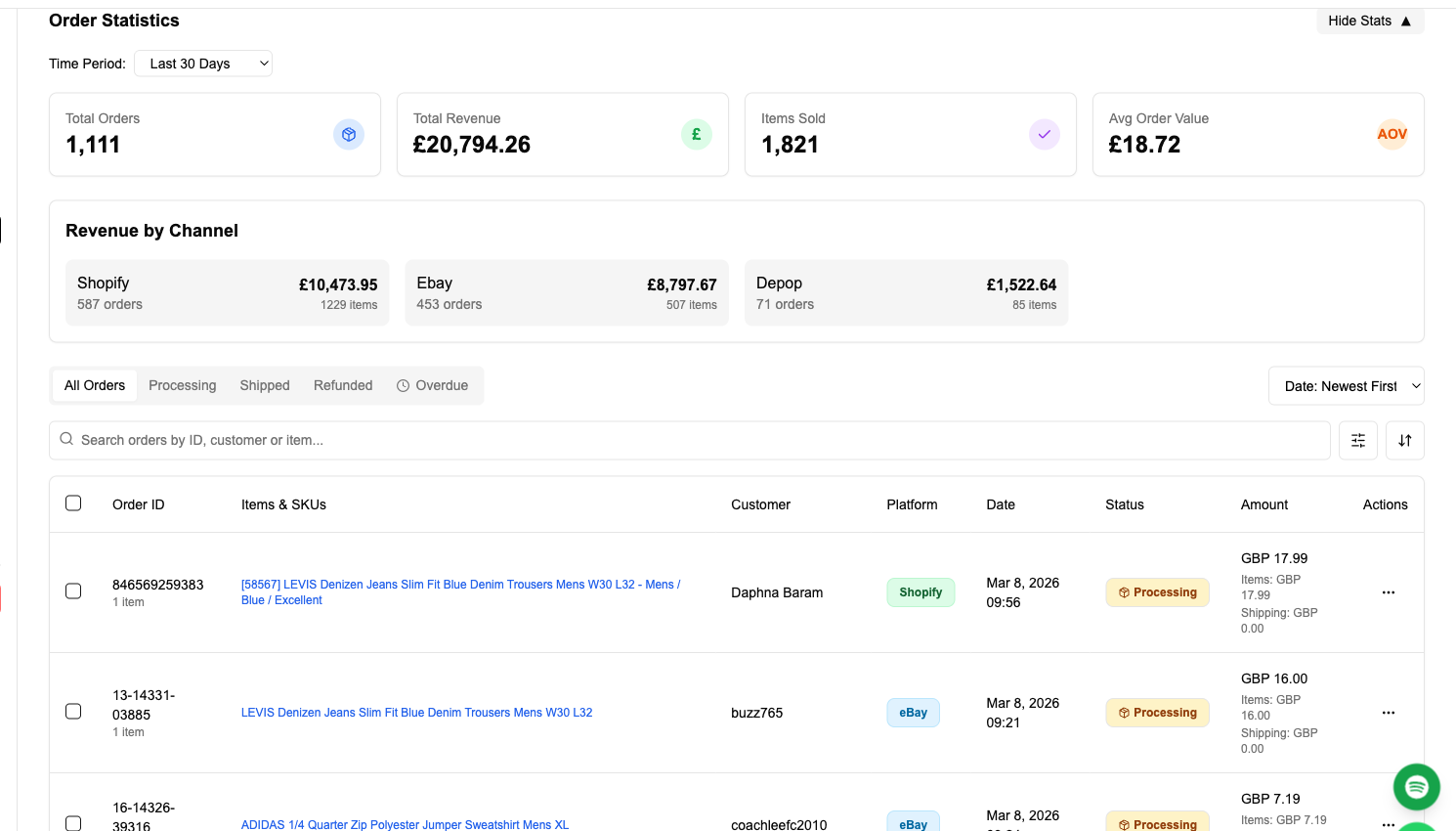
Crosslisting from Poshmark to Facebook Marketplace: Before and After FLUF Connect
Without FLUF Connect (Manual)
- Open the Poshmark listing in one tab.
- Save all 16 photos to your computer (right-click each one).
- Open Facebook Marketplace in another tab; click Create New Listing → Item For Sale.
- Upload up to 10 photos one at a time, rearranging until your Poshmark cover ends up first.
- Re-type the title (capped at 100 characters).
- Re-type the description, re-formatting line breaks since FBMP renders them differently.
- Pick condition from FBMP’s 4-point dropdown — translating from your Poshmark 5-point choice.
- Pick the FBMP category leaf from the dropdown.
- Type the brand into the free-text brand field.
- Pick a colour from FBMP’s 16-colour palette.
- Set price, location, pickup radius and Marketplace Shipping toggle.
- Publish.
- Record the FBMP listing URL in a spreadsheet next to the Poshmark URL.
- When the item sells on either side: manually delete the listing on the other side before the second buyer commits.
Time per item: 8–12 minutes. Time per 50 items: 7–10 hours, plus the ongoing manual sync work.
With FLUF Connect
- Open FLUF Connect dashboard, filter to your active Poshmark inventory.
- Tick items (or select all).
- Click Crosslist to Facebook Marketplace.
- Review (photos, condition, category, shipping toggle — all pre-filled).
- Confirm.
- Done. Sync runs automatically from now on.
Time per item: about 45 seconds. Time per 50 items: under 40 minutes, then zero ongoing sync work.
Automation Features for Poshmark and Facebook Marketplace Sellers
Auto-Crosslisting Rules
Set rules so any new Poshmark listing automatically crosslists to Facebook Marketplace within minutes of going live on Poshmark. Common configurations:
- Local-only, all categories — every new Poshmark item lists on FBMP as local-pickup, with no FBMP fees, captures your geographic buyer pool with zero overhead.
- Shipping-enabled above $40 — items $40+ go on FBMP with Marketplace Shipping turned on (worth the 5% FBMP fee for national reach); items under $40 stay local-only so the $0.40 minimum doesn’t eat margin.
- Heavy items only — items in the Coats, Boots, Bags or Home categories crosslist automatically; lighter items stay Poshmark-only. Useful if you don’t want to clutter FBMP with single-tee listings.
- Excluded categories — Poshmark accepts categories FBMP doesn’t (e.g. some accessories); these stay Poshmark-only.
Bulk Operations
Apply find-and-replace across all FBMP descriptions (useful for updating pickup-address language or shipping policy). Adjust prices in bulk by percentage or fixed amount — FBMP price changes propagate within hours via the extension. See FLUF Bulk Operations.
Offer Management on Poshmark
Facebook Marketplace has its own messaging-driven offer flow; Poshmark has structured offers and “Offer to Likers”. FLUF Connect’s Poshmark offer management sends scheduled offers to your Poshmark watchers without any action from you — pair this with FBMP local-pickup negotiation messaging for a two-sided offer strategy.
Auto-Relisting on Poshmark
Poshmark’s Posh Sharing and feed-position algorithm rewards activity. FLUF Connect’s auto-relisting keeps your Poshmark listings near the top of search results without you opening the app. Facebook Marketplace listings, by contrast, get a one-week initial boost in local-radius feeds and then naturally fade — FLUF Connect can re-publish FBMP listings on a configurable cadence to keep them surfaced.
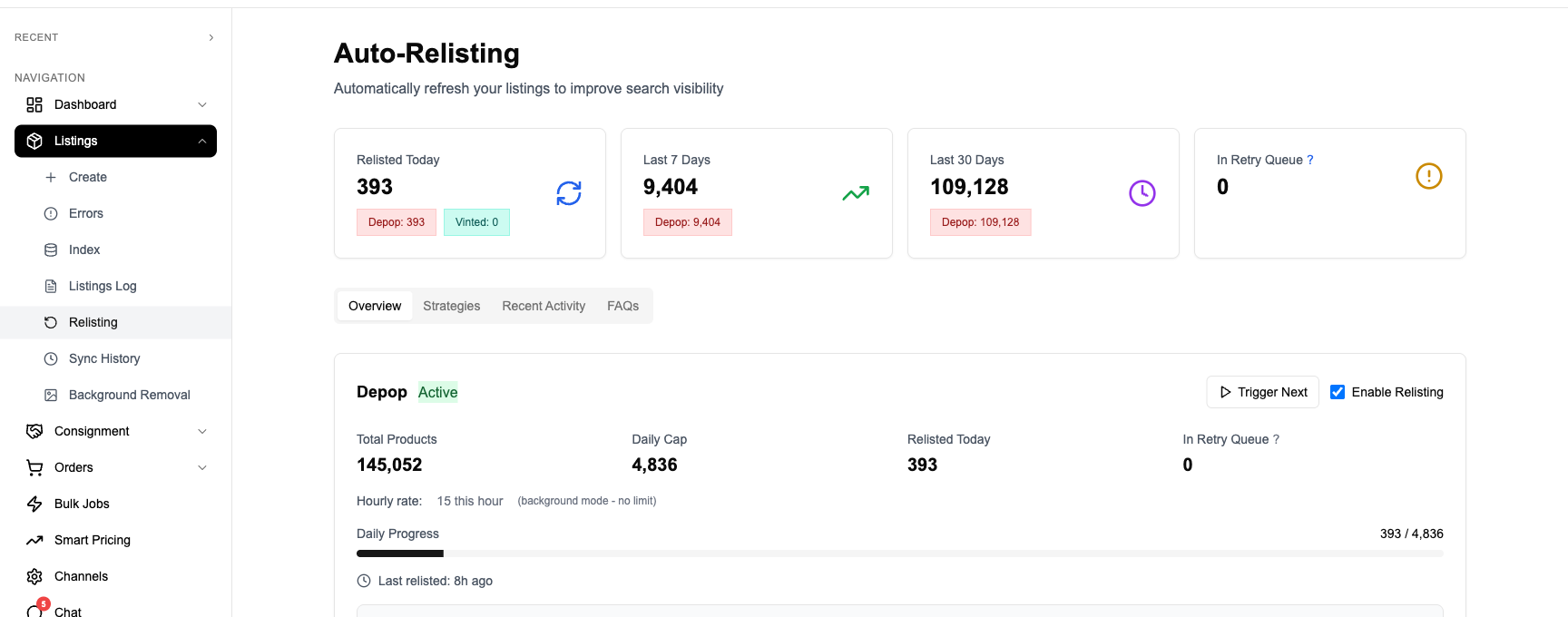
Feature Support Per Channel
| Feature | Poshmark | Facebook Marketplace |
|---|---|---|
| Crosslisting | ✅ | ✅ |
| Auto-relisting | ✅ Posh Sharing & refresh | ✅ Configurable cadence |
| Offer management | ✅ Offers to Likers | Native message-driven |
| Inventory sync | ✅ | ✅ |
| Order import | ✅ | ✅ |
| Bulk operations | ✅ | ✅ |
| Local pickup support | ❌ Shipping only | ✅ Default mode |
| National shipping | ✅ Flat $9.32 (USPS Priority) | ✅ Marketplace Shipping (5% fee, min $0.40)[2] |
Fee Comparison — Poshmark’s 20% vs FBMP’s Low Local-Pickup Fees
The fee maths is the single clearest reason to add Facebook Marketplace to a Poshmark closet. Listing on FBMP has no platform fee; selling on FBMP local-pickup has no platform fee; only Marketplace Shipping in the US carries a fee, and it is 5% (with a $0.40 minimum) — a quarter of Poshmark’s 20% commission[2].
| Sale Price | Poshmark Take | Poshmark Net to Seller | FBMP Local-Pickup Net | FBMP Shipping Net (US) |
|---|---|---|---|---|
| $10 | $2.95 flat | $7.05 | $10.00 | $9.60 (5% capped by $0.40 min) |
| $15 | $3.00 (20%) | $12.00 | $15.00 | $14.25 |
| $25 | $5.00 (20%) | $20.00 | $25.00 | $23.75 |
| $50 | $10.00 (20%) | $40.00 | $50.00 | $47.50 |
| $100 | $20.00 (20%) | $80.00 | $100.00 | $95.00 |
| $200 | $40.00 (20%) | $160.00 | $200.00 | $190.00 |
The fee gap means a Facebook Marketplace local-pickup sale at $50 returns the same amount to the seller as a $63 Poshmark sale. Sellers regularly find that pricing the same item identically on both platforms produces 25% more margin per FBMP sale than per Poshmark sale, before considering that Poshmark’s flat shipping label is also deducted from the seller’s payout on lower-priced items.
The trade-off is volume and friction. Poshmark’s national audience means more eyes per listing; FBMP’s local audience means smaller per-listing reach but a more committed buyer (they have to drive to collect). The right mix depends on category — for heavy or bulky items, FBMP wins on both fees and convenience; for shipped fashion under 5 lb, Poshmark’s national pool tends to convert faster but at a higher fee.
How Much Does It Cost to Crosslist from Poshmark to Facebook Marketplace?
| Plan | Monthly | Crosslisted products |
|---|---|---|
| Starter | £9/month | Unlimited |
| Pro | £29/month | Unlimited |
| Priority | Custom pricing — tell us what you need | Unlimited |
Poshmark’s $2.95/20% commission and Facebook Marketplace’s 0%/5% structure are billed by the platforms themselves; FLUF Connect adds no per-listing or per-sale fees on top. For a seller selling £400/month across both channels, FLUF Connect’s £9 Starter plan typically pays for itself within the first three FBMP sales of the month — the platform-fee savings on those sales alone cover the subscription.
Add Facebook Marketplace to your Poshmark closet today — no FBMP listing fees, real-time sync, no double-sales.
Related Guides
- Crosslist from Poshmark to eBay — global reach, structured item-specifics
- Crosslist from Poshmark to Depop — Gen Z, Y2K, streetwear
- Crosslist from Facebook Marketplace to Depop — for FBMP sellers expanding into shipped resale
- How to Sell on Poshmark
- How to Sell on Facebook Marketplace
- Crosslisting Hub
Sources & Verification
- Poshmark seller fees and US/CA-only geography: Poshmark — How Fees Work, TechCrunch — Poshmark UK/AU/IN closure (2023).
- Facebook Marketplace user numbers and seller fees: Meta Business Help — Marketplace selling fees, Meta Newsroom — Facebook Marketplace at five (1B users), Statista — Facebook Marketplace usage statistics.
Frequently Asked Questions
Yes — listing on Facebook Marketplace is free for local-pickup items. Facebook only charges a selling fee on Marketplace Shipping orders (in the US, this is 5% per shipment or a $0.40 flat fee on orders under $8.00). Local pickup and meet-up sales carry no Facebook fees at all. Poshmark, by contrast, takes a $2.95 flat fee under $15 or 20% commission on sales of $15 or more.
Facebook Marketplace requires the FLUF browser extension. Sign in to your Facebook account and keep the extension connected when using this channel.
Yes. Poshmark allows up to 16 photos per listing; Facebook Marketplace allows up to 10 photos. FLUF Connect transfers the first 10 in the order you set them on Poshmark, with your Poshmark cover photo becoming the FBMP primary image. Your remaining photos stay on Poshmark untouched.
Poshmark uses a 5-point condition scale (NWT, NWOT, EUC/Very Good, Good, Fair) while Facebook Marketplace uses four buckets (New, Used — Like New, Used — Good, Used — Fair). FLUF Connect maps them: NWT and NWOT become 'New' or 'Used — Like New', Very Good maps to 'Used — Like New', Good maps to 'Used — Good', and Fair maps to 'Used — Fair'. The mapping is applied automatically in the listing preview.
Yes — this is one of the main reasons to add FBMP to a Poshmark closet. Poshmark's flat shipping rate covers up to 5 lb (extra weight is paid by the seller); FBMP local-pickup has no weight or size limit. Furniture, large coats, boots, boxed shoe collections, books and homeware all work better on FBMP. FLUF Connect lets you list on both and only the platform where the item sells first will take it.
Yes. The moment a sale fires on either Poshmark or Facebook Marketplace, FLUF Connect detects it and delists the matching item on the other channel within minutes. The same applies to manual delists, sold-out states and stock changes. This prevents the classic double-sale problem where the same blazer sells on both platforms 30 minutes apart.
Both. By default FBMP buyers see items within their chosen pickup radius (defaults to 60 miles in the US), but you can flip on Marketplace Shipping when you create the listing to make it visible nationally. FLUF Connect lets you choose per-rule whether crosslisted items go shipping-enabled or local-only. Local-only items are no-fee; shipping-enabled items carry the 5% FBMP shipping fee.
You sign in to FLUF Connect once, then connect each marketplace separately from your dashboard. Poshmark and Facebook each keep their own login session through the FLUF Connect extension; FLUF never sees or stores your passwords. You can connect a personal Facebook account or a Facebook Page — both work with Marketplace.
Keep the FLUF extension connected and use your own Facebook account. Check any account notices and follow Facebook Marketplace’s selling rules.
FLUF Connect plans start at £9/month on Starter, with Pro at £29/month and custom Priority plans above that; every plan is unlimited on listings and marketplaces, and the tiers differ by which automations they include and how often we check your channels for sales. Every plan includes the full crosslisting, sync, offer-management and bulk-edit feature set across all supported channels — there is no premium tier locked behind a feature wall.
Sign up for free
Join the community
You're in.
Open your dashboard