
Crosslist from WooCommerce to Temu — FLUF’s WordPress Plugin for Multi-Marketplace Selling
List your WordPress store's catalogue on Temu from wp-admin. FLUF maps the fields, recommends the Temu category with AI, and keeps stock in sync.



TL;DR: The FLUF Connect plugin for WooCommerce crosslists your WordPress store’s catalogue to Temu from wp-admin. Temu is one of the world’s fastest-growing marketplaces, built on bargain-hunting volume. FLUF maps your WooCommerce product titles, prices, descriptions, images, SKUs and stock, recommends the right Temu category with AI, and keeps inventory in sync so you never oversell. Selling on Temu requires an approved Temu seller account — FLUF crosslists into the account you already hold. FLUF Connect supports crosslisting, inventory sync and order sync on Temu. Plans start at £9/month (Starter); There is no free plan, but every new account gets a 7-day trial for £1.
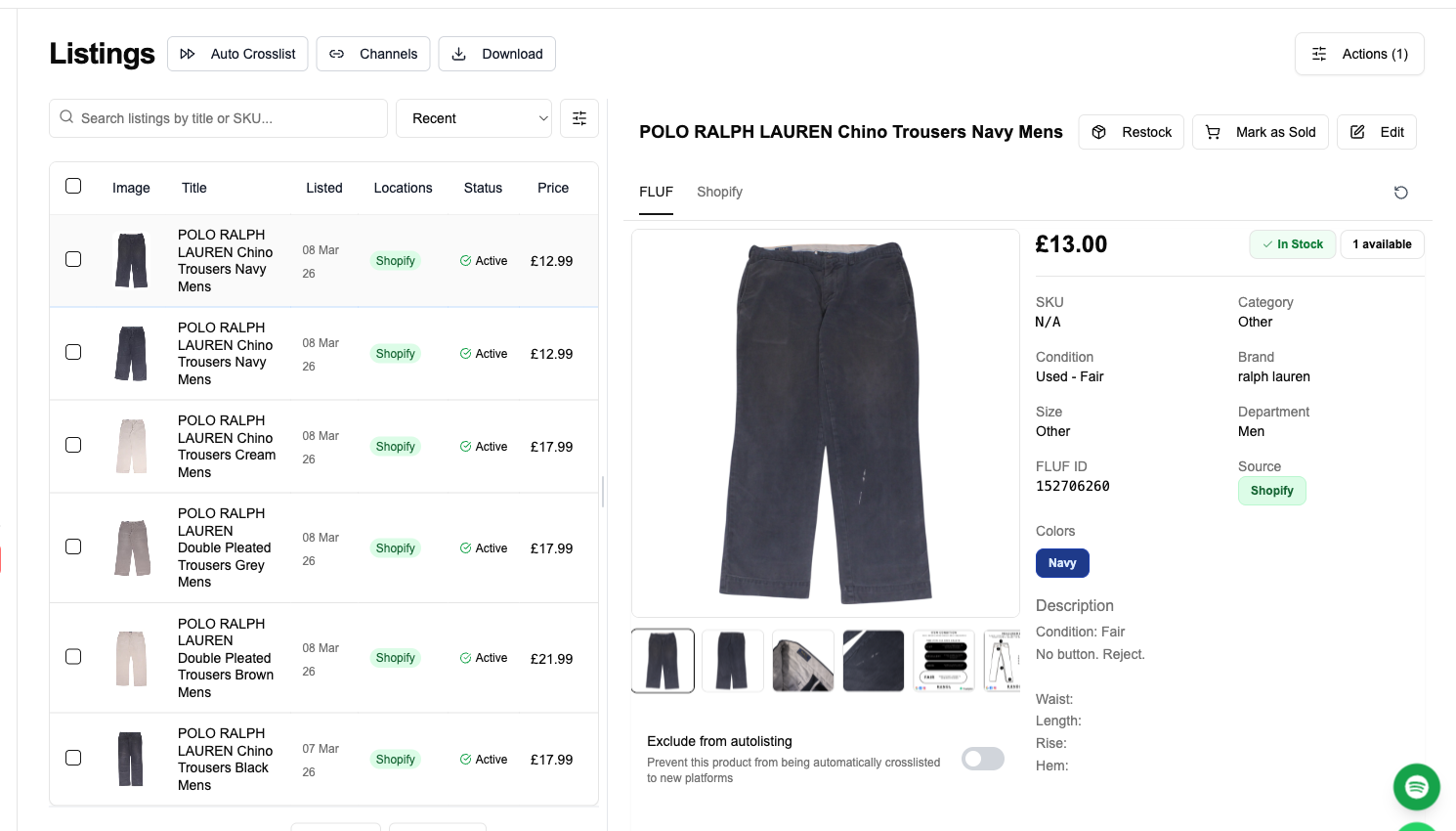
If you run a WooCommerce store — the WordPress e-commerce plugin that powers a large share of the world’s online shops — your products live on a domain you own and control, but they only reach the buyers who already find your site. Temu reaches the opposite: a vast, deal-driven audience that opens the app to discover products by price. The FLUF Connect plugin for WooCommerce bridges the two from inside your WordPress admin, so you can crosslist from WooCommerce to Temu without rebuilding a single product by hand. You keep one catalogue in WordPress and let FLUF Connect mirror your chosen products to Temu. For a WooCommerce store owner, that means reaching one of the largest shopping audiences in the world without leaving the WordPress dashboard you already manage your products in, and without maintaining a second, disconnected catalogue that drifts out of sync with your real stock.
Why List Your WooCommerce Products on Temu?
Crosslist from WooCommerce to Temu because the two channels do completely different jobs: your WordPress store is the branded home you own and keep the full margin on, while Temu is a discovery marketplace with enormous reach into price-led buyers your own site will never attract on its own. Adding Temu turns your existing WooCommerce inventory into listings on one of the highest-traffic shopping apps in the world, without paid ads to get there. For a WordPress merchant whose growth otherwise depends on search rankings and ad spend, that is a different kind of channel entirely — reach that comes from being where buyers already are, rather than from buying your way in front of them.
Temu, owned by PDD Holdings, launched in September 2022 and scaled fast: reporting puts its 2024 gross merchandise value around $70.8 billion, with app downloads crossing one billion cumulatively by mid-2025, across 90-plus markets. For a WordPress store, that is a pool of active shoppers far larger than your own traffic — demand you do not pay for click by click. The honest counterpoint, which this page returns to, is that Temu competes on price, so it suits WooCommerce stores selling at competitive price points more than premium brands.
| WooCommerce (your store) | Temu | |
|---|---|---|
| What it is | WordPress e-commerce plugin — your owned storefront | High-traffic discovery marketplace |
| Buyer intent | Brand and search-led; your customers | Price and deal-led; new audiences |
| You control | Brand, margin, customer relationship | A listing inside Temu’s marketplace |
| Strength | Lifetime value, repeat custom | Reach and volume |
| Cost to add | — | Temu seller account + FLUF subscription |
The honest part: selling on Temu is gated
Unlike a casual resale app, Temu vets its sellers. Marketplace registration is open in the US through Temu’s seller centre, but it requires business and identity verification, and listings are reviewed before they go live; Temu’s own US warehouse fulfilment program remains invite-only. Temu also operates a free-shipping expectation that sellers absorb, and its pricing system pushes for low prices. None of that stops a WooCommerce store from succeeding on Temu — but you should come in knowing it is a price-competitive, approval-based marketplace, not a one-click listing app. FLUF crosslists into the approved Temu seller account you hold; it does not create that account for you.
How the FLUF Connect Plugin Crosslists WooCommerce to Temu
FLUF Connect is a WordPress plugin that installs in wp-admin and turns your WooCommerce catalogue into a multi-marketplace operation. There is no code, no FTP and no separate developer build. End-to-end setup is roughly ten minutes once your Temu seller account is approved.
Step 1: Install the FLUF Connect plugin in wp-admin
From your WordPress dashboard: Plugins → Add New → search “FLUF Connect” → Install → Activate. On activation, the plugin generates a WooCommerce REST API key and reads your catalogue — nothing changes on your storefront. You need WooCommerce 7.0 or newer and an HTTPS WordPress site. Because the plugin lives inside your WordPress install, it respects your existing user roles, security plugins and hosting setup.
Step 2: Connect your Temu seller account
Inside FLUF Connect, connect the Temu seller account you have already been approved for. From that point FLUF can create and manage your Temu listings, pulling product data straight from WooCommerce.
Step 3: Select products and let FLUF map the category
Your WooCommerce products appear in the FLUF dashboard with their Temu status — listed, queued, or WordPress-only. Filter by category, attribute or stock level and select what to crosslist. Temu requires a specific category and category-dependent attributes that WooCommerce categories do not carry over, so FLUF uses AI to recommend the correct Temu category for each product and helps fill the required attributes — the single biggest manual bottleneck on Temu, automated.
Step 4: Push to Temu with fields and sizes mapped
FLUF maps each WooCommerce product’s title, description, gallery images, regular and sale price, SKU and stock into Temu’s listing format, converts clothing sizes to Temu’s US sizing where relevant, and submits the listing for Temu’s review. Once approved, it goes live, and FLUF keeps stock in sync from your single WordPress catalogue.
Put your WooCommerce catalogue in front of Temu’s bargain-hunting buyers.
What Transfers When You Crosslist from WooCommerce to Temu?
WooCommerce’s product model is rich, and most of it maps straight to Temu. The friction is Temu’s category-specific attributes, which Temu validates on every listing — exactly the part FLUF’s AI category mapping is built to handle.
| WooCommerce field | Temu field | Transfer | Notes |
|---|---|---|---|
| Product name | Title | ✅ Automatic | |
| Description | Description | ✅ Automatic | Long and short description carry across |
| Regular / sale price | Price | ✅ Automatic | Temu expects a competitive price; review before publish |
| Gallery images | Images | ✅ Automatic | Multiple-angle photos transfer |
| SKU | SKU / matching key | ✅ Automatic | Used to keep listings matched for sync |
| Stock quantity | Inventory | ✅ Automatic | Kept in sync to prevent overselling |
| Categories | Temu category | ⚡ AI-mapped | WooCommerce categories don’t carry over; FLUF recommends the Temu category |
| Attributes / variations | Category attributes | ⚡ Mapped | Temu requires category-specific attributes; FLUF helps fill them |
| Size (clothing) | Temu size | ⚡ Converted | Converted to Temu’s US sizing where relevant |
| Weight / dimensions | Shipping fields | ⚠ For self-ship | Used when you fulfil the order yourself |
Legend: ✅ Automatic — transfers directly. ⚡ AI-mapped / Mapped / Converted — FLUF resolves the correct Temu value. ⚠ For self-ship — used in self-fulfilled models.
The fields that need your attention
Two things deserve a look on every Temu crosslist. First, category and attributes: Temu validates required attributes per category, so even with AI mapping, confirm the suggestion and complete any attribute Temu marks mandatory. Second, price: Temu’s marketplace is built around low prices and its system flags listings it considers too expensive, so the price that works on your WordPress store may need rethinking for Temu’s audience — and your margin maths should account for Temu’s seller fees and the free-shipping expectation.
Inventory and Order Sync Between WooCommerce and Temu
The reason to run Temu from your WooCommerce catalogue rather than as a separate store is sync: one source of truth in WordPress, mirrored to Temu, with stock and orders kept aligned.
| Event | What FLUF does | Timing |
|---|---|---|
| Item sells on Temu | Reduces WooCommerce stock and removes it from other channels at zero | Within minutes |
| Item sells on WooCommerce or another channel | Updates the Temu listing’s stock | On next sync |
| Temu order placed | Order syncs into your dashboard for fulfilment | Within minutes |
| Price or stock edited in WordPress | Pushed to the Temu listing | On next sync |
No more overselling. Your WordPress catalogue is the single source of truth. When stock changes anywhere — a Temu sale, a WooCommerce sale, another channel — FLUF keeps the Temu listing’s inventory aligned so you never sell stock you do not have.
What FLUF Connect Does on Temu
Temu is a managed, fixed-price marketplace, so the features that matter for this pair are crosslisting, inventory sync and order sync — getting the listing live with the right category, keeping stock accurate, and pulling Temu orders back for fulfilment. Temu has no social feed or buyer-offer mechanic, so feed-style relisting and offer management do not apply on this channel.
| Feature | On Temu via FLUF Connect |
|---|---|
| Crosslisting | Publish WooCommerce products to Temu with AI category mapping and size conversion |
| Inventory sync | Stock kept aligned across WooCommerce and Temu to prevent overselling |
| Order sync | Temu orders flow into your dashboard for fulfilment |
Crosslisting from WooCommerce to Temu: Before and After FLUF Connect
Without FLUF Connect (manual listing)
By hand, each product means pulling its data out of WooCommerce, starting a Temu listing, assigning the Temu category, filling the category-required attributes Temu validates, re-entering the title and description, uploading images, setting a competitive price, configuring shipping, and submitting for review — realistically 10 to 20 minutes per product before the review wait, with the category and attribute step being the slowest part.
With FLUF Connect
You select products in wp-admin, FLUF recommends the Temu category and fills the attributes, maps every field, converts sizes, and submits — then keeps stock and orders in sync. A catalogue that would take days to list by hand becomes a filtered selection and a click, run from the WordPress dashboard you already use.
Which WooCommerce Products Belong on Temu?
Temu competes on price, so the products from your WooCommerce store that perform best are the ones that can win on value without destroying your margin. Being selective about what you crosslist matters more here than on most marketplaces.
The strongest candidates are everyday, high-turnover products with healthy margins and broad appeal: accessories, homeware, consumer basics, and anything you can price competitively while still profiting after Temu’s fees and the free-shipping expectation. Products where you have a cost advantage — your own manufacturing, bulk sourcing, or private-label lines in your WordPress catalogue — are ideal, because Temu’s pricing system rewards low prices and flags listings it judges too expensive. The products to keep on your WooCommerce store alone are premium, brand-led or high-touch items whose value rests on brand experience rather than price; on Temu they compete against the cheapest equivalent and rarely win. A practical rule: if a product can be profitable at a Temu-competitive price, crosslist it for the reach; if it can only be sold on brand and service, keep it on your owned WordPress storefront where you control the experience and the full margin.
How FLUF Connect Compares to Other WooCommerce-to-Temu Tools
Several WordPress connectors link WooCommerce to Temu. M2E Temu Connect is a native WooCommerce extension with GMV-based pricing; CedCommerce offers a Sell-on-Temu integration; and broader multichannel tools such as Sellbrite (from $29/month) connect WooCommerce to several marketplaces. These are capable products, generally aimed at larger catalogues and priced accordingly.
FLUF Connect’s place among them is as the crosslisting layer that also covers the resale and second-hand channels a typical multichannel connector does not — Depop, Vinted, Poshmark and the rest — from the same WordPress plugin, with AI category mapping to handle Temu’s most awkward step. If your WooCommerce store sells across both mainstream marketplaces and resale channels, running them all from one plugin in wp-admin is simpler than stitching together separate integrations. Crosslisting, inventory sync and order sync are included in every plan from £9/month, and everything runs from the WordPress dashboard you already use.
What to Expect Selling on Temu from a WooCommerce Store
Coming from a WordPress storefront you fully control, Temu will feel like a different world, and it helps to set expectations before you list. On your WooCommerce store you own the brand, the pricing and the customer relationship; on Temu you are one listing in a price-led marketplace, and Temu’s systems actively push for low prices and free shipping to buyers. That is not a reason to avoid it — it is a reason to be deliberate. Treat Temu as a volume and reach channel for products that can win on price, and keep your premium and brand-led lines on your owned WordPress site where margin and experience matter more than reach.
Practically, expect an onboarding step before any selling happens: Temu verifies sellers, and listings are reviewed before they go live, so your first products will not appear instantly the way they would on a casual resale app. Once you are approved and FLUF is connected, the listing work itself is fast — the AI category mapping handles Temu’s most awkward requirement, the category-specific attributes, and FLUF converts clothing sizes to Temu’s US system automatically. From then on, your WooCommerce catalogue stays the single source of truth: stock changes flow to Temu, Temu orders flow back into your dashboard for fulfilment, and you manage the whole operation from the WordPress admin you already use rather than logging into yet another separate platform. The realistic outcome for a well-suited WooCommerce store is incremental volume on price-competitive products, run with little ongoing effort once the listings are live and syncing — provided you go in understanding Temu’s low-price, free-shipping model rather than expecting your WordPress store’s margins to survive unchanged.
Pricing
FLUF Connect plans start at £9/month (Starter), with crosslisting, inventory sync and order sync included in every plan rather than charged as add-ons. There is no free plan, but every new account gets a 7-day trial for £1. Temu’s own seller fees are set during onboarding and are not published as a public schedule, so confirm them with Temu; on the FLUF side, the cost of running Temu from your WooCommerce store is simply the subscription and the listing time it removes.
Crosslist from WooCommerce to Temu Now
Run Temu from the WordPress catalogue you already maintain. Install the FLUF Connect plugin for WooCommerce, connect your approved Temu seller account, and let FLUF map the category, list your products and keep stock in sync.
Start crosslisting from WooCommerce to Temu.
Related Guides
- Sell on WooCommerce — the FLUF Connect plugin for WordPress stores
- Sell on Temu — how Temu’s marketplace works for sellers
- WooCommerce crosslisting — list your WordPress catalogue everywhere
- WooCommerce to Vinted crosslisting
- How to crosslist from WooCommerce
- How to sell on multiple platforms
Sources & Verification
- Temu launch and ownership (PDD Holdings) — Temu overview
- Temu GMV and app downloads — Temu statistics roundup
- Temu Local Seller Program and onboarding — Digital Commerce 360: Temu Local Seller Program (2026 update)
- How selling on Temu works (review, free shipping) — Shopify: How to sell on Temu
- WooCommerce product data model — WooCommerce: Product editor settings
- WooCommerce is a WordPress plugin — WooCommerce on WordPress.org
Frequently Asked Questions
Yes. FLUF Connect is a WordPress plugin that installs in wp-admin on any self-hosted WordPress site running WooCommerce 7.0 or newer over HTTPS. It reads your existing WooCommerce catalogue and respects your WordPress user roles, security plugins and hosting setup.
Yes. WooCommerce variable products expand into their variations so each size or option can be listed correctly, and FLUF maps the variation's price, SKU and stock into Temu's format. Simple and variable WooCommerce product types are both supported.
Yes. Temu vets its sellers, requiring business and identity verification, and reviews listings before they go live. FLUF crosslists into the approved Temu seller account you already hold — it does not create the account for you. Marketplace registration is open in the US, but Temu's own warehouse fulfilment program is invite-only.
Temu requires a specific category and category-dependent attributes that WooCommerce categories do not carry over, and it validates them on every listing. FLUF uses AI to recommend the correct Temu category for each product and helps fill the required attributes, automating the slowest part of listing on Temu. Confirm the suggestion before publishing.
No. Your WordPress catalogue is the single source of truth. When stock changes anywhere — a Temu sale, a WooCommerce sale, or another connected channel — FLUF keeps the Temu listing's inventory aligned within minutes, so you never sell stock you do not have.
Temu sets its seller fees during onboarding and does not publish them as a public schedule, so confirm the rates directly with Temu. Temu also expects sellers to absorb free shipping and competes hard on price. FLUF Connect plans start at £9/month on Starter, with Seller at £29/month and Pro at £99/month; every plan is unlimited on listings and marketplaces, and the tiers differ by which automations they include and how often we check your channels for sales.
No. FLUF Connect generates a WooCommerce REST API key on activation and reads your catalogue without changing anything on your storefront. The listing and sync work runs through FLUF, not by loading extra weight on your WordPress front end.