
Crosslist from Shopify to Whatnot — Automatically
7 days for £1, then from £9/month.



- Why this pair works: Shopify gives you a branded storefront and your own product catalogue, while Whatnot gives you a live-commerce and Buy It Now marketplace channel built for urgency, community, and faster sell-through.
- What FLUF Connect handles: title, description, images, price, quantity, SKU, and core product data move from Shopify into a Whatnot-ready listing workflow so you do not recreate every product manually.
- What still needs review: Whatnot is more structured than Shopify, so destination category, category-specific attributes, condition wording, and shipping profile setup should be checked before publishing.
- Inventory sync: when an item sells on Shopify or Whatnot, FLUF Connect updates the rest of your connected channels within minutes to help prevent overselling.
- Automation split: Shopify is your catalogue and control layer; Whatnot supports crosslisting, inventory sync, and order data support in FLUF, but not FLUF relisting or FLUF offer automation.
- Pricing: plans start at GBP 19/month, and you get unlimited listings on the £9/month Starter plan before upgrading.
- Crosslist from Kijiji to Whatnot
Why Crosslist from Shopify to Whatnot?
Crosslisting from Shopify to Whatnot gives the same inventory access to two very different buying environments. Shopify is your branded home base: your own storefront, your own merchandising, your own repeat-customer flow. Whatnot is built for live selling, faster demand spikes, and Buy It Now listings that sit inside a community-led marketplace. Using both means you are not relying on one traffic source or one selling style to move every product.
This pairing is especially useful for sellers whose Shopify catalogue includes products that benefit from energy, personality, and urgency. Vintage fashion, sneakers, jewellery, trading cards, toys, collectibles, and category-led stock often perform differently when buyers can discover them inside Whatnot’s ecosystem rather than only through your own store. Shopify gives you control. Whatnot gives you another audience and another route to sale.
The operational problem starts the moment you try to do both manually. You end up copying titles, rebuilding descriptions, re-uploading images, choosing destination categories one by one, and then trying to remember whether a sold Whatnot item is still live in Shopify or somewhere else. FLUF Connect solves that by putting Shopify and Whatnot into one crosslisting workflow and using inventory sync to keep the connected inventory aligned.
| Shopify | Whatnot | |
|---|---|---|
| Core selling style | Branded storefront you control | Live-commerce platform plus marketplace Buy It Now listings |
| Best for | Brand building, repeat purchases, catalogue control | Urgency, discovery, community-driven demand, faster sell-through |
| Traffic model | You drive the traffic | Marketplace discovery, followers, and live-show momentum |
| FLUF role | Strong source catalogue and inventory hub | Crosslisting destination with sync and order data support |
| Main reason to use both | Always-on branded store | Additional audience and live-selling upside |
Turn Shopify products into Whatnot-ready listings without rebuilding them by hand.
How to Crosslist from Shopify to Whatnot with FLUF Connect
Shopify to Whatnot crosslisting in FLUF Connect is a review-and-publish workflow. You connect both channels, import your Shopify catalogue, choose which products you want on Whatnot, review the mapped destination fields, and publish. After that, the biggest operational win is sold-state sync, because that is what keeps both sides safe to run together.
1. Connect Shopify and Whatnot
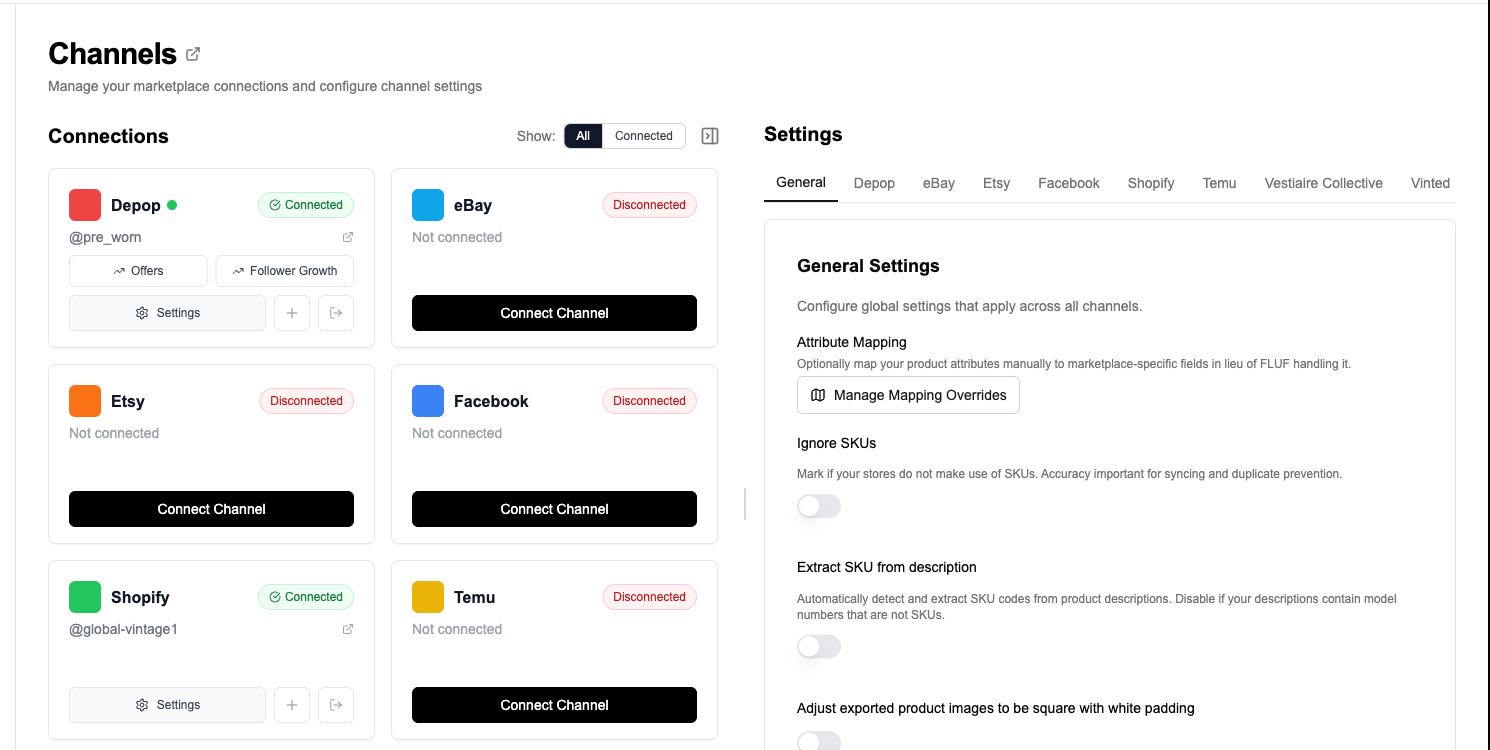
Create a FLUF Connect account, connect Shopify, and connect Whatnot. Shopify becomes your catalogue source and Whatnot becomes a connected destination in the same dashboard, so you are no longer managing the workflow as two separate systems.
2. Import your Shopify catalogue
FLUF Connect brings in the core Shopify product data you already created: title, description, images, price, quantity, SKU, and product context. That gives you a working source for crosslisting instead of forcing you to recreate every item inside Whatnot Seller Hub.
3. Select the products you want on Whatnot
Choose individual items or work in bulk. Most sellers start with inventory that benefits most from Whatnot’s marketplace and live-selling environment: collectibles, fashion with personality, limited runs, bundles, and stock that is easier to sell when discovery and urgency are stronger than standard storefront browsing.
4. Review the Whatnot mapping
Before publishing, FLUF maps your Shopify product into a Whatnot-ready listing flow. In most cases, the key review points are destination category, category-specific attributes, condition wording, and shipping profile setup. The goal is not a blind copy. The goal is to get you to a publishable Whatnot listing without starting from a blank form.
5. Publish to Whatnot
Once confirmed, FLUF creates the destination listing as a Whatnot Buy It Now marketplace product. Your Shopify title, description, images, price, quantity, and SKU data move with it, and the listing becomes part of the same connected inventory system as the Shopify source product.
6. Let inventory sync protect you from overselling
After crosslisting, the most important automation is what happens after the sale. If the item sells on Shopify, FLUF removes or updates the linked Whatnot listing. If it sells on Whatnot, FLUF updates the rest of your connected stack. That is what turns multi-channel selling from a spreadsheet problem into a workflow you can actually trust.

What Transfers When You Crosslist from Shopify to Whatnot?
Shopify and Whatnot do not use identical listing structures, so FLUF Connect does not simply copy text from one side to the other and hope for the best. It maps the useful product data from Shopify into Whatnot’s more structured listing model and flags the places where a seller review is still sensible before publishing.
| Shopify field | Whatnot field | Transfer | Notes |
|---|---|---|---|
| Title | Title | ✅ Automatic | Core product title transfers, with destination limits enforced when needed. |
| Description | Description | ✅ Automatic | Your Shopify description is reused so you are not rewriting the listing from scratch. |
| Images | Listing images | ✅ Automatic | Images move into the Whatnot listing creation flow automatically. |
| Price | Buy It Now price | ✅ Automatic | Price transfers automatically and can still be reviewed before publishing. |
| Quantity | Quantity | ✅ Automatic | Stock quantity carries across for inventory tracking and sold sync. |
| SKU | SKU | ✅ Automatic | Useful for keeping the linked inventory relationship clean across channels. |
| Product type / tags | Whatnot category | ⚡ Smart mapped | FLUF maps the Shopify product into the closest Whatnot destination category, with review before publish. |
| Brand / product attributes | Whatnot attributes | ⚡ Supported | Relevant destination attributes can be carried or reviewed where the Whatnot category expects them. |
| Condition context | Condition attribute | ⚡ Mapped | Condition wording may need a quick review because Whatnot uses destination-specific structured values. |
| Shipping context | Whatnot shipping profile | ⚠️ Review required | Shipping profile setup should be checked during the review step because Whatnot uses its own destination structure. |
What usually needs a quick check? Shopify is flexible. Whatnot is more structured. That means the main review points are category fit, condition wording, and category-specific attributes. That is normal. The value is that you are reviewing a mapped listing rather than typing every field from zero.
Examples of Shopify to Whatnot category logic
| Shopify product type | Likely Whatnot destination | Why it works |
|---|---|---|
| Vintage branded jacket | Fashion / outerwear category | Strong fit for both a branded storefront and Whatnot’s more engaged fashion audience. |
| Trading card single or bundle | Trading cards category | Whatnot’s audience is well suited to cards, bundles, and community-led discovery. |
| Branded sneakers | Sneakers category | Useful when you want a second route to sale beyond your own store traffic. |
| Collectible toy or figure | Toys / collectibles category | Pairs Shopify catalogue control with Whatnot’s collectible-focused demand. |
How Inventory Sync Works Between Shopify and Whatnot
The most important part of Shopify to Whatnot crosslisting is not the first publish. It is the sold-state sync afterwards. FLUF Connect monitors your connected channels and updates the rest of your stack within minutes when a sale is detected. That is what prevents the classic multi-channel mistake of selling one item twice.
| Event | What happens | Typical timing |
|---|---|---|
| Item sells on Shopify | FLUF removes or updates the linked Whatnot listing and the rest of your connected channels | Within minutes |
| Item sells on Whatnot | FLUF updates the linked Shopify inventory and the rest of your connected channels | Within minutes |
| Stock updated in Shopify | Used as the catalogue source for your wider connected inventory workflow | Review in FLUF when needed |
| Listing copy changes on one side | Not treated like a live mirrored document | Review manually when needed |
If an item sells on Whatnot, FLUF can update the linked Shopify stock before someone else buys it through your store. If it sells on Shopify first, the Whatnot side is cleaned up too. That is the difference between safe multi-channel selling and constant manual cleanup.
If sold-state sync is the biggest pain point in your workflow, read more about inventory sync. If your goal is broader marketplace coverage beyond this pair, start from the main crosslisting hub or compare this workflow to Shopify to eBay and Whatnot to Shopify.
Crosslisting from Shopify to Whatnot: Before and After FLUF Connect
Without FLUF Connect
- Open the Shopify product.
- Download or re-save the images.
- Copy the title and description into Whatnot.
- Choose a Whatnot category manually.
- Add price, quantity, SKU, condition, and any category-specific attributes again.
- Set the correct Whatnot shipping profile.
- Publish the listing.
- Keep your own spreadsheet or mental note so you remember the item is live in two places.
- Update or delete the duplicate manually when a sale happens.
Result: repetitive admin at the start and avoidable overselling risk afterwards.
With FLUF Connect
- Import the Shopify catalogue into FLUF once.
- Select the items you want to send to Whatnot.
- Review the mapped category and attributes.
- Publish.
- Let inventory sync handle sold updates across the connected stack.
Result: much less copying, fewer listing mistakes, and a practical way to run your own store alongside Whatnot.
Take Shopify products into Whatnot without duplicating the work for every listing.
Automation Features for Shopify and Whatnot Sellers
Shopify and Whatnot are not symmetrical channels inside FLUF Connect, so the automation stack is not identical on both sides. Shopify is the strong catalogue and control layer in this pair. Whatnot’s strength today is crosslisting, sold sync, and order data support inside FLUF. That still makes the pair valuable, because the biggest multi-channel risk is inventory mismatch, not whether every channel has the exact same automation surface.
| Feature | Shopify | Whatnot |
|---|---|---|
| Crosslisting | ✅ strong source catalogue | ✅ destination support |
| Inventory sync | ✅ | ✅ |
| Order data support | ✅ | ✅ in FLUF order workflows |
| Auto-relisting | N/A | — |
| Offer management | N/A | — via FLUF automation |
| Bulk workflow support | ✅ | ✅ for crosslisting-driven listing management |
| Auto-crosslisting rules | ✅ useful when Shopify is your main catalogue source | ✅ as part of the connected crosslisting workflow |
In practice, that means Shopify stays your stable source of product truth while Whatnot becomes a second route to sale for inventory that benefits from a more engaged marketplace. If you later want a broader setup, FLUF Connect can also connect Shopify and Whatnot with Depop, eBay, Vinted, and the rest of the marketplaces on the integrations page.
Pricing and Marketplace Fees
FLUF Connect pricing is based on inventory size, not on which specific pair page you use. That means Shopify to Whatnot crosslisting is covered by the same plans as the rest of your connected channels.
| Plan | Monthly | Yearly | You save | Crosslisted products |
|---|---|---|---|---|
| Starter | £9/month | £59/year | 45% | Unlimited |
| Pro | £29/month | £199/year | 42% | Unlimited |
| Super Seller | Custom pricing — tell us what you need | Unlimited | ||
Automatic relisting, offer management, smart pricing and listing boosts are included from Pro upwards. Starter covers unlimited crosslisting, inventory sync, order sync and Instagram posting without them. Accounting integrations are included from Pro upwards. Yearly billing is charged once a year. New accounts get 7 days for £1, then move onto a plan.
The marketplace-fee picture is different on each side, which is part of why sellers like this pairing. Shopify is your own storefront model with platform and payment costs on the store side. Whatnot charges seller commission and payment processing fees, with the current official help docs showing 6.67% + VAT commission plus 2.42% on total order value + GBP 0.25 + VAT in the UK and EU for most categories. That means some products will make more sense on your own storefront, while others justify the Whatnot fee because they move faster there.
Frequently Asked Questions
Can I crosslist from Shopify to Whatnot automatically?
Yes. FLUF Connect lets you import Shopify products, map them to Whatnot, review the destination setup, and publish without recreating every listing manually.
What happens when an item sells on Whatnot?
FLUF Connect updates the rest of your connected inventory workflow within minutes, which helps prevent overselling across Shopify and your other linked channels.
Does everything from Shopify transfer perfectly to Whatnot?
The core listing data transfers cleanly, but Whatnot is more structured in some categories. Category, condition, attributes, and shipping-profile logic may need a quick review before publishing.
Does Whatnot support FLUF relisting and offer automation like Depop or Vinted?
No. Whatnot’s strength in FLUF Connect today is crosslisting, inventory sync, and order data support. If you need FLUF relisting and FLUF offer automation, those are stronger on channels like Depop and Vinted.
Who should use Shopify and Whatnot together?
Sellers with branded catalogues, collectibles, vintage fashion, sneakers, jewellery, toys, and other inventory that benefits from both storefront control and more engaged marketplace demand are a strong fit. Shopify gives you the brand layer. Whatnot gives you another route to sale.
Sources & Verification
Last verified: 2026-04-17. Please contact us if any marketplace workflow or policy has changed.
- Whatnot seller location and currency requirements — supported seller countries and account-region rules.
- Whatnot seller fees — current UK and EU fee structure.
- Whatnot marketplace listing guidelines — destination listing requirements and restrictions.
- Whatnot Buy It Now offers — offer behaviour on BIN listings.
- FLUF guide: Sell on Shopify — Shopify context for catalogue-first sellers.
- FLUF guide: Sell on Whatnot — marketplace context for Whatnot sellers.
- FLUF feature page: Inventory Sync — sync behaviour overview.
- FLUF feature page: Bulk Operations — crosslisting-driven bulk workflow support.
- FLUF pricing — current plan pricing and annual billing.
- FLUF integrations — supported marketplace connections.