
What Is a Cook Group? Monitors, ACO, Prices and Rules
What cook groups do for sneaker, Pokémon and sports card buyers, what they charge and what to check before you join.



The term comes from sneaker buying and has spread to trading cards and anything else that sells out in minutes. Most cook groups run on Discord, and many now take payment and manage access through Whop. This guide covers what they offer, what they cost and what to check before joining one.
What does a cook group offer?
- Monitors. Automated alerts when a product restocks online or appears in a nearby store.
- Release guides. What is dropping, when, where, and whether it is worth buying.
- Early links. Product pages shared before or as a release goes live.
- ACO, or auto checkout. A service where the group’s staff or software checks out for you.
- A place to buy, sell and trade with other members.
- Advice on reselling: what to hold, what to sell and where.
How much does a cook group cost?
These are entry prices from the groups’ own Whop listings. Each group sets its own, and many have a free tier with fewer alerts.
| Group | Focus | Listed price |
|---|---|---|
| AVA TCG | Trading card monitors and in-store checkers | $7.99 a month |
| Pokemon Force | Pokémon drops | $9.99 a month |
| Plugged Inn | Pokémon and collectibles | $14.99 a month |
| Collectify | Trading card games, in store and online | $25 a month |
| Divine | Sports and trading cards | $35 a month |
| LiveCops | General reselling | £59.99 a month |
| TCG Dungeon | Pokémon, with auto checkout | $75 a month |
We rank the largest groups by member count in Whop trading card communities, Whop sneaker communities and Whop reselling communities.
Are cook groups allowed?
Joining a community and reading alerts is ordinary. The tools are where it gets complicated.
- Retailers’ terms often ban automated purchasing. An order placed by a bot can be cancelled and the account closed. Read the terms of the shop you buy from.
- Tickets are a separate case. In the United States the BOTS Act targets software that gets round ticket purchase limits, and Whop’s own prohibited list includes ticket reselling.
- Auto checkout means handing over your card and address details to someone else. Know who you are giving them to.
How to choose a cook group
- Match the group to what you buy. A sneaker group is little use for sealed Pokémon.
- Check your country. Monitors for US stores do nothing for a buyer in the UK.
- Use the free tier or a single month first.
- Read the reviews on the group’s Whop page, and see how refunds work on Whop.
- Do the sums. A $35 fee needs more than $35 of extra profit a month, after marketplace fees and postage.
After the cook: selling what you bought
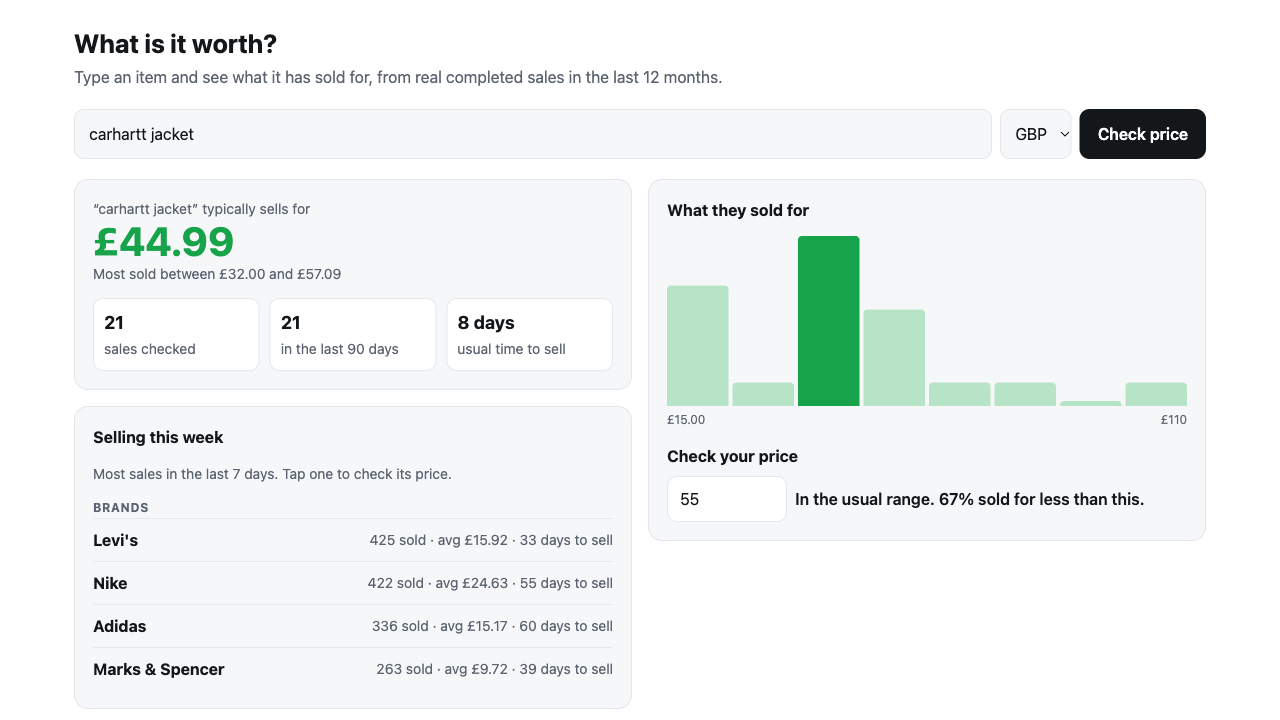
Buying at retail is half the job. The profit depends on what the item sells for and what the marketplace keeps. The sold price checker shows the typical sold price and range from real sales, and the fee calculators show what you keep on each marketplace. FLUF Connect lists the same stock on several channels and ends the other listings when one sells.
If you run a cook group, FLUF has a free price-check app for Whop communities, so members can check a sold price without leaving your whop.
Frequently Asked Questions
A cook group is a paid community that helps members buy limited products at retail price, using restock alerts, release guides, early links and sometimes auto checkout.
To cook is to secure several items at a limited release. A group that helps members do that is a cook group.
Listed prices on Whop run from about $8 to $75 a month, depending on the group and whether auto checkout is included. Many have a free tier.
ACO means auto checkout: the group's staff or software completes the purchase for you during a release. It means sharing your card and address details with them.
Joining a community and reading alerts is ordinary. Automated purchasing can break a retailer's terms, and in the United States the BOTS Act targets software that gets round ticket purchase limits.
A cook group focused on Pokémon cards and products, with monitors for online and in-store restocks and guides to new releases.
Sign up for free
Join the community
You're in.
Open your dashboard