
Crosslist from Whatnot to Vestiaire Collective — Automatically
Move your Whatnot inventory to Vestiaire Collective in minutes. Images, descriptions, and pricing carry across. Inventory stays in sync.



- Best fit: move premium Whatnot inventory like designer bags, luxury sneakers, outerwear, and authenticated fashion into Vestiaire Collective’s luxury-first marketplace.
- What transfers automatically: images, description, price, brand, size, condition, and the core listing details FLUF Connect can map from Whatnot into Vestiaire’s structured format.
- What needs review: Vestiaire category fit, recognised brand selection, material and colour fields, and whether the item belongs on a luxury-only marketplace at all.
- Inventory sync: when a linked item sells on Whatnot, FLUF removes it from Vestiaire; when it sells on Vestiaire, FLUF removes it from Whatnot.
- Automation coverage: both Whatnot and Vestiaire support crosslisting, inventory sync, order sync, and bulk workflows inside FLUF Connect, but neither uses FLUF relisting or offer automation.
- Pricing: plans start at GBP 19/month, and the same account can connect Whatnot, Vestiaire Collective, and the rest of your FLUF sales stack.
Why Sell on Both Whatnot and Vestiaire Collective?
Crosslisting from Whatnot to Vestiaire Collective works when you have the kind of inventory that can win in both environments: designer fashion, premium sneakers, luxury accessories, and high-trust items that benefit from both live-show energy and a luxury-first browse experience. Whatnot helps you sell through personality, urgency, and community. Vestiaire helps you sell through trust, authentication, and a buyer base specifically looking for recognised fashion brands.
The biggest reason to use both is that the buyer journey is completely different on each platform. On Whatnot, a buyer may discover your item because they are already watching you live, chatting in-stream, and bidding in the moment. On Vestiaire Collective, the buyer is usually searching for a specific designer piece, comparing condition, and paying more attention to authentication, brand, and long-term value. The same luxury item can convert for two different reasons depending on where it is listed.
That does not mean every Whatnot listing belongs on Vestiaire. Vestiaire is not built for general merchandise, fast-fashion, or the broad collectible mix that Whatnot supports. It is strongest for recognised luxury and designer fashion inventory. If you sell mixed stock on Whatnot, the smart play is not to send everything to Vestiaire. It is to route the right pieces there: designer handbags, premium shoes, stronger branded outerwear, and fashion items where authentication and luxury positioning can support a better price.
| Whatnot | Vestiaire Collective | |
|---|---|---|
| Primary selling style | Live selling plus marketplace listings | Luxury browse-and-buy marketplace |
| Best for | Community-driven sales, live drops, fast-moving premium inventory | Designer bags, shoes, clothing, accessories, and other luxury fashion |
| Buyer mindset | Entertainment, urgency, bidding, personality-led trust | Authentication, condition, brand recognition, premium pricing |
| Listing structure | Flexible listing cards built for shows and marketplace stock | More structured luxury taxonomy with required fashion attributes |
| FLUF support | Crosslisting, sync, order ingestion | Crosslisting, sync, order ingestion |
| Main reason to use both | Move stock fast when you are live | Reach high-intent luxury buyers off-stream |
If you are deciding whether this pair actually fits your inventory, the rule is simple: use Whatnot for live momentum and use Vestiaire when the item deserves luxury framing. For a broader side-by-side comparison first, read Whatnot vs Vestiaire Collective. If you already know you want both, the rest of this page covers the practical workflow: what FLUF Connect moves automatically, what you should still review, and how sold-state sync protects you after the item goes live in two places.
Move designer inventory from Whatnot into Vestiaire without rebuilding every listing by hand.
How to Crosslist from Whatnot to Vestiaire Collective with FLUF Connect
Whatnot to Vestiaire Collective crosslisting inside FLUF Connect is a review-and-publish workflow. You connect both channels, import your Whatnot inventory into one dashboard, choose the pieces that belong on Vestiaire, review the luxury-specific mapping, and publish. FLUF Connect handles the repetitive work so you are not rewriting the same listing in a second marketplace from scratch.
1. Connect Your Whatnot and Vestiaire Accounts
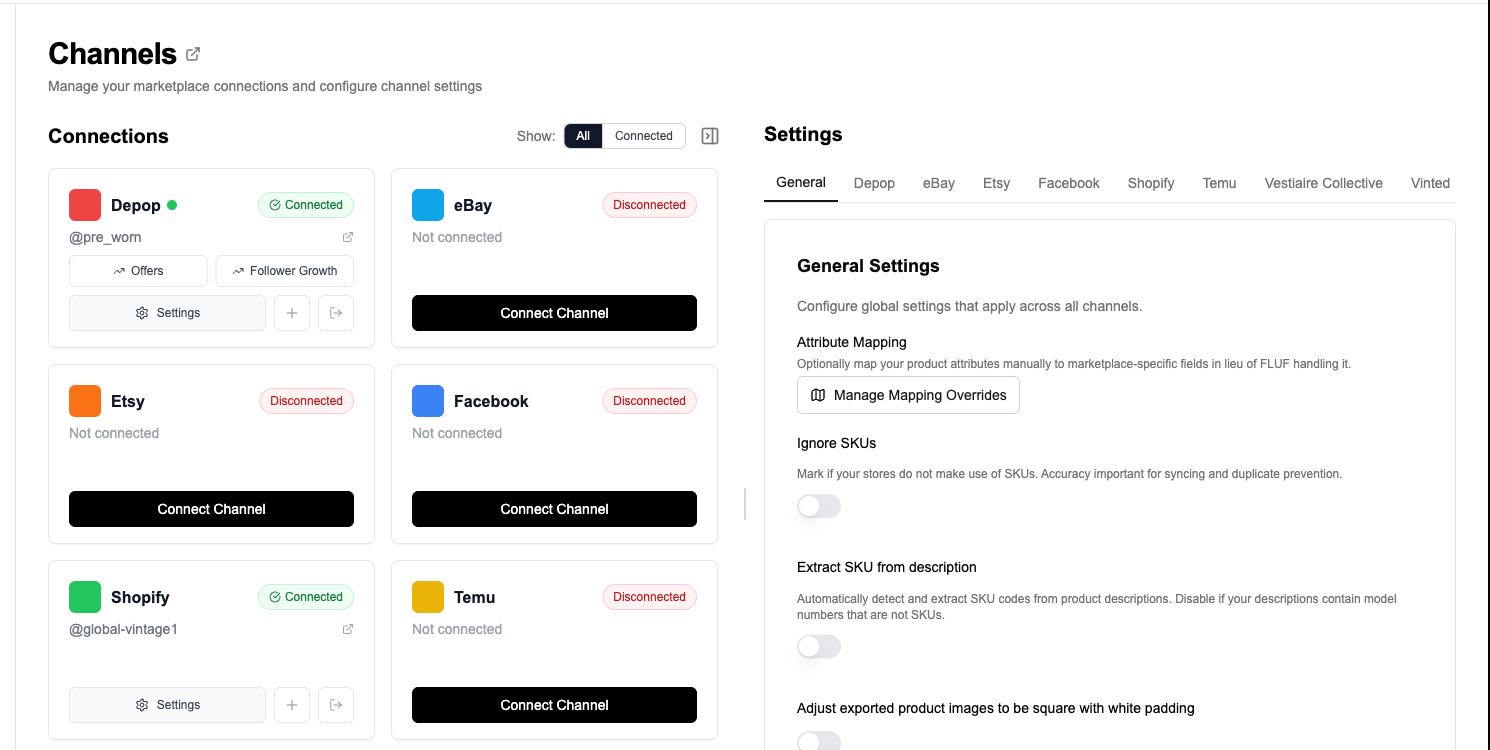
Create a FLUF Connect account, connect Whatnot, and connect Vestiaire Collective. Once connected, your Whatnot inventory and any existing Vestiaire listings can sit inside the same product view, which makes it easier to see what is live where.
2. Import Your Whatnot Inventory
FLUF pulls in the Whatnot product data you already have: images, title, description, price, quantity, and any product attributes available from the listing. This gives you a shared inventory layer to publish from instead of treating Vestiaire as a separate listing project.
3. Select the Items That Actually Belong on Vestiaire
This is the most important decision point in the whole flow. Vestiaire is a curated luxury marketplace, so you should usually choose recognised designer and premium fashion inventory only. FLUF lets you work one item at a time or in bulk, which is useful if you have just finished a Whatnot show and want to push your unsold luxury pieces into a second channel.
4. Review the Vestiaire Mapping
Vestiaire asks for more structured fashion data than Whatnot does. FLUF Connect maps the Whatnot listing into Vestiaire’s format and gives you a chance to review the destination setup before publishing. This is usually where you confirm the brand, category, condition, size, colour, material, and any other details that matter for luxury buyers.
5. Publish to Vestiaire Collective
Once the mapping looks right, FLUF sends the listing into your Vestiaire workflow. Your images, description, price, and mapped attributes carry across, which means you are editing a prepared listing rather than retyping everything manually.
6. Let Inventory Sync Protect Both Channels
After publishing, the real value is sold-state protection. If the item sells on Whatnot, FLUF removes it from Vestiaire. If it sells on Vestiaire, FLUF removes it from Whatnot. That is what turns multi-channel luxury selling from risky to manageable.
This pair is especially useful when you use Whatnot as a fast discovery and sell-through channel, but still want the slower, trust-driven luxury demand that Vestiaire can bring. Instead of deciding that an item belongs on one platform only, you can let both channels work in parallel and let the first buyer win.
What Transfers When You Crosslist from Whatnot to Vestiaire Collective?
Whatnot and Vestiaire do not describe products in the same way. Whatnot is built for live-selling flexibility. Vestiaire is built for structured luxury listings. The goal is not to clone the Whatnot listing perfectly. The goal is to carry over the selling information that matters, then map it into the fields Vestiaire expects from a luxury marketplace.
| Whatnot Field | Vestiaire Field | Transfer Status | Notes |
|---|---|---|---|
| Title | Listing structure / description | ⚡ Mapped | Vestiaire relies more on brand, model, and category structure than a freeform title, so FLUF uses the Whatnot title to help build the destination listing. |
| Description | Description | ✅ Automatic | Your Whatnot item details carry over so you are not rewriting condition notes and product context from scratch. |
| Images | Listing photos | ✅ Automatic | FLUF moves your Whatnot images into the Vestiaire listing workflow, subject to Vestiaire’s destination limits and quality expectations. |
| Price | Price | ✅ Automatic | The Whatnot price carries across and can be reviewed if you want a different Vestiaire margin or luxury positioning. |
| Brand | Brand | ⚡ Smart mapped | Vestiaire only works when the brand fits its accepted catalogue, so recognised designer brands are the cleanest fit for this pair. |
| Category | Vestiaire category | ⚡ Smart mapped | FLUF maps the Whatnot listing into the closest Vestiaire category, but designer shoes, bags, and niche garments should still get a quick review. |
| Condition | Condition | ⚡ Mapped | Condition details are translated into Vestiaire’s structured condition format where possible. |
| Size | Size | ⚡ Mapped | Useful for clothing, footwear, and other fashion categories where size is essential to search and conversion. |
| Colour / material clues | Colour / material | ⚡ Partially mapped | These luxury-specific fields often benefit from a final human check because Vestiaire buyers care about them more than a live-show audience does. |
| SKU / quantity | Inventory reference | ✅ Supported | Useful for matching the listing across both channels and maintaining reliable sold-state sync. |
| Live-show context | — | ❌ Not transferable | Seller energy, chat momentum, and in-stream urgency do not have a direct equivalent on Vestiaire. |
What usually needs a quick review before publishing
- Is the item right for Vestiaire? Recognised designer fashion is the clearest fit. General merchandise and non-luxury stock should usually stay off this channel.
- Does the brand and category match cleanly? Vestiaire buyers search with much stronger brand and taxonomy intent than Whatnot buyers do.
- Are the luxury fields complete enough? Material, colour, condition detail, and sizing matter more on Vestiaire because the buyer is making a slower, higher-trust purchase.
This is the real difference between the two platforms. On Whatnot, the seller can do more of the persuasive work live. On Vestiaire, the listing itself has to do more of that work through structure, luxury clarity, and buyer confidence. FLUF gets you most of the way there automatically, but the last review step is where you make sure the item feels right for a luxury marketplace.
Inventory Sync Between Whatnot and Vestiaire Collective
The most important part of Whatnot to Vestiaire crosslisting is what happens after the item goes live. If you only duplicate the listing and stop there, you are creating risk. FLUF Connect is useful because it keeps the linked inventory connected after the first sale happens.
| Event | What Happens | Result |
|---|---|---|
| Item sells on Whatnot | FLUF removes or updates the linked Vestiaire listing | No duplicate sale on Vestiaire |
| Item sells on Vestiaire | FLUF removes or updates the linked Whatnot listing | No duplicate sale during a future show or marketplace purchase |
| Quantity changes | FLUF can keep the paired channel aligned | More reliable stock visibility across both channels |
| Price changed manually on one channel | Not treated as universal sync data | You can price Whatnot and Vestiaire differently when that makes sense |
| Listing copy edited on one channel | Not treated like a live mirrored document | You stay free to position each channel differently |
This matters even more with premium inventory than it does with everyday stock. If a designer bag sells on Vestiaire while you still have it queued for a Whatnot show, or a live Whatnot buyer claims it while it is still sitting on Vestiaire, the cleanup cost is not just administrative. You risk cancellations, buyer frustration, and a poor experience on channels where trust matters. Inventory sync is what keeps that from becoming your normal workflow.
Crosslisting from Whatnot to Vestiaire Collective: Before and After FLUF Connect
Without FLUF Connect
- Open the Whatnot listing card or product view.
- Download or re-save the item photos.
- Start a fresh Vestiaire listing.
- Choose the recognised brand manually.
- Select the correct luxury category.
- Re-enter condition, size, colour, material, and descriptive details.
- Set the price again for Vestiaire’s buyer expectations.
- Publish and keep track of the fact that the same item is now live in two places.
- Remember to remove the second listing when the first sale happens.
Result: repetitive luxury listing admin up front and overselling risk afterwards.
With FLUF Connect
- Import your Whatnot inventory once.
- Select the designer items you want on Vestiaire.
- Review the mapped luxury fields.
- Publish.
- Let FLUF handle sold-state sync across both channels.
Result: far less copy-pasting, a cleaner second-channel workflow, and much lower risk once the item is listed in both places.
Push your best Whatnot fashion inventory into Vestiaire without rebuilding every luxury listing by hand.
Automation Features for Whatnot and Vestiaire Sellers
Whatnot and Vestiaire Collective are similar inside FLUF Connect in one important way: both are valuable channels for crosslisting and sold-state protection, but neither is the place where FLUF’s relisting and offer-management automation goes deepest. That does not make the pair weak. It just means the real value here is catalogue expansion, inventory protection, and operational simplicity rather than mirrored automation on both sides.
| Feature | Whatnot | Vestiaire Collective |
|---|---|---|
| Crosslisting | ✅ | ✅ |
| Inventory sync | ✅ | ✅ |
| Order sync support | ✅ | ✅ |
| Auto-relisting | ❌ | ❌ |
| Offer management | ❌ | ❌ |
| Bulk workflow support | ✅ via FLUF workflow | ✅ via FLUF workflow |
In practice, that means this pair works best as part of a broader stack. You might use Whatnot for live selling, Vestiaire for designer fashion, and then add a channel like eBay or Depop if you also want relisting or offer automation in the same business. FLUF Connect keeps those channels under one roof, so you do not have to choose between inventory protection and marketplace flexibility.
If you want other relevant pathways from here, see Whatnot to eBay, eBay to Vestiaire Collective, and Depop to Vestiaire Collective. The strongest multi-channel setup often comes from combining a luxury marketplace, a search marketplace, and a live-selling channel rather than relying on any one of them alone.
How Much Does It Cost to Crosslist from Whatnot to Vestiaire Collective?
FLUF Connect pricing is based on the size of your catalogue, not on which pair page you use. If you connect Whatnot and Vestiaire Collective, you also unlock the rest of the supported marketplace ecosystem under the same account.
| Plan | Monthly | Yearly | You save | Crosslisted products |
|---|---|---|---|---|
| Starter | £9/month | £85/year | 21% | Unlimited |
| Pro | £29/month | £155/year | 55% | Unlimited |
| Priority | Custom pricing — tell us what you need | Unlimited | ||
Automatic relisting, offer management, smart pricing and listing boosts are included from Pro upwards. Starter covers unlimited crosslisting, inventory sync, order sync and Instagram posting without them. Accounting integrations are included from Pro upwards. Yearly billing is charged once a year. New accounts get 7 days for £1, then move onto a plan.
See the full details on the pricing page. If your workflow is broader than luxury-only inventory, you can also expand into the full integrations stack without needing a separate tool for each marketplace combination.
Frequently Asked Questions
Can I crosslist Whatnot items to Vestiaire Collective automatically?
Yes. FLUF Connect lets you import Whatnot inventory, map it into Vestiaire’s listing structure, review the destination fields, and publish without recreating the listing from zero.
Does every Whatnot item belong on Vestiaire?
No. Vestiaire is strongest for recognised luxury and designer fashion. If the item is general merchandise, non-fashion, or not a good fit for a luxury buyer, it usually should not be routed there.
What usually needs a manual check before publishing to Vestiaire?
The main review points are brand fit, category placement, condition detail, size, colour, and material. Vestiaire buyers expect a more structured luxury listing than a live-show audience does.
Does FLUF stop overselling between Whatnot and Vestiaire Collective?
Yes. When a linked item sells on one channel, FLUF updates or removes it on the other channel so the same inventory is not left live in both places.
Do Whatnot and Vestiaire get relisting and offer automation inside FLUF Connect?
No. This pair is strong for crosslisting, inventory sync, order sync, and bulk workflows. FLUF’s relisting and offer-management automation is deeper on channels such as eBay and Depop.
Sources & Verification
Last verified: 2026-04-17. Please contact us if any marketplace workflow or policy has changed.
- Whatnot Help Center: How Do I Start Selling? — seller onboarding and account setup.
- Whatnot Help Center: Marketplace Listing Guidelines — listing requirements and seller workflow context.
- FLUF guide: Sell on Whatnot — Whatnot selling model, listing behaviour, and category context.
- FLUF guide: Sell on Vestiaire Collective — Vestiaire marketplace fit, authentication context, and listing expectations.
- FLUF comparison: Whatnot vs Vestiaire Collective — buyer and platform differences that shape this pair workflow.
- FLUF feature page: Inventory Sync — sold-state sync overview across connected marketplaces.
- FLUF pricing — current plans and product limits.
- FLUF integrations — supported marketplace connections.
Sign up for free
Join the community
You're in.
Open your dashboard