
BigCommerce vs WooCommerce — Hosted SaaS vs a WordPress Store
Cost, fees, hosting and control compared — plus how to crosslist from either platform to the marketplaces that bring buyers
7 days for £1, then from £9/month.



TL;DR: WooCommerce is a free, open-source WordPress plugin that turns any WordPress site into a store you fully own and host yourself — you pay for hosting and extensions, not a platform subscription. BigCommerce is a fully hosted “Open SaaS” platform that handles hosting, security and most PCI compliance for you in exchange for a flat monthly fee. WooCommerce wins on cost, control and the WordPress ecosystem; BigCommerce wins on zero server maintenance and managed scalability. Whichever you run, FLUF Connect crosslists your catalog to marketplaces like eBay, Etsy, Depop and Vinted — and there’s a FLUF Connect plugin for WooCommerce sellers who live inside WordPress.
If you are deciding between BigCommerce and WooCommerce, you are really choosing between two opposite philosophies of running an online store. WooCommerce — the WordPress e-commerce plugin that powers a large share of the world’s online stores — is open-source software you install on your own WordPress site, so you control the hosting, the data and the costs. BigCommerce is a hosted, software-as-a-service platform that owns the servers, ships the security patches and handles most of your PCI compliance, billing you a predictable monthly fee for the privilege. Neither is “better” in the abstract; the right answer depends on how much control you want versus how much infrastructure you would rather never think about.
This guide compares the two honestly on cost, fees, features, hosting model and ease of use, using verified 2026 pricing and a clear-eyed look at where each platform genuinely wins. At the end, we explain how FLUF Connect lets sellers on either platform reach the marketplaces that actually bring buyers — because owning a great store is only half the battle if nobody outside your own domain ever sees it.
A quick orientation before the detail. The two platforms are not competing on the same axis. BigCommerce competes on convenience and managed infrastructure: pay a subscription, get a store that someone else keeps running. WooCommerce competes on freedom and economics: take the free plugin, attach it to WordPress, and assemble a store exactly to your specification at whatever cost you are willing to manage. That difference cascades into everything that follows — pricing, fees, security, scaling, even the kind of help you reach for when something breaks. Reading the rest of this comparison with that single framing in mind makes the trade-offs much easier to weigh against your own situation.
BigCommerce vs WooCommerce: Quick Verdict
Choose WooCommerce if you already use WordPress or want a free, open-source core with total control over your checkout, data and running costs, and you are comfortable owning hosting and updates. Choose BigCommerce if you want a fully hosted platform that handles servers, security and most PCI compliance for a flat monthly fee, with managed scalability and no maintenance — at the cost of a recurring subscription and a more closed system.
- Choose WooCommerce if… you value a free open-source core, full control of your store, the vast WordPress plugin ecosystem, and no monthly platform fee (you pay hosting plus extensions instead).
- Choose BigCommerce if… you want a fully hosted SaaS platform where hosting, security and most PCI compliance are handled for you, with managed scalability and zero server maintenance.
WooCommerce at a glance
WooCommerce is a free, open-source e-commerce plugin for WordPress. You install it on a WordPress site, and it converts that site into a fully functional online store with a cart, checkout, product catalog, tax and shipping rules and an order system. Because it is open-source, the core plugin itself costs nothing — WooCommerce’s own pricing page confirms the software is free and that your spend comes from hosting, your theme and any paid extensions you choose to add.
WooCommerce’s reach is enormous. According to W3Techs, WooCommerce runs on 8.2% of all websites on the internet and accounts for 48.6% of all e-commerce systems whose platform is known — nearly half the trackable e-commerce web. That scale is a direct consequence of it living inside WordPress, the content-management system behind a huge slice of the web. When you run WooCommerce, you are running WordPress, which means you inherit the entire WordPress universe of themes, plugins, page builders, SEO tools and developers.
The trade-off is responsibility. With WooCommerce you supply your own hosting, you keep WordPress and its plugins updated, and you own the security posture of the site. Many sellers love this because it means full control: your checkout flow, your customer data, your costs, no platform looking over your shoulder. Others find it more than they want to manage. The WordPress ecosystem makes almost anything possible, but “possible” still requires you (or a developer) to assemble it.
It also helps to understand who WooCommerce is built for. Because it is a WordPress plugin first and a store second, WooCommerce is the obvious choice for content-led businesses: bloggers monetizing an audience, publishers adding a shop, and brands whose marketing already lives on WordPress. The store is not a separate silo — it is part of the same WordPress site, sharing the same theme, the same SEO setup, the same login and the same content. For sellers who think of commerce and content as one thing, that unity is WooCommerce’s defining strength, and it is precisely what a closed SaaS platform cannot replicate. The flip side is that everything you bolt on — payments, shipping rules, advanced reporting — is another moving part inside WordPress that you are responsible for keeping healthy.
BigCommerce at a glance
BigCommerce is a hosted “Open SaaS” e-commerce platform: API-first, multi-storefront capable and strong on B2B. Its merchant profile skews mid-market to enterprise with larger catalogs, as described on BigCommerce.com. The “SaaS” part is the headline difference from WooCommerce — BigCommerce runs the servers, ships the software, handles security updates and takes most PCI-compliance burden off your plate. You never touch a server or a plugin update; you log into a dashboard and sell.
In June 2026, BigCommerce renamed its plans. The current tiers are Core, Growth, Scale and Performance, each gated by a trailing-twelve-month GMV (gross merchandise value) cap. Per the BigCommerce pricing page and its 2026 pricing-update notice, those caps mean a store that grows past a tier’s GMV ceiling is automatically moved up to the next plan. That managed model is the flip side of WooCommerce’s freedom: you get scalability handled for you, but the platform — not you — decides when you have outgrown your tier.
BigCommerce’s native marketplace coverage is deliberately narrow. Its omnichannel solutions page lists Amazon, eBay and Walmart (plus social channels) as native sales channels. Etsy and most fashion-resale marketplaces are not native — a gap that matters later when we talk about reaching buyers beyond your own storefront.
Where BigCommerce really earns its keep is at the larger end of the market. It is positioned for mid-market and enterprise merchants with substantial catalogs, and its feature set reflects that: native multi-storefront so one account can run several distinct brands or regional stores, and deep B2B tooling for sellers who quote, negotiate and sell to other businesses. Because the platform is API-first, it is also a common choice for “headless” builds, where a custom front end is wired to BigCommerce’s commerce engine through its APIs. None of that is exclusive to BigCommerce — WooCommerce can be extended toward many of the same outcomes — but on BigCommerce these capabilities are native and supported by the platform rather than assembled by you, which is exactly the trade a hosted SaaS is supposed to offer.
Fees and Pricing
The clearest difference between these two platforms is how you pay. BigCommerce charges a flat, predictable monthly subscription that bundles hosting and security. WooCommerce’s core is free, but you assemble (and pay for) the pieces yourself: hosting, a domain, an SSL certificate and any premium extensions. The table below compares the real costs using verified 2026 figures.
| Cost item | BigCommerce (hosted SaaS) | WooCommerce (self-hosted on WordPress) |
|---|---|---|
| Core software | Subscription required | Free, open-source plugin |
| Cheapest plan | Core $39/mo ($29 annual), up to $30K trailing-12-mo GMV | $0 plugin; you pay hosting instead |
| Mid tier | Growth $105/mo ($79 annual), up to $100K GMV | No platform tier — scale your hosting plan |
| Higher tiers | Scale $399/mo ($299 annual), $33,333/mo GMV cap then 0.9% above; Performance custom from $1,499/mo | No platform tier — managed/cloud WordPress hosting |
| Hosting | Included in subscription | ~$25–$350/mo (your choice of host) |
| Extensions / add-ons | App marketplace (many paid) | Paid extensions ~$29–$299/yr each |
| Domain & SSL | Included / managed | You buy domain + SSL separately |
| Platform transaction fee | $0 on an approved/embedded gateway | $0 platform fee (you pick your own gateway) |
| Open / third-party gateway fee | 2.0% / 1.0% / 0.6% / 0% (Core / Growth / Scale / Performance) on non-embedded gateways | None from WooCommerce; your payment processor sets its own rate |
| GMV cap forcing upgrade | Yes — each plan has a GMV ceiling | No platform GMV cap |
A few honest caveats on these numbers. BigCommerce’s subscription prices, GMV caps and plan names come from the BigCommerce pricing page; note that BigCommerce no longer offers “0% transaction fees regardless of gateway.” On an approved, embedded gateway you pay no platform fee, but route payments through a non-embedded (“open”) provider and BigCommerce adds an Open Payment Provider fee of 2.0%, 1.0%, 0.6% or 0% depending on your tier — near-parity with hosted rivals, not fee-free.
WooCommerce’s cost model is the opposite shape: the software is genuinely free, but the true cost is the sum of hosting (anywhere from budget shared hosting around $25/mo to managed WordPress hosting up to roughly $350/mo for high-traffic stores), premium extensions (commonly $29–$299 per year each), and a domain and SSL certificate you procure yourself. WooCommerce charges no platform transaction fee at all — you connect whatever payment gateway you like and pay only that processor’s rate. For a small store, WooCommerce can be dramatically cheaper than any BigCommerce tier; for a large, high-traffic catalog, robust managed WordPress hosting plus premium extensions can close — or even reverse — that gap, while removing the maintenance burden entirely on the BigCommerce side.
The most important pricing distinction is predictability versus flexibility. BigCommerce gives you a single line item that rarely surprises you — until your trailing-twelve-month GMV crosses a tier ceiling, at which point the platform automatically upgrades you to the next, more expensive plan. That GMV-cap mechanism, documented in the 2026 pricing-update notice, means your bill is tied to your sales volume whether or not you wanted to change plans. WooCommerce has no such cap: your platform cost does not rise just because you sold more. Instead, your costs scale with the resources you choose to provision — a busier store may need a bigger hosting plan, but that is a decision you make, not one the platform makes for you.
For budgeting purposes, it helps to think in total cost of ownership rather than sticker price. A WooCommerce store’s spend is spread across several vendors (host, extension developers, domain registrar, payment processor), which gives flexibility but also means more invoices to track and renew. BigCommerce consolidates most of that into one subscription, which is simpler to forecast but harder to trim — you cannot, for example, downgrade just the hosting portion to save money. Sellers who like to optimize every cost line tend to prefer the WooCommerce model; sellers who value one predictable bill and no procurement tend to prefer BigCommerce.
Features Compared
Beyond price, the platforms diverge on architecture and day-to-day experience. Here is how the headline features stack up, with the genuine wins called out on each side.
Hosting model
This is the defining contrast. BigCommerce is fully hosted SaaS — hosting, uptime, security patches and most PCI compliance are BigCommerce’s job, per BigCommerce.com. WooCommerce is self-hosted: you choose and pay for a host, and you are responsible for keeping WordPress, WooCommerce and every plugin current and secure. If you never want to think about a server, BigCommerce wins. If you want full control over where and how your store runs, WooCommerce wins.
Control and data ownership
WooCommerce gives you complete control. Because the code runs on your own WordPress install, you own the database, the customer data and the checkout flow, and you can modify anything. BigCommerce, like any SaaS, keeps you inside its boundaries — powerful and well-documented (it is API-first), but ultimately a platform you rent rather than own.
Ecosystem and extensibility
WooCommerce inherits the entire WordPress plugin ecosystem — one of the largest software ecosystems anywhere — for content, SEO, marketing, page building and store features. That breadth is a real WooCommerce advantage and a major reason it powers 48.6% of trackable e-commerce systems (W3Techs). BigCommerce has its own app marketplace, tighter and more curated, and a genuinely strong API-first foundation for custom and headless builds.
Scalability and maintenance
BigCommerce wins on managed scale: as your GMV grows the platform handles the infrastructure and moves you up tiers automatically, with no server tuning on your part. WooCommerce can absolutely scale, but scaling is your responsibility — it means choosing the right managed WordPress host, optimizing the database and caching, and keeping plugins lean. For merchants who want growth without DevOps, BigCommerce’s hands-off model is the draw.
B2B and multi-storefront
BigCommerce leans into mid-market and enterprise needs with native multi-storefront and strong B2B capabilities, as outlined on BigCommerce.com. WooCommerce can do B2B and multi-store too, but typically through additional extensions you assemble and maintain yourself within WordPress.
Security and PCI compliance
On a hosted platform, security is largely the vendor’s problem. BigCommerce handles server hardening, patching and most of the PCI-compliance burden as part of the subscription, which is a meaningful relief for merchants who do not want to become security specialists. On WooCommerce, security is shared between you and your host: a good managed WordPress host covers a lot, but you remain responsible for keeping WordPress core, WooCommerce and every plugin patched, for choosing reputable extensions, and for the configuration of your own checkout. Neither model is inherently insecure — well-run WooCommerce stores are perfectly safe — but BigCommerce removes more of the responsibility from your shoulders, while WooCommerce keeps it (and the control that comes with it) in your hands.
Support and where you get help
The support experience differs in character. BigCommerce, as a single vendor, offers one place to call when something goes wrong with the platform. WooCommerce’s support is distributed across the ecosystem you assembled: the host for server issues, the extension developer for a plugin bug, the WordPress community for general questions, and your own developer for custom work. That distribution is the cost of openness — there is no single throat to choke — but it is offset by the sheer size of the WordPress community, where almost any problem has already been solved and documented somewhere. Sellers who want one accountable vendor lean BigCommerce; sellers who are comfortable navigating an open ecosystem lean WooCommerce.
Ease of use
BigCommerce offers a more guided, all-in-one admin: you sign up and the storefront, hosting and security are simply there. WooCommerce asks more of you up front — install WordPress, install the plugin, configure hosting — but rewards that effort with flexibility. If you already run WordPress, WooCommerce will feel native; if you have never touched it, BigCommerce’s hosted onboarding is gentler.
How WooCommerce setup works on WordPress
Because WooCommerce lives inside WordPress, getting started follows the familiar WordPress admin install path. You log into your WordPress admin dashboard, go to Plugins, install and activate WooCommerce from the plugin directory, then run its setup wizard to set your currency, payment gateway, shipping and tax. From there you add products under the WooCommerce menu, pick or build a theme, and your WordPress site is a working store. The same install-from-WordPress-admin pattern is how you add the FLUF Connect plugin for WooCommerce: install the plugin from your WordPress admin, connect your store, then choose the channels you want to crosslist to. If you are comfortable installing a WordPress plugin, you are comfortable running WooCommerce.
Which Should You Choose?
There is no universal winner — only the right fit for your situation. Here is an honest breakdown by seller type.
Pick WooCommerce if you already publish on WordPress, want the lowest possible starting cost, or care most about owning every layer of your store. The free open-source core, full control over checkout and customer data, the absence of any monthly platform fee, and access to the entire WordPress plugin ecosystem make WooCommerce the natural home for content-led brands, developers, and anyone who wants their store and their site to be one and the same. You accept hosting and maintenance as the price of that freedom.
Pick BigCommerce if you would rather never manage a server, want hosting, security and most PCI compliance handled for you, and value managed scalability as you grow. BigCommerce suits mid-market and enterprise sellers, larger catalogs, and teams that need native multi-storefront or deep B2B without bolting on extensions. The flat monthly fee and GMV-gated tiers are the trade for that simplicity — you give up some control and some cost flexibility in return for a platform that just runs.
A practical tie-breaker: if your team includes (or can hire) someone comfortable with WordPress, WooCommerce’s control and cost advantages are hard to beat. If you would rather spend zero time on infrastructure and want predictable bills, BigCommerce earns its subscription. And remember that the storefront is only one piece — neither platform, on its own, puts your products in front of marketplace buyers. That is where the next section comes in.
It is also worth naming a few specific scenarios. A solo seller or side-business launching on a tight budget, already familiar with WordPress, will almost always start cheaper and more flexibly on WooCommerce. A content brand whose blog already ranks and converts should keep commerce inside the same WordPress site rather than splitting its audience across two platforms. By contrast, a fast-growing brand that expects to cross meaningful GMV quickly, hires marketers rather than developers, and wants enterprise features like multi-storefront or B2B portals without an integration project, will get more out of BigCommerce’s managed model. And a team that simply does not want to own security, patching or uptime — and is happy to pay to make those someone else’s job — is exactly who SaaS pricing is designed for.
Finally, do not over-index on switching costs scaring you off the right choice. Both platforms can export your products and customers, and tools exist to migrate between them. The bigger lock-in is usually emotional — the time you have invested learning an admin. Pick the model that matches how you want to spend your time: building and tinkering (WooCommerce) or selling without touching infrastructure (BigCommerce). Whatever you choose, the next decision — how to reach buyers who will never visit your domain — is the same for everyone.
Reach Both — and Every Marketplace — with FLUF Connect
Whichever platform you choose, you face the same limitation: a BigCommerce store or a WooCommerce store on WordPress only attracts your own traffic. Marketplaces are where the buyers already are. According to BCG (2024), marketplaces now account for roughly 67% of global e-commerce sales. FLUF Connect bridges your store to those marketplaces so you sell where the demand is, without re-listing everything by hand.
This is the part of the decision that neither platform’s marketing dwells on: choosing BigCommerce or WooCommerce determines how you build and run your store, but not how many people ever find it. A storefront, hosted or self-hosted, is a destination buyers have to be sent to. Marketplaces are the opposite — they are crowded places where buyers already shop, search and check out. The smartest sellers treat their own store and the marketplaces as complementary: the store carries the brand, the margin and the customer relationship, while the marketplaces supply volume and discovery. FLUF Connect is what lets one catalog do both jobs at once, regardless of which platform powers your store.
FLUF Connect crosslists your products from your source store to many marketplaces in one click, keeps inventory in sync so you never oversell, and lets you see and route orders centrally. From a single catalog you can reach eBay (135 million active buyers as of FY2025), Etsy (86.5 million active buyers per its Q4 2025 results) for eligible handmade, vintage or craft inventory, Depop and Vinted (€10.8bn GMV in 2025 per its 2025 financial results) for fashion, Facebook Marketplace, Poshmark, Vestiaire Collective for designer pieces, and your own Shopify storefront — many of which neither BigCommerce nor WooCommerce reaches natively. Recall that BigCommerce’s native channels are limited to Amazon, eBay and Walmart per its omnichannel page; FLUF Connect opens up the rest.
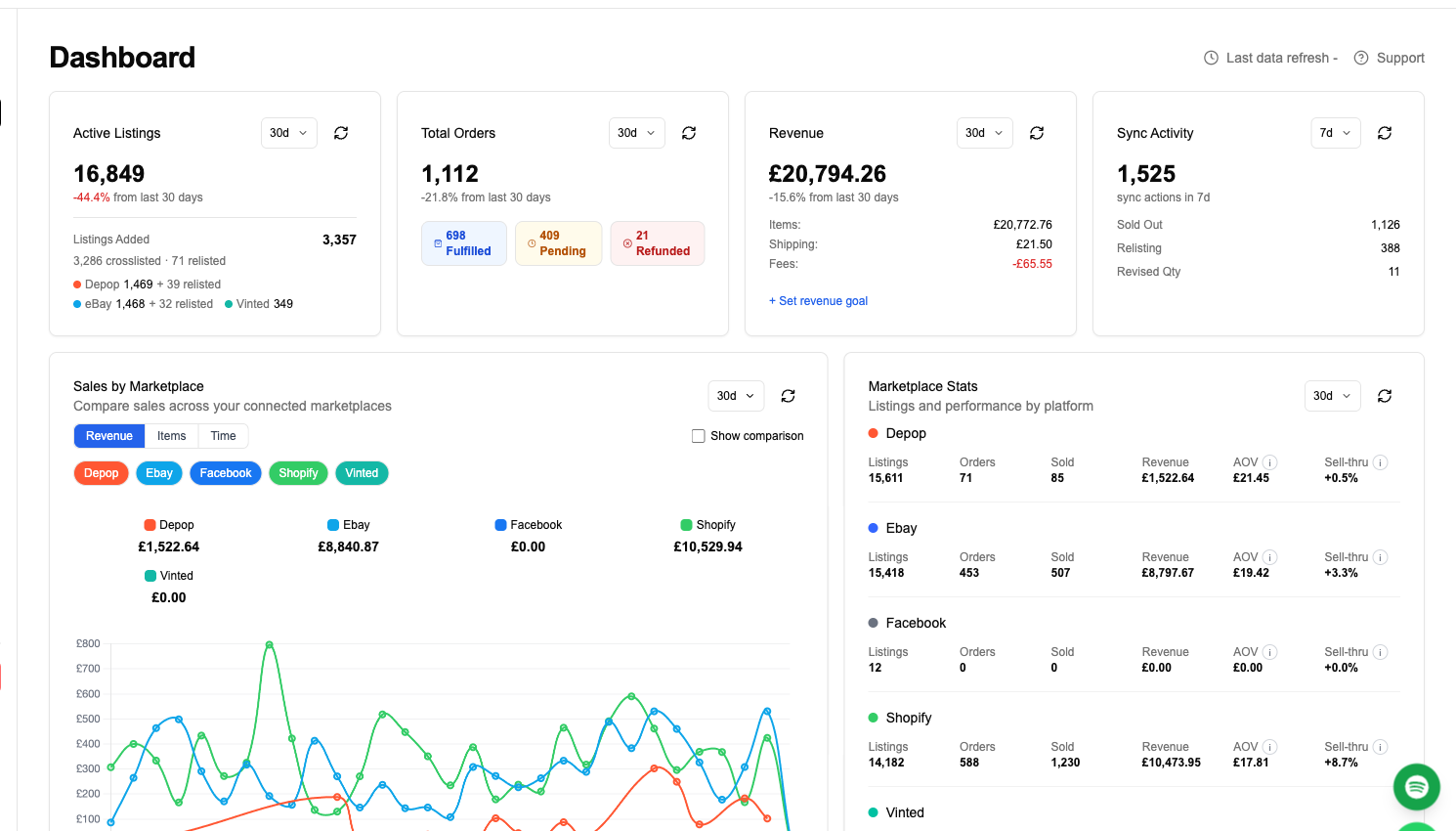
Connect BigCommerce using your store API token or the setup prompts in FLUF Connect. For WooCommerce, install the FLUF Connect plugin from your WordPress admin. Import your catalogue, connect your destinations and review the listings before crosslisting.
Setup takes about 10 minutes. Plans start at £9/month (Starter); there is no free plan, and higher plans sync more often. Automation — relisting, offer management and bulk operations on the channels that support them — is included from Seller upwards, not a paid add-on. Whether you run a hosted BigCommerce store or a self-hosted WooCommerce site on WordPress, you can get started with FLUF Connect and put one catalog in front of every marketplace that matters.
Sources & Verification
- https://www.bigcommerce.com/
- https://www.bigcommerce.com/pricing/
- https://www.bigcommerce.com/dm/plan-pricing-updates-2026/
- https://www.bigcommerce.com/solutions/omnichannel/
- https://woocommerce.com/woocommerce-pricing/
- https://woocommerce.com/
- https://w3techs.com/technologies/details/cm-woocommerce
- https://www.bcg.com/publications/2024/the-rise-of-the-b2c-specialty-marketplace
- https://www.ebay.com/help/selling/fees-credits-invoices/selling-fees?id=4822
- https://investors.etsy.com/news-events/press-releases/detail/218/etsy-inc-reports-fourth-quarter-and-full-year-2025-results
- https://company.vinted.com/newsroom/financial-results-2025
Frequently Asked Questions
The WooCommerce core plugin is free and open-source. Your costs come from hosting (~$25–$350/mo), a domain and SSL, and any premium extensions (~$29–$299/yr each). BigCommerce instead charges a flat subscription (Core $39/mo up to Performance from $1,499/mo) that bundles hosting and security. For a small store WooCommerce is usually cheaper; at high traffic, managed WordPress hosting plus extensions can narrow the gap.
Yes. There is a FLUF Connect plugin for WooCommerce that installs straight from your WordPress admin. Once installed, you connect your store and choose the marketplaces you want to crosslist to. If your WordPress site runs WooCommerce, FLUF can read your catalog and sync inventory across channels.
Yes. FLUF reads your WooCommerce catalog including product variants and images, then maps them to each destination marketplace's required fields. Inventory stays in sync so selling a variant on one channel updates the others and you never oversell.
BigCommerce is fully hosted SaaS — it runs the servers and handles security and most PCI compliance for you, included in your subscription. WooCommerce is self-hosted on WordPress, so you choose and pay for a host and keep WordPress, WooCommerce and your plugins updated yourself. BigCommerce trades control for zero maintenance; WooCommerce trades maintenance for full control.
BigCommerce charges $0 platform fee on an approved, embedded gateway, but adds an Open Payment Provider fee of 2.0%/1.0%/0.6%/0% (Core/Growth/Scale/Performance) on non-embedded gateways. WooCommerce charges no platform transaction fee at all — you connect your own payment processor and pay only that processor's rate.
Not natively. BigCommerce's native channels are limited to Amazon, eBay and Walmart, and WooCommerce reaches marketplaces only via extensions. FLUF Connect bridges that gap, crosslisting your catalog from either platform to eBay, Etsy, Depop, Vinted, Poshmark, Vestiaire Collective, Facebook Marketplace and more in one click.
FLUF Connect plans start at £9/month on Starter, with Pro at £29/month and custom Super Seller plans above that; every plan is unlimited on listings and marketplaces, and the tiers differ by which automations they include and how often we check your channels for sales. Automation such as relisting and bulk operations on supported channels are included in every plan, and offer management from Pro upwards, not a paid add-on. Setup takes about 10 minutes.