
How to Import Your Vinted Wardrobe into FLUF Connect
Vinted is the one channel that connects through the browser extension. Here is how that works, and why a Vinted wardrobe is often the best-structured catalogue you own.
7 days for £1, then from £9/month.



- Install the FLUF browser extension for Vinted. Sign in to Vinted in the same browser and follow the connection steps in FLUF Connect.
- Your wardrobe becomes your catalogue. The items already listed in your Vinted wardrobe are read in — titles, descriptions, photographs, prices and attributes.
- Two photographs minimum. Vinted is stricter than most channels here, which matters in both directions: as an import source it means your items arrive with usable images, and as a destination it means single-photo items will be refused.
- Vinted runs separate country sites across roughly 27 seller markets. You connect the one you actually sell on — a UK account is not a French account.
- Relisting and offer management are both supported on Vinted once your items are in, which is unusual: several competing tools do not support Vinted at all.
- Sold items are excluded. An import builds your live wardrobe, not your sales history.
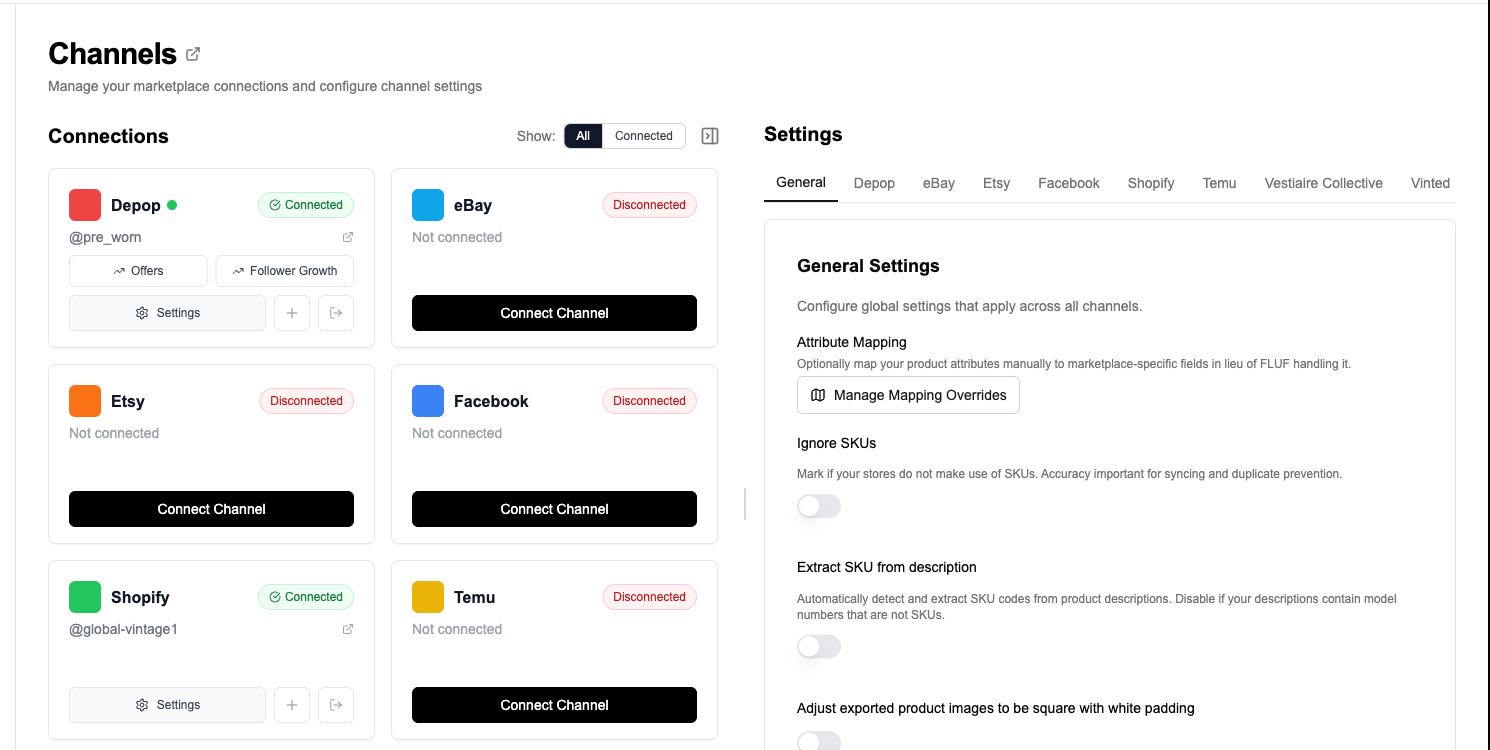
Why Vinted connects differently
To import from Vinted, install the FLUF browser extension and sign in to Vinted in the same browser. Follow the connection steps in FLUF Connect.
This is not a limitation we chose; it follows from how Vinted works. The practical consequences are worth understanding before you start, because they explain most of what people find surprising later:
- You need the extension installed and you need to be signed in to Vinted in that browser.
- It is your session doing the work, which is exactly why it behaves like you rather than like a bot.
- The account you are signed in to is the account that connects. If you run more than one Vinted account, be deliberate about which one is active.
The upside is significant: FLUF Connect supports Vinted properly, including relisting and offers. Several established crosslisting tools — including some of the biggest US-built ones — do not support Vinted at all, which is a serious gap for any European seller.
What comes across from your wardrobe
| Data | Imported | Notes |
|---|---|---|
| Title | Yes | As written. Vinted titles are usually short, so they often want expanding before going to eBay. |
| Description | Yes | Vinted descriptions tend to be conversational. They read fine on Depop, less well on eBay. |
| Photographs | Yes | Usually the strongest part of a Vinted wardrobe, because the platform rewards good photography. |
| Price | Yes | Vinted prices exclude buyer protection, so your listed price is your asking price. |
| Brand, size, condition | Yes | Vinted holds these as structured fields, which makes them unusually reliable as an import source. |
| Category | Mapped | Vinted’s catalogue tree is its own. Categories are mapped to each destination rather than copied. |
| Sold items | No | An import builds your live wardrobe. Sold history stays on Vinted. |
Vinted is often the best catalogue a fashion seller owns
If you sell second-hand clothing across several platforms, your Vinted wardrobe is frequently your best-maintained catalogue, and it is worth connecting first for that reason. Vinted forces structure that other platforms leave optional: brand, size and condition are proper fields rather than free text, and the two-photograph minimum means every item has usable images.
Compare that with a typical eBay clothing listing, where size might be in the title, and with Facebook Marketplace, where almost nothing is structured. Importing from the platform with the most structure gives every subsequent crosslist more to work with.
The one thing to check is titles. Vinted titles are often very short — a brand and a garment type — because buyers browse by image and filter. That works on Vinted and works poorly on eBay, where the title is the main thing the search engine reads. Widening titles before crosslisting outward from a Vinted-sourced catalogue is usually the highest-value edit you can make, and bulk operations will do it across thousands of listings at once.
Country sites: connect the one you sell on
Vinted operates separate country sites across roughly 27 seller markets, and they are not interchangeable locales of one shop. Your account belongs to the market you registered in, with its own currency, its own buyer base and its own shipping arrangements.
So connect the site you actually sell on. A seller listing on the UK site connects the UK account. If you genuinely operate more than one Vinted market, they are separate connections rather than one connection with a language setting.
This also matters for what you crosslist to. Items imported from a Vinted account in one country carry that market’s pricing and shipping assumptions, which may not survive being pushed to a marketplace serving a different country without a pricing rule to adjust them.
The two-photograph minimum
Vinted requires at least two images per listing. Most channels require one; store platforms technically require none. This cuts both ways and it is worth being explicit about each:
Importing from Vinted: good news. Every item arriving from a Vinted wardrobe has at least two photographs, so you are starting from a catalogue with no image gaps.
Crosslisting to Vinted: the constraint bites. If you are importing from somewhere else — a store platform, a spreadsheet, a channel that accepts single-photo listings — and pushing to Vinted, anything with only one image will be refused. This is the single most common reason a Vinted crosslist fails for sellers whose catalogue came from elsewhere, and it is worth checking before you run a large batch rather than after.
What you can do once your wardrobe is in
Vinted is one of the better-supported channels in FLUF Connect once connected. Both of the automation features that matter most on it are available:
- Relisting — Vinted’s feed rewards fresh listings, so relisting is unusually valuable here compared with marketplaces that rank on relevance. Multiple strategies are available rather than a blunt relist-everything.
- Offer management — offers are a normal part of how Vinted transacts, and handling them automatically removes a genuinely tedious daily job.
- Inventory sync — when an item sells on Vinted, FLUF Connect works to remove it from the other channels you pushed it to, which is what stops the same item selling twice.
All of these are included in every plan rather than sold as paid add-ons, which is a meaningful difference from tools that bill Vinted offers or relisting separately on top of a subscription.
Common questions before you start
Does importing change anything on Vinted? No. Reading your wardrobe does not edit, relist or take down anything. Nothing changes on Vinted until you ask it to.
Does my computer need to stay on? For the connection and for extension-driven work, the browser is what does the job — so it needs to be running for those actions. The FLUF mobile app can also host this work on some channels; check what your account shows rather than assuming a computer is required.
Can I import from Vinted and sell on Vinted only? You can, but there is little point — a crosslisting tool earns its keep by putting your wardrobe in front of buyers elsewhere. See Vinted crosslisting for the destinations that suit second-hand fashion.
Pricing
Every new account starts with a 7-day trial for £1 with full access. There is no free plan after that; the entry plan is Starter at £9/month and with no cap on how much you list are included in every plan, and relisting and offer management from Seller upwards rather than charged as extras.
| Plan | Monthly | Yearly | You save | Crosslisted products |
|---|---|---|---|---|
| Starter | £9/month | £59/year | 45% | Unlimited |
| Pro | £29/month | £199/year | 42% | Unlimited |
| Super Seller | Custom pricing — tell us what you need | Unlimited | ||
Automatic relisting, offer management, smart pricing and listing boosts are included from Pro upwards. Starter covers unlimited crosslisting, inventory sync, order sync and Instagram posting without them. Accounting integrations are included from Pro upwards. Yearly billing is charged once a year. New accounts get 7 days for £1, then move onto a plan.
Save 42% when you pay yearlyProduct limits count unsold, active products, so items that have sold do not count against your allowance. Full detail is on the pricing page.
Related guides
This page sits in the FLUF Connect guides hub. See importing your listings for the overview of every route in, how to relist on Vinted for the relisting side, and Vinted crosslisting for pushing your wardrobe outward. If your stock is not listed on Vinted yet, importing from a spreadsheet is the route in.
Sources & Verification
Last verified: 2026-08-15. Please contact us if any detail here is out of date.
- FLUF Connect Vinted channel guide — fees, seller markets and how Vinted works for sellers.
- FLUF Connect integrations page — connection types and per-channel feature support, generated from the live channel list.
- FLUF Connect pricing page — plan prices and annual billing.
Frequently Asked Questions
Vinted connects through the FLUF browser extension rather than a standard sign-in, so the connection happens inside your own logged-in Vinted session in your own browser. You need the extension installed and to be signed in to Vinted. Your live wardrobe is then read in as your catalogue.
Vinted works through your browser session, which is why it behaves like you rather than a bot. The account you are signed into is the account that connects, so be deliberate if you run more than one.
Titles, descriptions, photographs, prices, and brand, size and condition — which Vinted holds as structured fields, making it an unusually reliable import source. Categories are mapped to each destination rather than copied. Sold items are not imported.
Vinted forces structure that other platforms leave optional. Brand, size and condition are proper fields rather than free text, and the two-photograph minimum means every item has usable images. Compare that with a typical eBay clothing listing where size might be in the title.
Vinted requires at least two images per listing, where most channels require one. Importing from Vinted this is good news — every item arrives with usable images. Crosslisting to Vinted it bites: anything with only one image will be refused, which is the most common reason a Vinted crosslist fails for catalogues sourced elsewhere.
Vinted runs separate country sites across roughly 27 seller markets, and they are not interchangeable locales of one shop. Your account belongs to the market you registered in, with its own currency and buyer base. Connect the site you actually sell on; separate markets are separate connections.
Usually yes, if eBay is a destination. Vinted titles are often very short — a brand and a garment type — because buyers browse by image and filter. That works on Vinted and works poorly on eBay, where the title is the main thing the search engine reads.
No. Reading your wardrobe does not edit, relist or take down anything. Nothing changes on Vinted until you ask it to.