
Telegram Stars: What They Are, How to Buy and Spend Them
What Telegram Stars are, how to buy and spend them, what creators sell for them, and what to use for physical items.



Telegram Stars are a currency you hold inside Telegram. They are the way to pay for digital things in Telegram, such as a bot’s paid service, a paid post in a channel or a gift to a creator. If you sell physical stock, such as clothes, books or phones, Stars are not the right payment. This page explains how Stars work, how to buy and spend them, what creators and bots can sell for them, and the scams to avoid.
What are Telegram Stars?
Telegram’s FAQ says Stars “can be used for paying for digital goods and services inside Telegram.” Telegram lists these uses: bots and mini apps, paid content in channels, Star reactions, gifts, Star Messages and suggested posts. Your Stars balance is in Settings, under My Stars.
How do you buy Stars?
Telegram’s FAQ gives these ways to buy them:
- In-app purchase. You can pay with your normal payment method through the App Store or Google Play.
- @PremiumBot. Telegram’s own bot sells Stars.
- Fragment. The FAQ says buying through @PremiumBot and Fragment is cheaper and allows larger amounts than the in-app route.
What can you spend Stars on?
- Digital goods and services from bots. A bot can send an invoice in Stars for a digital item or a service. Invoices can go to a private chat, a group or a channel, or be shared through inline mode.
- Paid content and subscriptions in channels. Telegram’s FAQ lists paid photos and videos and paid subscriptions in channels as Stars uses.
- Star reactions. A paid reaction that sends Stars to the channel owner.
- Gifts. You can send gifts for Stars. A gift you receive can be shown on your profile or converted back into Stars.
- Star Messages. A channel owner can set a Stars fee for each direct message. Telegram says the recipient receives 85% of each fee.
What can creators and bots sell for Stars?
Telegram’s Stars for bots page says digital goods and services must be priced in Stars using the currency code XTR. Typical examples are an e-book, a course, a digital download, access to a paid group or a booking for a digital service. A creator with a digital product sets the price, and the buyer pays in Stars inside Telegram.
Can you sell physical items for Stars?
No. Telegram’s bot payments documentation says it covers “payments for physical goods and services” and sends digital goods to a separate page. Telegram’s Stars for bots page says: “If you’re selling physical goods or services, you may use different currencies or payment providers.” Physical items go through a payment provider or a marketplace checkout.
What to use instead for physical stock
- Your own payment page. Use a payment provider that you set up and link from your post. FLUF’s bot can add a payment page you set up to your posts with
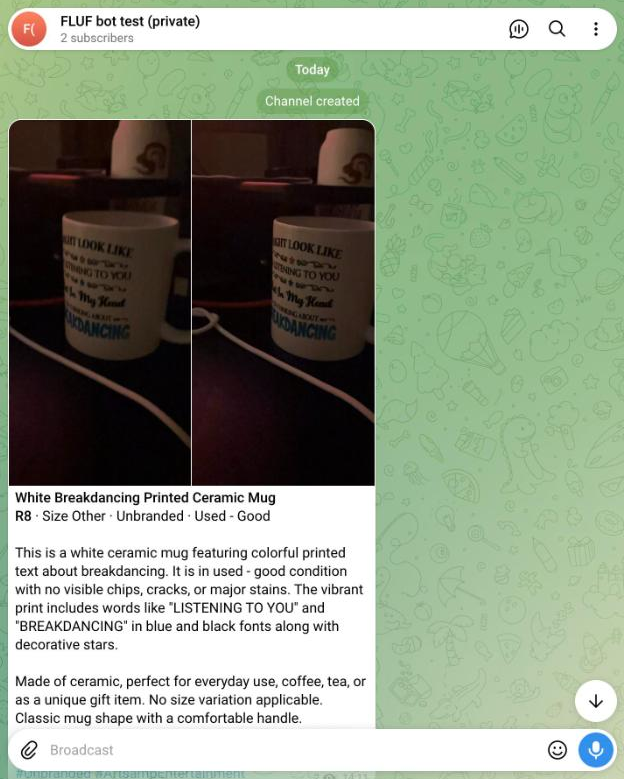
/paylink. - A marketplace checkout. Post the item with a Buy link to the marketplace where it is listed. FLUF’s bot posts items to your channel with a Buy link, and marks the post SOLD when the item sells on a connected marketplace.
The seller stays responsible for each sale, postage and any refund. Keep the payment step in one place, so buyers know where to pay.
How do Stars convert to money, and can you withdraw them?
Telegram’s Stars for bots page says a bot can take a reward for the Stars it earns. The same page says Stars can also be used to place Telegram Ads. The page gives no conversion rate in its text, and says the net amount a developer receives varies because of VAT and other fees. Telegram’s Stars for bots documentation says refunds for digital goods are made through the Bot API’s refundStarPayment method. Before you rely on any figure, read the Terms of Service for Telegram Stars and the star pricing table in the app.
Scams to avoid with Stars
- A bot that takes payment for you. Telegram’s Stars for bots page says: “We advise extreme caution when using services of bots that process payments for you.” Telegram does not maintain these bots. Do not pay through a third-party payment bot you have not checked.
- Someone asks you to buy Stars to pay for a sale. A buyer or seller who asks you to pay in Stars for physical goods is asking for something Telegram’s documentation says Stars are not for. Walk away.
- Someone pretends to be you. Telegram’s FAQ says that if someone is impersonating you, you should contact @NoToScam.
- A reward for buying Stars. Any offer to pay you Stars or to multiply the Stars you hold, in return for paying first, is a warning sign. Check the offer against Telegram’s own pages before you act.
Frequently asked questions
- What are Telegram Stars?
- Telegram’s in-app currency. People spend them on digital goods and services, paid content in channels, Star reactions, gifts and Star Messages. Bots set the price in Stars with the code XTR.
- How do I buy Stars?
- Through an in-app purchase on the App Store or Google Play, through @PremiumBot, or through Fragment. Telegram says the @PremiumBot and Fragment routes are cheaper and allow larger amounts.
- Where do I see my Stars balance?
- In Settings, under My Stars.
- Can I sell physical items for Stars?
- No. Telegram’s bot payments documentation says physical goods and services use payment providers, and its Stars for bots page says physical goods may use different currencies or payment providers.
- What can I sell for Stars?
- Digital goods and services. Examples are a digital download, a course, a paid channel subscription or a digital service from a bot.
- Can I turn Stars into money?
- Bot developers can take a reward for the Stars they earn. Telegram’s pages give no rate in the text, and the net amount depends on VAT and other fees. Check the Stars terms before you rely on a figure.
- What do I use to sell a physical item?
- A payment page from a provider you set up, or a marketplace checkout. FLUF’s bot posts items with a Buy link and can add your payment page to posts with /paylink.
Related guides
- Run a store on Telegram with @fluf_io_bot
- How to make money on Telegram
- Telegram Business: set up a business account to sell
- Telegram Mini Apps: what they are and how to use them safely
- Telegram bots for sellers, groups and channels
Sources and verification
Last checked: 11 November 2026. Please contact us if any detail is out of date.
- Telegram FAQ: buying Stars, spending Stars, balance location, gifts, Star Messages, reactions, impersonation contact
- Telegram Stars for bots documentation: XTR currency, digital goods, physical goods, refunds, caution about payment bots
- Telegram bot payments documentation: physical goods and services, payment providers
Frequently Asked Questions
Telegram's in-app currency. People spend them on digital goods and services, paid content in channels, Star reactions, gifts and Star Messages. Bots price digital goods in Stars using the code XTR.
Through an in-app purchase on the App Store or Google Play, through @PremiumBot, or through Fragment. Telegram says the @PremiumBot and Fragment routes are cheaper and allow larger amounts.
In Settings, under My Stars.
No. Telegram's bot payments documentation says physical goods and services use payment providers, and its Stars for bots page says physical goods may use different currencies or payment providers.
Digital goods and services. Examples are a digital download, a course, a paid channel subscription or a digital service from a bot.
Bot developers can take a reward for the Stars they earn. Telegram's pages give no rate in the text, and the net amount depends on VAT and other fees. Check the Stars terms before you rely on a figure.
A payment page from a provider you set up, or a marketplace checkout. FLUF's bot posts items with a Buy link and can add your payment page to posts with /paylink.
Sign up for free
Join the community
You're in.
Open your dashboard