
Crosslist from Wallapop to Whatnot — Automatically
Mirror your Wallapop inventory as Whatnot Buy It Now listings — stock to pull from during your live shows, with sales synced both ways.
7 days for £1, then from £9/month.



- Wallapop: 19M+ monthly active users across Spain, Italy, Portugal, UK and France. Static classifieds + in-app chat negotiation. Free for sellers on in-person sales; 10% margin on bulky shipped items.
- Whatnot: live-selling marketplace with $8B GMV in 2025 and 20M+ new accounts. Fastest-growing outside the US is the UK, where first-time buyers grew +374% year-on-year and women’s fashion is up 223%.
- Different sales motions: Wallapop is static classifieds; Whatnot is live auctions. Crosslisting creates Whatnot Buy It Now listings — an evergreen catalogue you can pull from during live shows.
- Best fit: vintage clothing, streetwear, sneakers, Y2K, plus-size, Funko, Pokemon, trading cards, comics. Wallapop’s classifieds-broad inventory maps cleanly to Whatnot’s collector + fashion focus.
- Geography: most Wallapop-to-Whatnot sellers will be UK-based, extending into Whatnot UK. Spanish, Italian, Portuguese and French Wallapop sellers can target Whatnot UK or US with shipping considered.
- Fees: Whatnot charges 8% commission + 2.9% payment processing + $0.30 per transaction across live, Buy It Now during shows, and static marketplace listings. Wallapop sales remain free for in-person; bulky shipped items take a 10% margin.
- Cost of FLUF Connect: from £19/month — both channels included on the Growth plan.
Why Crosslist from Wallapop to Whatnot?
Wallapop is a static classifieds marketplace. You list an item, you wait, buyers message you, you negotiate on chat, you ship via Wallapop Envíos or hand it over in person. The marketplace has 19 million+ monthly active users across Spain, Italy, Portugal, the UK and France, and for most sellers the unit economics are excellent — sales are essentially free, and Wallapop Protection handles trust on shipped orders.
The constraint is reach. Wallapop’s UK presence is growing, but it remains a primarily Iberian audience. If you sell vintage clothing, streetwear, sneakers, Funko Pops, Pokemon cards, sports cards, comics, or anything in the collector / pop-culture / fashion-resale orbit, you’re sitting on inventory that belongs in front of Whatnot‘s audience too.
Whatnot’s headline number for 2025 was $8 billion in GMV — more than double the previous year — with 20 million+ new accounts created. The UK is its fastest-growing market outside the US: first-time buyers grew +374% year-on-year, women’s fashion grew 223%, plus-size grew +770%, and retro sneakers (New Balance +990%, Adidas Samba +800%) defined the year. Live shopping in Britain has moved from side hustle to core retail channel, with daily streamers averaging £30,000 per month.
Here is the honest framing you need before you start: Whatnot’s biggest channel is live-streaming, not Buy It Now. Crosslisting from a static channel like Wallapop creates Buy It Now Whatnot listings — these do monetise (sellers who list at least three Buy It Now items during a live show earn roughly 2x more per hour, and Buy It Now contributes around 40% of total sales for active streamers), but the channel’s real fire is live shows. The right way to think about FLUF Connect for Whatnot is “build my evergreen catalogue so my live shows have stock to pull from.” Crosslist your Wallapop inventory to Whatnot Buy It Now, then schedule shows that feature the items already loaded into your shop.
| Wallapop | Whatnot | |
|---|---|---|
| Monthly active users | 19M+ across 5 countries | 20M+ new accounts in 2025; $8B GMV |
| Strongest in | Spain, Italy, Portugal, UK, France | US (dominant), UK (+374% YoY first-time buyers in 2025) |
| Sales motion | Static classifieds + chat negotiation | Live auctions (primary) + Buy It Now (secondary) |
| Audience profile | Broad C2C, value-led, mobile-first | Collector, fashion, sneakers, pop culture; live-shopping native |
| Categories that thrive | Everything; strong in fashion, electronics, furniture, kids | Trading cards, Pokemon, Funko, sneakers, streetwear, vintage clothing, comics, sports memorabilia, watches |
| Seller fees | Free for in-person; 10% on bulky shipped items via Method | 8% commission + 2.9% + $0.30 payment processing across all formats |
| Currency | EUR (ES/IT/PT/FR), GBP (UK) | USD (US), GBP (UK) |
| Listing duration | Stays live until sold or removed | Buy It Now stays live until sold; live auctions are ephemeral |
Build your Whatnot evergreen catalogue from your Wallapop inventory in one click.
How to Crosslist from Wallapop to Whatnot
1. Connect Wallapop to FLUF Connect
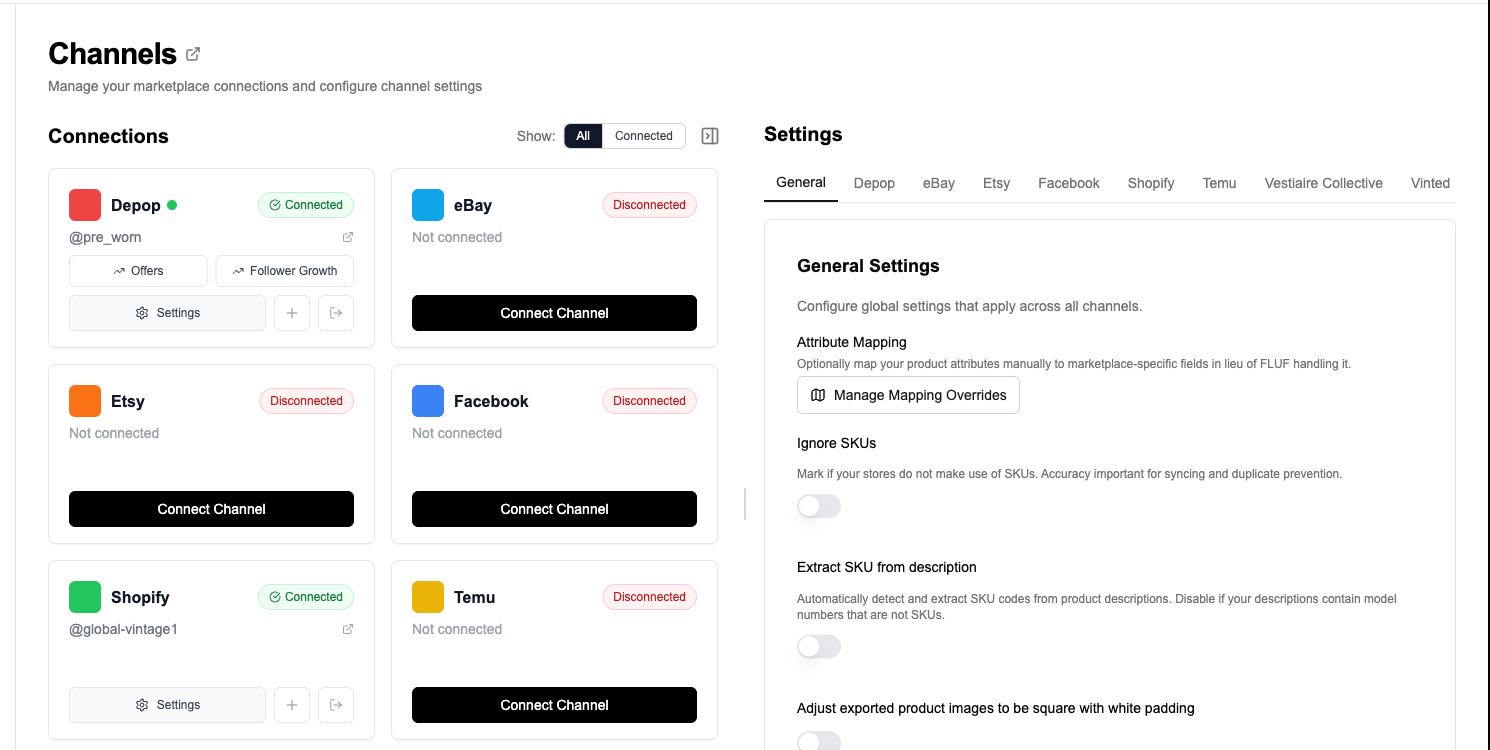
Sign in to Wallapop, then connect it from your FLUF Channels page using the FLUF browser extension. Your active Wallapop listings import into FLUF.
2. Connect Whatnot
Use the FLUF browser extension to connect Whatnot from Channels. Review your imported Buy It Now listings and shipping profiles alongside your Wallapop catalogue.
3. Filter Your Wallapop Catalogue to Whatnot-Friendly Items
From your FLUF dashboard, filter to Wallapop items that fit Whatnot’s collector and fashion-resale focus — clothing (especially vintage, streetwear, Y2K, plus-size), sneakers, trading cards, Pokemon, Funko, comics, sports memorabilia, vintage toys, watches, vinyl, beauty. Wallapop sells everything, but Whatnot’s audience is much narrower. Heavy furniture, white goods, and vehicles — standard Wallapop fare — don’t belong on Whatnot. Bulk operations let you push hundreds of items in one action once the filter is right.
4. Review the Mapping
FLUF previews how each listing will look on Whatnot before publishing. Category is resolved through FLUF’s OC→DC mapping system against the Whatnot category taxonomy (synced by the extension). Condition, size, and brand transfer as structured Whatnot attributes. Title is capped at 100 characters; description at 2,000. Review and confirm.
5. Crosslist
Publish through FLUF with the Whatnot browser extension connected. Your listings appear as Buy It Now stock in your Whatnot shop.
6. Pull from Your Buy It Now Catalogue During Live Shows
Once your Whatnot catalogue is loaded, schedule a live show and add Buy It Now items from your existing stock as featured products. Whatnot’s algorithm rewards sellers who mix auctions with Buy It Now during shows — you get the live-format urgency on hero items and the cash-flow consistency of fixed-price stock at the same time. Your Wallapop crosslisting becomes the inventory backbone for everything you do live.
7. Inventory Stays in Sync
When an item sells on Wallapop or Whatnot, the counterpart listing comes down automatically. More on the sync model below.
What Transfers When You Crosslist from Wallapop to Whatnot?
| Wallapop Field | Whatnot Field | Transfer | Notes |
|---|---|---|---|
| Title | Title (max 100 chars) | Yes | Wallapop allows longer titles; FLUF truncates to Whatnot’s 100-character cap. Whatnot’s algorithm rewards specific, brand-led titles — review for clarity in English (Whatnot UK and US are both English-language). |
| Description | Description (max 2,000 chars) | Yes | Processed through fc_process_description — paragraph breaks, line breaks, and SKU-in-description rules are preserved. HTML is stripped. |
| Images | Images (multiple) | All transfer | Review the imported photos and add any missing gallery images before publishing on Whatnot. |
| Price (EUR or GBP) | Price (in seller currency, USD or GBP) | Auto-converted | Whatnot stores prices in cents. FLUF pulls your Whatnot seller currency from your profile and converts the Wallapop price accordingly. Review per-market — live-shopping buyers will often pay more than classifieds buyers for the same item. |
| Category | Whatnot category (leaf) | Smart mapped | FLUF’s OC→DC mapping resolves Wallapop categories to Whatnot’s 250+ leaf categories. Cached per product after first resolution. Manual override available for niche items. |
| Condition | Condition attribute | Mapped | Wallapop conditions (new, like new, in good condition, has wear, has damage) map to Whatnot’s per-category condition attribute values. |
| Brand | Brand attribute | Auto-filled | Wallapop accepts brand as free text on create. Whatnot resolves brand against its product attribute database per category. |
| Size | Size attribute | Mapped where supported | Wallapop rejects size and colour as free text — they need typed IDs — so for items imported from Wallapop, FLUF carries any structured size we captured. Whatnot expects typed size attributes per category. |
| Colour | Colour attribute | Mapped where supported | Same constraint as size — structured value if we have it. |
| SKU | SKU | Yes | FLUF stores the SKU on the Whatnot listing for inventory reconciliation. |
| Weight / shipping profile | Shipping profile | Auto-selected | Whatnot requires a category-specific shipping profile. FLUF selects one based on product weight (converted from your WooCommerce weight unit to grams) and the synced Whatnot shipping profile catalogue for that category. |
| Hazmat type | Hazmat type | Auto-set from category | Whatnot requires a hazmatType on every listing. FLUF reads the synced category’s default and applies it. |
| Location / postal code | (not used) | Ignored | Whatnot ships nationally via integrated label; postal-code-driven local pickup doesn’t exist. |
Things to Check Before Crosslisting
- Whatnot-friendly inventory only: Wallapop’s catalogue is broad; Whatnot’s is collector-focused. Filter to fashion, sneakers, vintage, trading cards, Funko, Pokemon, comics, watches, vinyl, beauty, and pop-culture stock.
- Use clear photos on Whatnot. Add multiple angles in FLUF before publishing, especially if your Wallapop listing has only one photo.
- Title in English: if your Wallapop listings are in Spanish, Catalan, Italian or Portuguese, your Whatnot listing’s title still needs to communicate to English-speaking buyers (UK + US). Review titles before bulk push.
- Currency review: Whatnot stores price in your seller currency — USD for US sellers, GBP for UK. Wallapop is EUR for ES/IT/PT/FR and GBP for UK. Review per-market against live-shopping price expectations.
- Check the Whatnot connection. Keep the extension connected and review the category, item details and shipping profile before publishing.
- Bulky items don’t belong here: Wallapop happily hosts furniture and white goods via Method bulky shipping. Whatnot does not. Leave those on Wallapop only.
Inventory Sync Between Wallapop and Whatnot
FLUF Connect’s inventory sync handles cross-channel sale propagation between Wallapop and Whatnot automatically. The most important consequence: when a Buy It Now item is featured during a Whatnot live show and a viewer buys it on-stream, FLUF takes the Wallapop listing down within minutes — so you never end up selling the same item twice during a high-velocity show.
| Event | What Happens | Timing |
|---|---|---|
| Item sells on Wallapop (shipping or in-person) | Whatnot Buy It Now listing automatically removed | Within minutes of Wallapop marking it sold |
| Item sells on Whatnot Buy It Now (off-stream) | Wallapop listing automatically removed | Within minutes |
| Item sells during a Whatnot live show (Buy It Now or auction) | Wallapop listing automatically removed | Within minutes of show order confirmation |
| Item deleted on Wallapop (manual) | Whatnot listing remains active | — |
| Item deleted on Whatnot (manual) | Wallapop listing remains active | — |
| Price changed on Wallapop | Whatnot price not automatically updated — edit in FLUF to push to both | — |
| Item ended via Whatnot auction with no buyer | Wallapop listing remains active; Whatnot Buy It Now stays live | — |
The pattern to internalise: your Wallapop catalogue is your durable inventory record, and your Whatnot Buy It Now catalogue is the curated subset of that inventory tuned for live-shopping audiences. When you go live, you’re pulling from the Whatnot Buy It Now layer, which is automatically reconciled against Wallapop sales. You can run a Whatnot show on a Tuesday night without worrying that someone bought a sneaker on Wallapop that morning — the listing’s already down.
Wallapop + Whatnot Feature Coverage in FLUF Connect
| Feature | Wallapop | Whatnot |
|---|---|---|
| Crosslisting | Yes (broad catalogue) | Yes (Buy It Now via extension) |
| Cross-channel inventory sync | Yes | Yes |
| Listing edits via FLUF | Yes | Yes |
| Bulk operations | Yes | Yes |
| Auth method | Connect with the FLUF browser extension | FLUF browser extension required. |
| Image upload | Multipart, single image at creation | Multi-image via S3 + AddListingPhoto |
| Category resolution | Wallapop taxonomy | OC→DC AI mapping against synced 250+ leaf categories |
| Auto-relisting | Yes | Roadmap (live shows are the primary refresh mechanism) |
| Offer management | Yes (Wallapop chat-based) | Limited (Whatnot’s offer model is auction-driven) |
| Sold detection (sale on this channel) | Yes | Yes (including live-show orders) |
| Live-show inventory pull | n/a | Yes — Buy It Now stock available for show features |
FLUF Connect doesn’t host live streams — you still go live through Whatnot’s app. What FLUF does is make sure the inventory you’re pulling from on-stream is current, deduplicated, and reconciled against your other channels. That’s the work that’s invisible until it goes wrong: nobody wants to sell a Pokemon booster box live on Whatnot only to discover it shipped from Wallapop three hours earlier.
Pricing
| Plan | Monthly | Yearly | You save | Crosslisted products |
|---|---|---|---|---|
| Starter | £9/month | £59/year | 45% | Unlimited |
| Pro | £29/month | £199/year | 42% | Unlimited |
| Super Seller | Custom pricing — tell us what you need | Unlimited | ||
Automatic relisting, offer management, smart pricing and listing boosts are included from Pro upwards. Starter covers unlimited crosslisting, inventory sync, order sync and Instagram posting without them. Accounting integrations are included from Pro upwards. Yearly billing is charged once a year. New accounts get 7 days for £1, then move onto a plan.
See the full FLUF Connect pricing page for plan details. All plans include both channels with no per-channel surcharge.
Frequently Asked Questions
Can I crosslist from Wallapop to Whatnot if I’m based in Spain, Italy, Portugal or France?
Yes — with shipping caveats. Whatnot’s two live markets are the US and the UK; if you ship from continental Europe, you’ll be selling cross-border to UK buyers, which works for high-value collectibles (Pokemon, Funko, watches, sneakers) where the margin absorbs international postage. For lower-ticket fast fashion, the Wallapop UK seller (or a UK reseller partner) is usually a better fit. Most Wallapop-to-Whatnot crosslisting in 2026 will be UK Wallapop sellers extending into Whatnot UK.
Does crosslisting to Whatnot mean my items go on live auction automatically?
No. Crosslisting from Wallapop to Whatnot creates Buy It Now listings — static, fixed-price stock that sits in your Whatnot shop indefinitely until you sell or remove it. Live auctions are something you start manually inside the Whatnot app. The value of crosslisting is that you build the catalogue once and then pull from it during shows, instead of frantically uploading 30 items 10 minutes before going live.
What categories sell best on Whatnot from a Wallapop catalogue?
Trading cards (Pokemon, sports cards, Magic, Yu-Gi-Oh!), Funko Pops, comics, vintage clothing, streetwear, sneakers (especially New Balance, Adidas Samba and Gazelle in the UK), Y2K fashion, plus-size fashion, vintage toys, watches, vinyl and beauty. Avoid bulky furniture, white goods, vehicles, and large home items — those are Wallapop’s home turf but they don’t have an audience on Whatnot.
How does FLUF handle Wallapop’s single-image creation limit?
Check the photos imported from Wallapop and add any missing gallery shots in FLUF before publishing to Whatnot. Buyers benefit from multiple angles, especially for apparel and sneakers.
Does FLUF support Whatnot auctions directly?
Not at the moment — auctions are run inside the Whatnot app during a live show, and FLUF’s role is to keep the catalogue you pull from on-stream synced with your other channels. If an item sells via auction during a show, FLUF detects the sale and takes the Wallapop listing down automatically. Auction creation itself stays in Whatnot.
Will my Whatnot listings show up correctly if my Wallapop listings are in Spanish or Italian?
The text transfers as-is — FLUF doesn’t auto-translate to English for Whatnot today. Whatnot UK and US are both English-language audiences, so review titles and descriptions before bulk push if your Wallapop catalogue is in Spanish, Catalan, Italian or Portuguese. For UK Wallapop sellers who already list in English, this isn’t an issue.
What does Whatnot charge in fees?
Whatnot’s structure has been stable since launch: 8% commission on the item price (excluding shipping and tax) + 2.9% payment processing + $0.30 per transaction, calculated on the total order value. This applies uniformly to live auctions, Buy It Now during shows, and static Buy It Now listings. Reduced rates exist for Coins & Money (4% commission) and for the portion of any sale above $1,500 (0% commission on the excess).
How do I get started?
Connect both channels from your FLUF Channels page, run the Whatnot extension catalog sync once so we have the category and shipping-profile data, filter your Wallapop catalogue to Whatnot-friendly stock, and bulk push. Most sellers have a starter Whatnot catalogue built within an hour and run their first show against it the same week.
Related Guides
- How to Sell on Wallapop — The Complete Guide for 2026
- How to Sell on Whatnot — The Complete Guide for 2026
- Wallapop Crosslisting Tool
- Crosslist from Wallapop to Vinted
- Crosslist from Whatnot to Vinted
- Crosslist from Whatnot to Depop
- Crosslist from Whatnot to eBay
- How to Sell Vintage Clothing Online
- How to Sell Sneakers Online
- How to Sell on Multiple Platforms at Once
Sources & Verification
Whatnot scale, UK growth and category trends drawn from Whatnot’s 2026 UK live shopping report and the 2026 State of Live Selling report. Fee structure from Whatnot’s official seller fees page. Wallapop user count and acquisition figures from Naver’s August 2025 acquisition coverage. Wallapop shipping and protection mechanics from Wallapop’s shipping T&Cs.