FLUF Connect in ChatGPT: Crosslist, Fix Listings and Check Sales from a Chat
The FLUF Connect plugin for ChatGPT finds items missing from a marketplace, crosslists them when you confirm, fixes refused listings and pulls your orders into one list.



- What it is: A plugin in the ChatGPT directory that connects ChatGPT to your FLUF Connect account, so you can run marketplace jobs by asking for them.
- What you can do: Find items missing from a marketplace and crosslist them, fix listings a marketplace refused, see orders from every marketplace in one list, and ask why a listing failed.
- Which plan: Crosslisting and fixing listings from ChatGPT need Priority. Pro can read products and orders and ask questions. Starter can’t use it. The 7-day trial includes all of it.
- What it won’t do: Connect a marketplace, run bulk jobs, relist, schedule, or list anything that isn’t a physical item.
FLUF Connect is live in the ChatGPT plugin directory. Once it’s connected, ChatGPT can look up your stock and orders across the marketplaces you’ve linked to FLUF, and crosslist or correct items when you tell it to. This is ChatGPT for ecommerce work you’d otherwise do by clicking through a dashboard: you ask a question, check the answer, and confirm the change.
What Can You Do with FLUF Connect in ChatGPT?
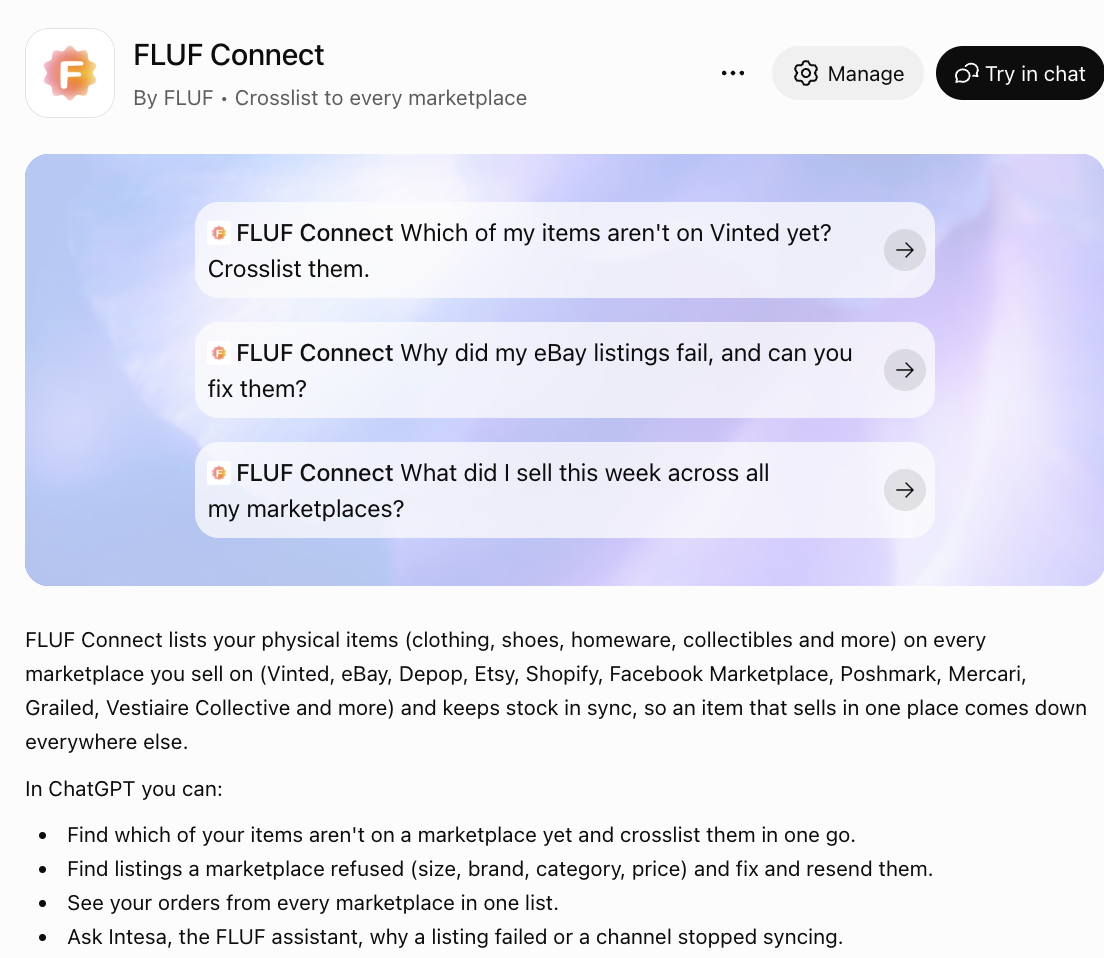
You can check your stock, orders and listing problems, then act on what you find. Start a message with @FLUF Connect, or let ChatGPT pick the plugin when your request fits. Here are the jobs it handles:
| Ask for | What happens | Plan |
|---|---|---|
| “Which of my items aren’t on eBay yet?” | ChatGPT lists the items in FLUF that aren’t on that marketplace. | Pro, Priority |
| “Crosslist those five to eBay.” | After you confirm, FLUF lists them, up to 50 items in one request. | Priority |
| “Which listings were refused, and why?” | ChatGPT shows refused listings with the marketplace’s reason and the fields you can edit. | Pro, Priority |
| “Change the size on that one and send it again.” | FLUF resends that listing with the corrected value. | Priority |
| “What did I sell this week?” | You get orders from every connected marketplace in one list. | Pro, Priority |
| “Why did my sync stop?” | Intesa, the FLUF assistant, looks at your account and explains. In ChatGPT it only reads, and changes nothing. | Pro, Priority |
Crosslisting from ChatGPT works on items already in FLUF Connect. To add new stock, use the Create screen in FLUF or the app.
Which FLUF Plan Do You Need for ChatGPT?
You need Pro to read your account from ChatGPT and Priority to change anything. New accounts get the full connection during their 7-day trial, then the plan they move onto decides what ChatGPT can do. If a request isn’t on your plan, ChatGPT tells you so and nothing changes.
| Plan | In ChatGPT |
|---|---|
| Starter | Not included |
| Pro | Read products, orders, marketplaces and refused listings. Ask Intesa. |
| Priority | All of the above, plus crosslist, fix and resend, and delete |
| 7-day trial | Same as Priority until the trial ends |
How Do You Connect FLUF Connect to ChatGPT?
- Connect your marketplaces in FLUF. Do this on the Channels page. It can’t be done from ChatGPT.
- Open the plugin. Go to FLUF Connect in the ChatGPT directory, or search for it under Plugins in the ChatGPT sidebar.
- Install and sign in. ChatGPT sends you to fluf.io. Log in there and approve the connection.
- Ask for something. “@FLUF Connect which marketplaces am I connected to?” is a good first check.
OpenAI says the directory is open to all ChatGPT plans, but installing a plugin depends on your plan, workspace, role and region. On a work account, your administrator may need to allow it first.
What Can’t ChatGPT Do in FLUF?
The plugin is built for one item or a short list at a time, and only for physical goods. Larger jobs stay in the FLUF Connect dashboard.
| Job | ChatGPT | FLUF Connect |
|---|---|---|
| Crosslist selected items | Yes, up to 50 at a time | Yes |
| Crosslist a whole catalogue | No | Yes |
| Relist or schedule listings | No | Yes |
| Connect a marketplace | No | Yes |
| Create a new product | No | Yes |
| Digital goods, gift cards, tickets, services | Refused | Depends on the marketplace |
| Weapons, drugs, medicines, tobacco, adult items | Refused | Depends on the marketplace |
Some crosslists take a few minutes to finish, and ChatGPT will report them as queued. That doesn’t mean they failed. Vinted, for example, connects through the FLUF browser extension or the app, so a Vinted listing can stay queued until it finishes there. Ask again later and don’t send the item twice.
Is It Safe to Connect ChatGPT to Your Shop?
ChatGPT only reaches the FLUF account you approve, and you log in on fluf.io, not inside the chat. It asks before it publishes or deletes anything, so read the item and marketplace names before you confirm. You can also review the plugin’s apps and setup before installing it.
To cut access, revoke the connection on the Developers page in FLUF. Stock sync carries on as normal, because it doesn’t depend on ChatGPT. If you want to know how the connection standard works, read our plain-English guide to MCP. Developers can find the details in the MCP documentation.
Does This Put My Products in ChatGPT Shopping?
No. This plugin is for you, the seller, to run your account. It doesn’t show your listings to shoppers in ChatGPT. That happens through the marketplace or store platform, and the rules differ for each. We’ve covered how Shopify products appear in ChatGPT and what the Etsy app in ChatGPT means for sellers.
Plans and Pricing
Crosslisting and inventory sync in FLUF Connect itself are on every plan, whether or not you use ChatGPT. Priority is priced to fit your business, so talk to us about it.
| Plan | Monthly | Yearly | You save | Crosslisted products |
|---|---|---|---|---|
| Starter | £9/month | £85/year | 21% | Unlimited |
| Pro | £29/month | £155/year | 55% | Unlimited |
| Priority | Custom pricing — tell us what you need | Unlimited | ||
Automatic relisting, offer management, smart pricing and listing boosts are included from Pro upwards. Starter covers unlimited crosslisting, inventory sync, order sync and Instagram posting without them. Accounting integrations are included from Pro upwards. Yearly billing is charged once a year. New accounts get 7 days for £1, then move onto a plan.
Save 21% when you pay yearlySources & Verification
Last verified: 2026-11-01.
Frequently Asked Questions
Yes. FLUF Connect is in the ChatGPT plugin directory. Install it, log in to your FLUF account on fluf.io and approve the connection.
Yes. The plugin works on your FLUF account and the marketplaces you've connected to it, so it can't do anything without one. New accounts start with 7 days for £1.
No. Starter doesn't include the ChatGPT connection. Pro can read your products, orders and refused listings and ask Intesa questions. Priority can also crosslist, fix listings and delete.
The ones you've connected to FLUF Connect, out of 70+ supported. Connect them in FLUF first, because that can't be done from ChatGPT. Some can stay queued for a few minutes before they finish.
No. It asks before it publishes or deletes anything. Read-only questions, such as what sold this week, run without changing your account.
No. It handles up to 50 selected items per request. Bulk crosslisting, relisting and scheduling stay in the FLUF Connect dashboard.
No. The plugin is a tool for sellers and doesn't show your listings to shoppers. Appearing in ChatGPT shopping depends on the marketplace or store platform you sell on.
Revoke the connection on the Developers page in FLUF Connect. Your listings and stock sync keep running.
Sign up for free
Join the community
You're in.
Open your dashboard