
Whop Apps: What They Are and Which Ones Sellers Use
What a Whop app is, how to add one, and the App Store apps for sourcing, fulfilment, email, checkout and pricing.



Whop’s documentation defines apps as things that “add features to your whop, from chat, courses, and forums to market data and SaaS tools”. Some are built by Whop and many by independent developers. The App Store sorts them into categories including Community, Business and Productivity, AI, Education, and E-commerce and Shopping.
How to add an app to your whop
- Open your Whop dashboard.
- In the left column, find Apps and click Add. The App Store opens.
- Pick an app, review the permissions it asks for, and approve.
- The app appears in your whop’s left column, where members open it.
A developer can also give you a direct install link, which skips the search.
Whop apps for people who sell products
These are apps listed in the Whop App Store, with the description each one gives itself.
| App | What it says it does | Use it for |
|---|---|---|
| Supliful | Sell your own branded products on Whop with Supliful fulfillment and tracking. | Branded products without holding stock |
| CJDropshipping | Source products and fulfill orders with CJdropshipping. | Sourcing and fulfilment |
| USAdrop | Sync Whop orders and manage fulfillment with USAdrop. | Dropshipping and print on demand |
| DayOne | Connect your Whop store to DayOne to manage orders, products, and shipment tracking. | Orders and tracking |
| Klaviyo | Connect Whop to Klaviyo for purchases, subscriptions, product views, cart additions and checkout events. | Email marketing |
| Email Marketing & Automations | Recover failed payments, win back canceled members, and email your Whop members without exporting a CSV. | Member email |
| Sendoo | Send email, DMs and support chats to your Whop members. | Member messaging |
| Checkout Builder | Build custom checkout pages and one-click upsell funnels for your Whop products. | Checkout pages |
| Post Purchase Upsell | Increase AOV with one-click upsells. | Upsells |
| Upsell OTO & Order Bumps | Create order bumps, one-click upsells and custom checkout pages. | Upsells |
| Inflow | See how many people visit your whop and how many buy. | Conversion tracking |
| Subscription Analytics | An analytics dashboard for Whop subscription businesses. | Membership numbers |
| AI community support agent | AI-powered support chat for Whop communities with its own knowledge base. | Member support |
| Dashboard Agent | An AI agent for managing your Whop business. | Admin |
We have not tested these apps. Check each one’s reviews and the permissions it requests before you add it.
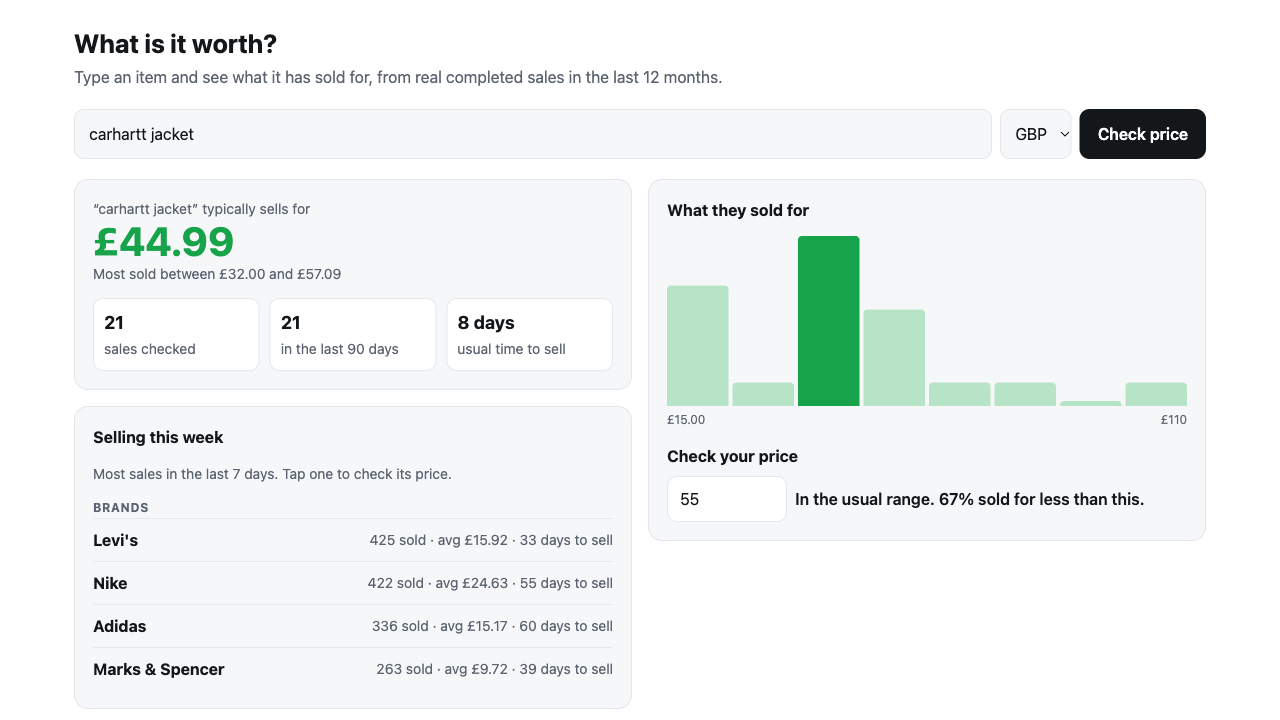
FLUF Connect: a free price check for your members
FLUF Connect’s app gives a community a tab where members type an item and see what it sold for, how long it took and where it sold fastest, from real sales data. It also shows what is selling this week. Members do not need a FLUF account and it is free. Add it from the FLUF Connect for Whop page.
If you sell physical items yourself, FLUF also connects your Whop store as a sales channel and keeps its stock in step with the other places you sell. See how to sell physical products on Whop.
The apps most whops start with
Whop’s own apps cover the basics: Chat for conversation, Courses for lessons, forums for longer posts, and Content Rewards for paying people who post about your brand. The same app can be added more than once, so a community can have several chats.
How to choose
- Start with what members will open daily. A tab nobody uses is clutter.
- Read the permissions. An app that can read member emails or payments should have a reason to.
- Check the cost. Some apps are free and some charge. The listing says which.
- Add one at a time and see whether members use it.
More on the platform: what is Whop and Whop fees explained.
Frequently Asked Questions
Whop's documentation says apps add features to your whop, from chat, courses and forums to market data and SaaS tools. Members see them as tabs inside the whop.
Open your dashboard, click Add next to Apps in the left column, pick an app in the App Store and approve the permissions it asks for.
Some are free and some charge. Each listing in the App Store says which.
Whop builds the core ones such as Chat and Courses. Independent developers build many others, and anyone can build one.
The App Store lists fulfilment apps such as Supliful, CJDropshipping, USAdrop and DayOne. FLUF Connect adds a price check for members and connects a Whop store to your other sales channels.
Yes. FLUF Connect's app lets members type an item and see what it sold for, from real sales data. It is free.
Sign up for free
Join the community
You're in.
Open your dashboard