
Amazon vs WooCommerce — Marketplace Rent or a WordPress Store You Own
Amazon rents you a shelf in the busiest shop on earth and takes a cut of every sale. WooCommerce, the WordPress e-commerce plugin, gives you the whole shop and none of the customers. Which suits your stock, and how to run both from one WordPress catalogue.



- This is a rent-or-own decision, not a fee decision. On Amazon you rent a shelf in a shop that already has the customers; on WooCommerce you own the shop and have to find the customers yourself. Every other difference on this page is downstream of that one.
- WooCommerce is the WordPress e-commerce plugin, and it is the most used one there is. W3Techs counts it on 8.1% of all websites and 48.0% of the sites whose e-commerce system it can identify. The plugin itself carries no licence fee; the hosting, the domain and the payment processing do cost you.
- Amazon charges a referral fee on every sale, 5% to 45% by category, with a Professional plan at £25 excluding VAT a month in the UK or $39.99 in the US. WooCommerce with WooPayments takes 1.50% plus £0.25 per UK card payment, or 2.90% plus $0.30 in the US, and nothing monthly.
- Amazon will not take used clothing, shoes, bags, sports goods, baby, pet or grocery items at all. Its UK condition guidelines make those categories New only. Your own WooCommerce store has no condition rule beyond consumer law.
- Amazon needs a barcode or an ASIN for every product. Your WooCommerce catalogue needs whatever you decide it needs. If you sell your own manufactured goods, that data is probably already sitting in your WordPress admin.
- Amazon brings buyers you did not earn. Third-party sellers supplied 61% of the units Amazon sold worldwide in the fourth quarter of 2025. Nobody sends traffic to a WooCommerce store except its owner.
- Most merchants with a WordPress store end up doing both, with the store as the record of truth and Amazon as one outlet. 7 days for £1, then from £9/month, then plans from £9/month.
The short answer
Sell on Amazon if your products are new, barcoded, and the kind of thing a shopper types into a search box by name. Sell through WooCommerce if you already have, or are prepared to build, a way of bringing people to your own website, and you want to keep the customer, the margin and the data when they buy.
Those are not two answers to the same question. Amazon is a place to sell; WooCommerce is a tool for building a place to sell. A seller comparing the two is really asking whether to pay for an audience with a percentage of each sale, or to pay for one with their own time and marketing budget. Plenty of businesses do both, and the last third of this page is about how to do that without keeping two catalogues.
What WooCommerce actually is
WooCommerce is a plugin for WordPress, the open-source content management system. Install it on a WordPress site and the site gains products, a basket, a checkout, orders and customer accounts. It is distributed through the WordPress plugin directory under the GPL, where it shows more than seven million active installations and, at the time of writing, version 11.1.0.
The scale matters for the comparison because it explains the ecosystem. W3Techs, which surveys the technologies behind the web’s most visited sites, puts WooCommerce on 8.1% of all websites and on 48.0% of the sites where it can detect an e-commerce system, as of 9 September 2026. That share is why almost every payment provider, courier, tax service and marketplace connector ships a WooCommerce integration first.
Two consequences follow. First, a WooCommerce store is only as good as the WordPress site under it: the hosting, the theme, the other plugins and the person keeping them updated. Second, there is no company standing between you and your customer. WooCommerce’s maintainers publish server requirements — WordPress 6.9 or later, PHP 8.3 or later, MySQL 8.0 or MariaDB 10.6, a 256 MB memory limit and HTTPS — and then leave the running of the shop to you.
Amazon is the opposite kind of thing. It is a single retailer’s website onto which other sellers are allowed, for a fee, to put offers. You do not host anything, you do not maintain anything, and you do not own the page your product appears on.
Renting a shelf against owning the shop
The cleanest way to hold the difference: an Amazon seller rents shelf space in the largest shop in the world, on the shop’s terms, and pays rent as a share of takings. A WooCommerce merchant owns a shop on a quiet street and pays for the building, the till and every advert that brings someone through the door.
Renting gets you footfall from day one. Amazon’s shoppers arrive already intending to buy and already logged in with a saved card and address. The price of that is that the shelf is not yours. Your offer sits on a product page identified by an ASIN, shared with every other seller of the same item, and the page’s title, images and bullet points are the catalogue’s, not yours. Which seller gets the Add to Cart button — the Featured Offer, which Amazon still refers to as the Buy Box — is decided by Amazon, on price, delivery and account metrics, and only sellers on a Professional plan are considered for it.
Owning gets you the page, the customer record, the email address, the repeat purchase and the freedom to price, bundle and present however you like. The price of that is that the street is quiet until you make it busy. There is no organic demand inside a new WooCommerce store, and the only ways to create it are the ordinary ones: search, paid advertising, social, email and word of mouth.
The honest framing is that neither of these is the cheap option. Amazon’s costs are visible on the invoice; WooCommerce’s are spread across hosting bills, advertising spend and your own evenings.
What each one costs, in pounds and dollars
Amazon publishes headline fees on its UK pricing page and its US pricing page. WooCommerce publishes a WooPayments fee schedule for its own payment service; if you use a different gateway, that gateway’s rates apply instead.
Amazon
| Cost | Amazon.co.uk | Amazon.com |
|---|---|---|
| Individual plan | £0.75 excluding VAT per item sold | $0.99 per item sold |
| Professional plan | £25 excluding VAT a month | $39.99 a month |
| Referral fee | 5% to 45% by category, minimum £0.25 | Varies by category, minimum $0.30 |
| Clothing and Accessories | 5% up to £15, 10% from £15 to £20, 15% above £20 | 5% at or under $15, rising to 17% above $20 |
| Other published examples | Books 15%, Electronics 7%, Home Products 8% up to £20 | Automotive 12%, full-size Appliances 8%, Jewelry 20% up to $250 |
| Media closing fee | Applies on books, DVDs, music and games | $1.80 per item |
| FBA fulfilment | Per unit, by size and weight; parcels cut by an average of £0.26 from 15 December 2025 | Per unit, by size and weight; up by an average of $0.08 from 15 January 2026 |
Two things to read carefully. The referral fee is charged on the total the buyer pays, postage included, and the minimum applies when the percentage would come out lower. And the Professional plan is not optional for most real businesses: it is the plan that unlocks bulk listing tools, advertising and Featured Offer eligibility, so the Individual plan is best understood as a way of trying Amazon rather than trading on it.
The 2026 fee changes went in opposite directions on the two sides of the Atlantic. In the US, Amazon announced on 15 October 2025 that FBA fees would rise by an average of $0.08 per unit from 15 January 2026, with referral percentages unchanged. In the UK and Europe, Amazon’s European announcement of 2 December 2025 cut parcel fulfilment fees by an average of £0.26 or €0.32, dropped the Clothing referral rate from 8% to 5% under £15 and from 15% to 10% between £15 and £20, and extended Low-Price FBA to items at or below £20 — while raising monthly storage, return-to-seller and liquidation fees selectively.
WooCommerce
| Cost | United Kingdom | United States |
|---|---|---|
| WooCommerce plugin | No licence fee (GPL) | No licence fee (GPL) |
| WordPress hosting and domain | Your cost; varies with host and traffic | Your cost; varies with host and traffic |
| WooPayments, domestic card | 1.50% + £0.25 | 2.90% + $0.30 |
| WooPayments, international card | +2.00% | +1.50% |
| WooPayments, currency conversion | +2.00% | +1.00% |
| Dispute fee | £15.00 | $15.00 |
| Instant payout | Not listed | 1.5% of the payout |
| Monthly or setup fee | None | None |
| Paid extensions and theme | Optional | Optional |
WooPayments is the payment service WooCommerce itself operates, and it is available in 39 countries including the UK and the US. The line that matters is the one that is missing: there is no percentage of the sale going to WooCommerce for the privilege of selling. You pay to move the money and nothing else.
We have deliberately not quoted a hosting price. WordPress hosting runs from a few pounds a month on a shared server to hundreds on managed infrastructure, and the right tier depends on catalogue size and traffic, not on anything this page can know about you.
Three items, sold once on each
| Item | Amazon takes | WooCommerce with WooPayments takes |
|---|---|---|
| £18 new t-shirt (UK) | £1.80 referral at the 10% band, plus a share of the £25 plan | £0.52 |
| £60 pair of headphones (UK) | £4.20 referral at 7%, plus a share of the plan | £1.15 |
| $25 new hoodie (US) | $4.25 referral at 17%, plus a share of the $39.99 plan | $1.03 |
On a hundred sales a month the plan adds roughly £0.25 or $0.40 to each. Amazon’s take is between three and four times WooCommerce’s on every row, before fulfilment. The number that is not on the table is the one that decides it: how much you would have to spend on advertising to make a hundred people find your own website and buy. For many merchants that costs more than the difference; for merchants with an audience already, it costs almost nothing.
Who brings the buyer
Amazon’s marketplace is now mostly other people’s goods. In its fourth-quarter 2025 results, published 5 February 2026, Amazon reported that third-party sellers supplied 61% of worldwide paid units, that third-party seller services brought in $52.8 billion in the quarter alone, and that net sales for 2025 reached $716.9 billion. When you list on Amazon you are joining the majority of what Amazon sells, and the buyers are already there.
A WooCommerce store starts with zero visitors. That is not a criticism; it is the definition of owning something. The routes to traffic are search rankings for your product and brand terms, paid search and social advertising, an email list, and whatever following you have elsewhere. Each of those takes months to compound, and each is an asset you keep. A customer who buys on Amazon is Amazon’s customer; you do not get an email address you can market to. A customer who buys on your WordPress site is on your list.
There is no published figure for how much of a typical Amazon seller’s revenue would survive without Amazon’s search, and we are not going to invent one. The practical test is simpler: if someone searched for your product by name today, would they find your site or an Amazon page? If the answer is Amazon, that is where the demand is, whether or not you like the rent.
Condition and category rules
Amazon decides what may be sold, and in what condition. Amazon’s UK condition guidelines state that only New items are permitted in Apparel, in Shoes and Handbags, in Sports, and in Baby, Pet and Grocery, and that every consumable, ingestible or topical product must be listed as New. The same document sets out used grades for Books, Music, Video and DVD, Video Games and Electronics, so second-hand stock in those categories is welcome.
For a reseller this is decisive. If your stock is pre-owned clothing, footwear or bags — the bulk of the resale economy — Amazon is closed to it, and no fee structure changes that. A WooCommerce store has no condition policy at all. You can sell vintage, refurbished, salvage, one-offs and bundles, described however you like.
The constraint on your own store is the law rather than a platform. UK distance-selling rules give consumers a 14-day right to cancel most online purchases, as set out in the government’s guidance on accepting returns, and WooCommerce 11.1, released on 1 September 2026, added a right-of-withdrawal feature to the core plugin to help stores meet that kind of obligation. The point is that on WooCommerce you decide the policy within the law; on Amazon the policy is Amazon’s.
Amazon also gates brands and categories. Some brands can only be offered by approved sellers, and controlling your own brand’s pages requires enrolment in Brand Registry, which needs an active registered trademark or a pending application. There is no equivalent on WooCommerce because there is nobody to ask.
Barcodes, ASINs and product data
Amazon is a catalogue. To list, you either attach an offer to an ASIN that already exists or create a new catalogue entry, and for that Amazon expects a GTIN — an EAN, UPC or ISBN — obtained through GS1. Amazon’s own GTIN guide describes the match-or-create flow and the exemption route for products without a barcode, which requires an application with images of every side of the packaging. If you make your own goods and have never bought barcodes, budget for the GS1 membership before budgeting for Amazon.
WooCommerce asks for nothing. A product can be a title and a price. But because WooCommerce is a product database rather than a listings board, most stores end up holding far richer data than any marketplace demands: SKUs, weights, dimensions, attributes, per-variation stock. Variable products let each size or colour carry its own price, stock quantity, SKU and image, and WooCommerce 11.1 made per-variation image galleries standard.
That is the quiet advantage a WordPress merchant has over a marketplace seller when they turn to Amazon. Sellers coming from classifieds sites or resale apps have photographs and free text and must build a catalogue before Amazon will look at them. A WooCommerce store has usually been maintaining one for years. The single field most often missing is the barcode itself, and it is worth filling in across the catalogue before you connect anything.
Brand, page and checkout: who controls what
| Element | Amazon | WooCommerce |
|---|---|---|
| Product page | Shared catalogue page; content controlled by Amazon and the brand owner | Yours, on your domain, any layout |
| Which seller gets the sale | Featured Offer algorithm; Professional plan required to compete | You are the only seller |
| Checkout | Amazon’s, with the buyer’s saved payment details | Yours, via WooPayments or any gateway |
| Customer record | Amazon’s; no marketable email | Yours, in WordPress |
| Pricing | Yours, but exposed to Amazon’s pricing-health checks | Yours, unconditionally |
| Brand content | A+ Content and Stores, after Brand Registry | Whatever the theme allows |
| Uptime, security, updates | Amazon’s problem | Your problem |
| Can be switched off | Yes, by Amazon, at account level | Only by you or your host |
The last row is the one experienced Amazon sellers raise first. An Amazon account can be suspended, and the appeal process runs on Amazon’s timetable. A WordPress site can go down too, but the cause is something you can fix or a host you can leave. The trade is control against convenience, and it is a genuine trade: running WordPress means applying updates, choosing a backup regime and reading a security plugin’s emails, none of which an Amazon seller ever thinks about.
Fulfilment and returns
Amazon offers two ways to ship. Fulfilled by Merchant means you pack and post from your own stock and are held to Amazon’s delivery promises. Fulfilment by Amazon means you send stock into Amazon’s warehouses and pay a per-unit fee for storage and dispatch, in return for Prime eligibility and a stronger claim on the Featured Offer. The FBA fee tables are published inside Seller Central rather than on the public pricing pages, which is why this page quotes the announced 2026 averages rather than a per-size figure.
A WooCommerce store ships however you arrange it: your own packing bench, a courier account, a third-party warehouse. One option is worth knowing about because it crosses the divide. Amazon’s Multi-Channel Fulfilment lets a seller who already holds stock in FBA use that same inventory to fulfil orders from other channels, including their own website, with standard delivery in three business days and expedited in two. So a merchant who sells on both can keep one physical stock pool at Amazon and have it serve WordPress orders as well.
Returns follow the same pattern. On Amazon, returns run under Amazon’s policy and, for FBA, through Amazon’s own process; you do not get to write a stricter policy than Amazon’s. On your own store you write the policy, subject to consumer law, and you handle every return yourself.
Which one, for which seller
| You are | Lean towards | Because |
|---|---|---|
| A maker or brand with new, barcoded products and no audience yet | Amazon first | The demand exists today and the referral fee is cheaper than building traffic from nothing |
| A brand with an audience, an email list or a following | WooCommerce first | You already have the expensive part; keep the margin and the customer |
| A reseller of pre-owned clothing, shoes or bags | WooCommerce, and marketplaces that accept used goods | Amazon refuses the category outright |
| A used-books, media or electronics dealer | Both | Amazon permits used grades here and the search demand is enormous |
| A retailer selling other people’s brands | Amazon, with care | You will compete on the same page as every other stockist, and some brands are gated |
| Anyone who cannot spare time for WordPress upkeep | Amazon | Owning the shop includes maintaining it |
Notice that the table never says “cheaper”. The fee gap is real but it is not the deciding variable for anyone except a seller with a large existing audience. For everyone else the question is what the stock is, and where the people who want it already are.
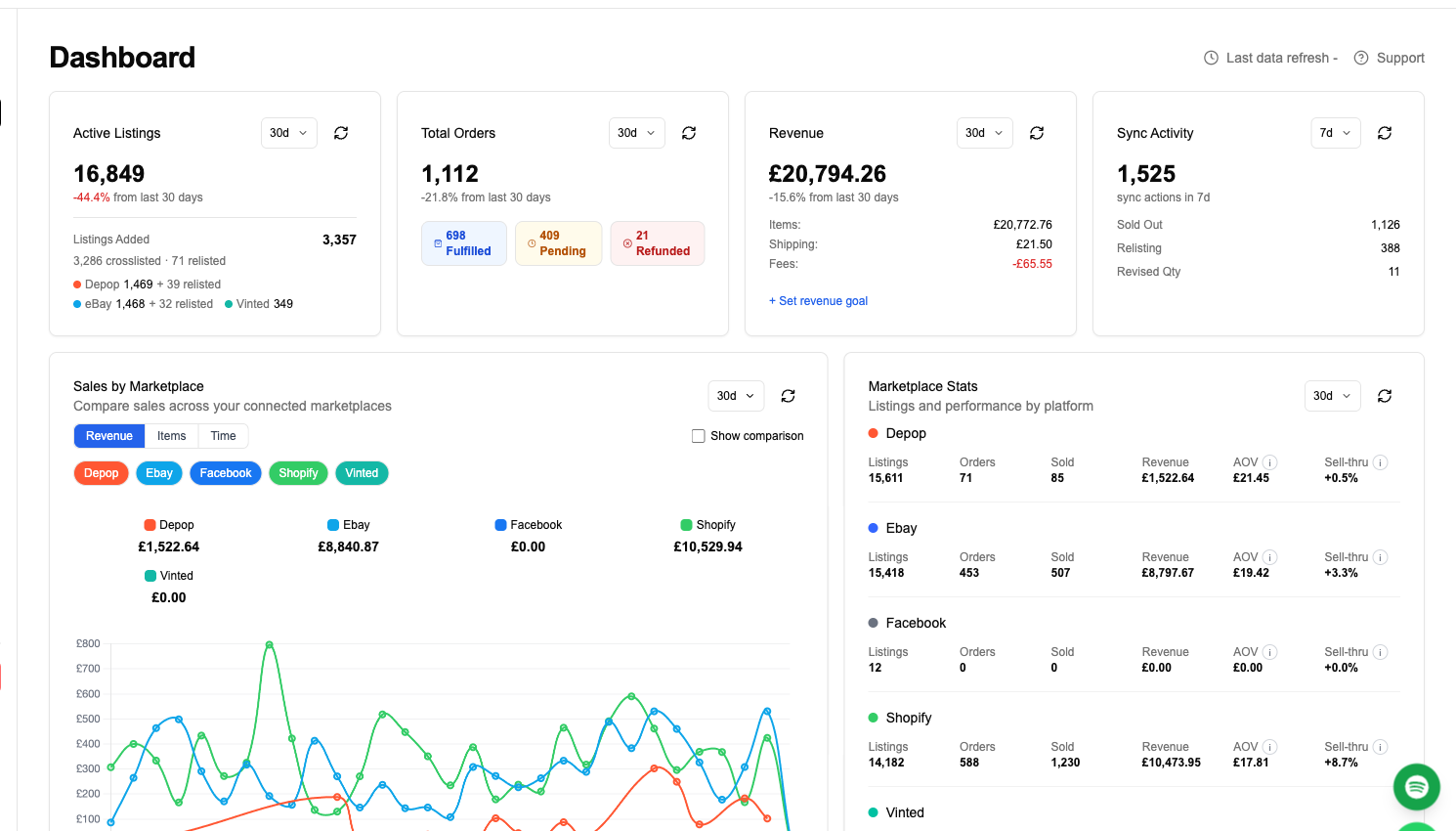
Running Amazon from your WordPress store with FLUF Connect
For most merchants who read this far, the answer is both: the WooCommerce store as the place the product data lives, and Amazon as an outlet for the part of the catalogue Amazon will accept. The failure mode of doing that by hand is well known — two catalogues, two stock counts, and one item sold twice. FLUF Connect exists to make the WordPress catalogue the single record and push it outwards.
How it works, from the WordPress admin
- In your WordPress admin, go to Plugins, then Add New, and search for FLUF Connect. Install and activate it. It needs WordPress 6.0 or later, WooCommerce 7.0 or later, PHP 7.4 or later and an HTTPS site.
- Open WooCommerce, then FLUF Connect, and click Connect to FLUF. You authorise the link on fluf.io and are sent back to WordPress with the connection confirmed.
- In the FLUF Connect dashboard, choose the channels you want to publish to. Amazon connects separately through Amazon’s own sign-in, and needs a Professional plan on the Amazon side.
- Select products from your imported WooCommerce catalogue and crosslist them to Amazon and any of the 75 other marketplaces FLUF Connect supports.
The plugin is a thin client: it authorises the connection and lets FLUF read your products and hear about stock and order changes. The listing work itself runs on FLUF’s side, not inside your customers’ page loads, which is the honest answer to whether it slows your WordPress site down. A site that is already struggling on shared hosting will feel any additional plugin, and the usual WooCommerce advice about object caching and sensibly sized hosting applies whether or not FLUF Connect is installed.
What FLUF Connect does on each side
| Capability | WooCommerce | Amazon |
|---|---|---|
| Crosslist products outwards | Yes, from your WooCommerce catalogue | Yes, as the destination |
| Price and stock updates | Yes, edits in WordPress propagate | Yes, pushed to Amazon |
| Sale detected on this channel | Yes: a WooCommerce order zeroes the item elsewhere | Not yet |
| Order sync into this channel | Yes: a sale on another channel is mirrored as a WooCommerce order and stock is updated | No |
| Sold elsewhere, ended here | Stock set to zero in WooCommerce | Quantity set to zero on Amazon |
| Relisting | No | No |
| Offer management and smart pricing | No | No |
| Bulk operations | Yes | Yes |
| Product identifier needed | None | GTIN, EAN, UPC, ISBN or ASIN per product |
| Amazon stores supported | — | US, CA, MX, BR, GB, IE, DE, FR, IT, ES, NL, BE, SE, PL, TR, AE, SA, EG, ZA, IN, JP, AU, SG |
Read the third and fourth rows twice, because they are the asymmetry that matters for a store owner. When something sells on your WordPress site, or on any other connected channel, FLUF Connect sets the Amazon quantity to zero. When something sells on Amazon, FLUF Connect does not yet detect it: the Amazon order will not appear among your WooCommerce orders and will not reduce your WooCommerce stock. Until that ships, the working discipline is to check Seller Central for Amazon orders and adjust the WordPress stock when one arrives. We would rather state that plainly than let you discover it after an oversell.
Two more expectations to set. Neither side of this pairing supports FLUF Connect’s relisting, offer management or smart pricing — WooCommerce because a store has no listing to refresh and Amazon because repricing on a shared page is something Amazon’s own tools do — so those features, which come with the plans above Starter, buy you nothing here and plenty on channels such as eBay or Vinted. And WooCommerce variable products import with their variations; per-variation listing on marketplaces that have no size concept can be switched on for your store on request, so ask if your catalogue leans on sizes.
The habit that makes this work is a boring one: edit in WordPress, not in Seller Central. Prices, descriptions and stock changed in your own admin travel outwards; changes made directly on Amazon stay on Amazon and quietly diverge from the record you trust.
What FLUF Connect costs
7 days for £1, then from £9/month, then plans from £9/month. The Starter plan includes unlimited listings.
Crosslisting, inventory sync, order sync and bulk operations are on every plan. Relisting, offer management and smart pricing come with the plans above Starter. Paying annually saves 42%.
| Plan | Monthly | Crosslisted products |
|---|---|---|
| Starter | £9/month | Unlimited |
| Pro | £29/month | Unlimited |
| Priority | Custom pricing — tell us what you need | Unlimited |
Amazon’s own charges sit on top and are separate: the Professional plan, the category referral fee on each sale and, if you use it, FBA. WooCommerce’s charges are your hosting, your domain and your payment processing, none of which FLUF Connect touches.
Sources and verification
- Amazon UK pricing page — the £0.75 and £25 excluding VAT plan fees, the 5% to 45% referral range, the £0.25 minimum, the Clothing bands, Books 15%, Electronics 7%, Home 8%, and the 15 December 2025 and 5 January 2026 UK fee changes.
- Amazon US pricing page — the $0.99 and $39.99 plan fees, the $0.30 minimum, the Clothing 5% to 17% bands, Jewelry, Automotive and Appliances rates, and the $1.80 media closing fee.
- Amazon’s US 2026 fee announcement — published 15 October 2025; the $0.08 average FBA increase from 15 January 2026 and unchanged referral fees.
- Amazon’s European 2026 fee announcement — published 2 December 2025; the £0.26/€0.32 parcel cut, the Clothing referral reductions, the £20 Low-Price FBA threshold and the selective storage and returns increases.
- Amazon’s fourth-quarter 2025 results — 5 February 2026; 61% seller unit mix, $52.8 billion third-party seller services in the quarter, $716.9 billion 2025 net sales.
- Amazon UK condition guidelines (PDF) — the New-only statements for Apparel, Shoes and Handbags, Sports, Baby, Pet and Grocery, and the used grades for books, media and electronics.
- Amazon’s GTIN guide — ASIN matching, GS1 as the source of barcodes, and the GTIN exemption process.
- Amazon on the Featured Offer — the Buy Box naming and the Professional plan requirement.
- Amazon Brand Registry — the registered or pending trademark requirement and A+ Content.
- Amazon Multi-Channel Fulfilment — fulfilling non-Amazon orders from FBA stock and the delivery speeds.
- W3Techs WooCommerce usage — 8.1% of all websites and 48.0% of detected e-commerce systems, 9 September 2026.
- WooCommerce on the WordPress plugin directory — 7+ million active installations, version 11.1.0, GPL licence.
- WooCommerce server requirements — WordPress 6.9, PHP 8.3, MySQL 8.0 or MariaDB 10.6, 256 MB, HTTPS.
- WooPayments fees — the UK and US card, international, conversion, dispute and instant payout rates.
- WooPayments supported countries — the 39-country list.
- WooCommerce variable products — per-variation price, stock, SKU and image.
- WooCommerce 11.1.0 release notes — the 1 September 2026 release, variation galleries and right of withdrawal.
- GOV.UK on accepting returns — the 14-day cancellation right for distance sales.
- FLUF Connect on the WordPress plugin directory — the install path and the WordPress, WooCommerce and PHP requirements.
What we could not verify, and therefore left out. Amazon’s per-size FBA fulfilment fees and the UK media closing fee amount, which sit behind a Seller Central login, so only the announced averages appear here. The full referral schedule for every category and marketplace: both public pricing pages publish extracts. The exact US Clothing rate between $15 and $20, which the US page implies but which we could not read verbatim, so the table gives the endpoints only. The revision date of Amazon’s UK condition guidelines PDF, which we cannot pin later than about 2021, although its category statements match the current live policy as far as we can tell. Any figure for the share of Amazon sellers’ revenue that depends on Amazon search, or for a typical WooCommerce store’s traffic, neither of which is published. A hosting price for WordPress, which varies too much to quote. And the WooCommerce version FLUF Connect’s plugin has been formally tested against: the plugin’s stated requirement is WooCommerce 7.0 or later and it is in daily use on current stores, but we have not run a published compatibility test against 11.1.
Related guides
Frequently Asked Questions
Per sale, WooCommerce by a wide margin. Amazon charges a referral fee of 5% to 45% depending on category, with a minimum of £0.25 in the UK or $0.30 in the US, plus £25 excluding VAT or $39.99 a month for a Professional plan. WooCommerce takes no percentage of the sale at all; with WooPayments you pay 1.50% plus £0.25 per UK card payment or 2.90% plus $0.30 in the US, and there is no monthly charge from WooCommerce. The costs WooCommerce does have are hosting, a domain and whatever you spend to bring visitors to the site, and for a store with no audience that last item usually costs more than Amazon's fee would have.
It works on any WordPress site that runs WooCommerce, which is the WordPress e-commerce plugin FLUF Connect talks to. The FLUF Connect plugin needs WordPress 6.0 or later, WooCommerce 7.0 or later, PHP 7.4 or later and an HTTPS address; it will not connect over plain HTTP. Self-hosted WordPress, managed WordPress hosts and WordPress.com plans that allow plugins all qualify. A WordPress site without WooCommerce has no products for FLUF Connect to read, so there is nothing to connect.
Not in any way your customers should notice. The plugin is a thin client: it authorises the connection and lets FLUF Connect read your products and hear about stock and order changes. Publishing to Amazon, pushing price and stock updates and reconciling channels happen on FLUF Connect's side, not during your shoppers' page loads. The usual caveat applies to every WordPress plugin: a store already struggling on shared hosting with no object caching will feel anything you add, and the fix for that is hosting sized to the catalogue, not the absence of one plugin.
No. Amazon's UK condition guidelines state that only New items are permitted in the Apparel category, and the same rule covers Shoes and Handbags, Sports, Baby, Pet and Grocery. Used grades exist only for books, music, video, video games, electronics and a few other categories. Your own WooCommerce store has no condition rule beyond consumer law, so pre-owned clothing belongs on your site and on marketplaces that accept second-hand fashion, not on Amazon.
Variable products import from WooCommerce with their variations, and the parent product is what FLUF Connect lists by default. Per-variation listing, where each size or colour becomes its own listing on marketplaces that have no variation concept, can be switched on for your store on request. For Amazon the harder constraint is the identifier: Amazon needs a GTIN, EAN, UPC, ISBN or ASIN for every product it lists, so a variation without its own barcode cannot become its own Amazon offer whatever the WooCommerce data says.
The FLUF Connect plugin states WooCommerce 7.0 or later as its requirement, alongside WordPress 6.0 or later and PHP 7.4 or later, and it is in daily use on stores running current releases. WooCommerce itself moved to version 11.1.0 on 1 September 2026, and its maintainers now recommend WordPress 6.9, PHP 8.3 and MySQL 8.0 or MariaDB 10.6 as the server baseline. If you are on a very old WooCommerce, update it before connecting: the store will be safer and the connection will be simpler.
Not yet. FLUF Connect does not currently detect sales on Amazon, so an Amazon order will not appear among your WooCommerce orders and will not reduce your WooCommerce stock. The other direction works: a sale on your WooCommerce store, or on any other connected channel, sets the Amazon quantity to zero. Until Amazon sale detection ships, check Seller Central for Amazon orders and adjust the stock in WordPress when one arrives.
Yes, for every product. Amazon is a catalogue, so each listing must either attach to an existing ASIN or carry a GTIN — an EAN, UPC or ISBN — obtained through GS1. FLUF Connect needs one of those identifiers per product before it will crosslist it to Amazon, and Amazon also requires a Professional selling plan on your Amazon account. Your WooCommerce store asks for no identifier at all, which is exactly why a WordPress catalogue is often missing the one field Amazon insists on.
Yes. Once the FLUF Connect plugin links your WordPress store, the same WooCommerce catalogue can be published to Amazon and to any of the 70+ marketplaces FLUF Connect supports, with price and stock changes made in WordPress travelling outwards. Crosslisting, inventory sync, order sync and bulk operations are on every plan; relisting, offer management and smart pricing come with the plans above Starter, and neither Amazon nor WooCommerce uses those three in any case.
Sign up for free
Join the community
You're in.
Open your dashboard