
Crosslist from Leboncoin to Shopify — Automatically
Turn your Leboncoin catalogue into a branded Shopify storefront. Inventory and orders stay in sync automatically.



- Leboncoin: France’s #2 e-commerce site by traffic with ~30M monthly unique visitors, classifieds-style with broad demographic reach.
- Shopify: the leading own-brand storefront platform — 4.6M+ stores worldwide, full control over branding, SEO, email and customer relationships.
- Direction matters: Leboncoin is a marketplace; Shopify is your own store. Crosslisting from Leboncoin to Shopify means turning your Leboncoin ads into proper product pages on a domain you own — building an asset that survives any one marketplace going down.
- Translation & currency: FLUF translates French listings for English-language Shopify stores; Shopify supports multi-currency natively if you sell internationally.
- Inventory sync: when an item sells on Leboncoin (via integrated shipping or after you mark/delete the ad), the matching Shopify product is set to out-of-stock automatically. Shopify sales likewise pull the Leboncoin ad.
- What’s unusual about this pair: there is no Shopify app for Leboncoin and no consumer crosslisting tool that supports Leboncoin. FLUF’s browser extension bridges Leboncoin; Shopify connects via official OAuth.
- Cost: from £19/month — both channels included on the Growth plan.
Why Crosslist from Leboncoin to Shopify?
Most resellers start on a marketplace and stay there because the buyer traffic is already built in. Leboncoin gives you 30 million French visitors a month with no setup, but every sale lives on Leboncoin’s domain — you don’t own the customer, you can’t email them, you can’t run retargeting and your store can disappear if your account is suspended. Shopify is the opposite trade: you own the storefront, the customer data and the brand — but you have to drive your own traffic.
The smart move is to do both. Use Leboncoin’s audience to find buyers; use Shopify to build a brand and a long-term asset. Crosslisting from Leboncoin to Shopify means every Leboncoin ad becomes a proper product on your own store, with images, description, price and inventory in sync. Customers who arrive via Google, social, email or a paid ad land on a page you control — and inventory stays consistent across both channels automatically.
| Leboncoin | Shopify | |
|---|---|---|
| Audience | ~30M monthly visitors in France | 4.6M+ stores; you bring your own audience |
| You own | The listings, not the buyers | The storefront, the data, the customer relationship |
| Categories accepted | Everything — goods, vehicles, real estate, services | Anything you want to sell |
| Branding | leboncoin-branded | Fully your brand — domain, theme, email, checkout |
| Discovery | Built-in marketplace search | Google, social, email, paid — you drive it |
| Fees | 0% in-person; ~10% margin in shipping for integrated-shipping sales | Plan from $39/month + 1.4–2% transaction fees if not using Shopify Payments |
| Currency | EUR only | Multi-currency — sell in EUR, GBP, USD and more |
Turn your Leboncoin catalogue into a branded storefront you own.
How to Crosslist from Leboncoin to Shopify
1. Connect Leboncoin and Shopify
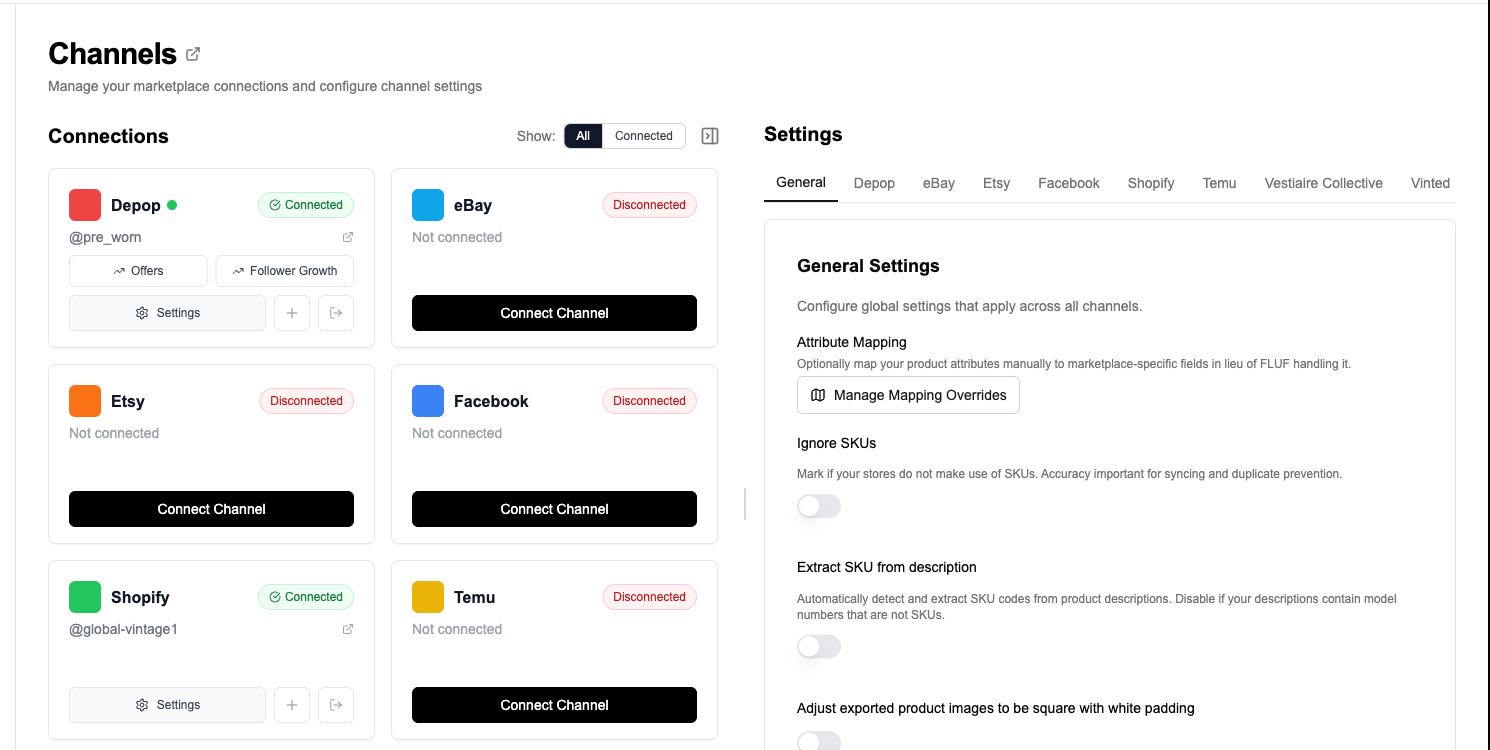
Leboncoin has no public consumer API and protects its servers with anti-bot software (DataDome) that blocks third-party platforms talking to Leboncoin directly. There is no Leboncoin app on the Shopify App Store, and consumer crosslisting tools (Vendoo, List Perfectly, Crosslist.me) don’t support Leboncoin. FLUF bridges this with the FLUF browser extension, which runs listing actions inside an authenticated Leboncoin tab in your own browser. Shopify connects via the standard OAuth flow on the FLUF Channels page.
2. Import Your Leboncoin Catalogue
FLUF reads your active Leboncoin ads through the extension. Bulk operations let you filter by category, price or location and crosslist a subset.
3. Map to Shopify Product Type and Vendor
Shopify products have Product type, Vendor and Tags fields. FLUF maps Leboncoin’s Catégorie to Shopify’s product type, your store name to Vendor by default, and the Leboncoin attributes (brand, condition, material, colour) into Tags so your storefront filters work out of the box. Override per listing or set defaults that apply to every Leboncoin → Shopify crosslist.
4. Translate or Keep French
French stores can keep listings in French. English-language Shopify stores can have FLUF auto-translate titles and descriptions. Shopify Markets supports multi-language storefronts — FLUF translates per language on request.
5. Crosslist
FLUF uploads photos to Shopify, sets product type and tags, applies your defaults and creates the product through Shopify’s official Admin API. Products appear in your Shopify catalogue within seconds.
6. Inventory Stays in Sync
When an item sells on Leboncoin (via integrated shipping, or after you mark the ad sold), the matching Shopify product is set to out-of-stock automatically. When an item sells on Shopify, the Leboncoin ad is deleted within minutes.
What Transfers When You Crosslist from Leboncoin to Shopify?
Shopify’s product schema is permissive — descriptions are HTML, images are unlimited, titles have no character cap. The mapping is mostly clean. The interesting choices are around how you want Leboncoin’s classifieds-style attributes (brand, condition, material) to surface on a branded storefront.
| Leboncoin Field | Shopify Field | Transfer | Notes |
|---|---|---|---|
| Subject (title, 70 chars) | Product title (unlimited) | Auto / Translated | French → English available; Shopify supports unlimited length so titles can be expanded for SEO. |
| Body (description) | Product description (HTML) | Auto / Translated | Shopify accepts HTML; basic formatting is preserved. Long-form descriptions encouraged for SEO. |
| Photos (up to 10) | Product images (unlimited) | Auto | All Leboncoin photos transfer; first image becomes the featured product image. |
| Price (EUR cents) | Variant price | Auto | EUR by default. Shopify Markets handles multi-currency conversion if you’ve set up Markets. |
| Catégorie | Product type | Mapped | Leboncoin’s category becomes Shopify’s product type. Use it for collection rules and filtering. |
| État (condition) | Tag: condition-* | Tag | Neuf / Très bon état / Bon état / État satisfaisant become Shopify tags so your storefront can filter by condition. |
| Marque | Vendor (or Tag) | Mapped | Set Vendor to the brand if your store sells branded goods, or your store name if you want a unified vendor. |
| Modèle / Taille / Couleur / Matière | Variants or Tags | Mapped | Size / colour become Shopify variant options where present; material becomes a tag. |
| (no equivalent) | SKU | Auto-generated | FLUF generates a stable SKU per FLUF product ID for inventory tracking. |
| (no equivalent) | Inventory tracking | Auto | FLUF sets each crosslisted Shopify product to track quantity = 1, sell when out of stock = false so the product hides automatically when sold. |
| (no equivalent) | Weight, requires shipping | Default | Set defaults in FLUF; Shopify uses these for shipping rate calculation. |
| (no equivalent) | SEO title & meta description | Default | FLUF auto-fills SEO fields from the product title and description; override per product. |
Things to Check Before Crosslisting
- Product type taxonomy: Shopify uses product type for collection rules. Decide whether you want Leboncoin’s category strings (Mode > Vêtements, Maison > Décoration, etc.) verbatim or your own simpler taxonomy. FLUF lets you remap once and apply globally.
- Variants vs separate products: Leboncoin doesn’t have variants — one ad is one item. Shopify supports variants. If you have multiple sizes/colours of the same product across separate Leboncoin ads, FLUF can group them into a single Shopify product with variants.
- SEO fields: blank SEO title and meta description hurt Google rankings. FLUF auto-fills both from the product title and description — review high-value items.
- Translation: French descriptions on an English-language Shopify store will look out of place. Either keep your store French, enable translation, or use Shopify Markets for multi-language.
- Shipping policies: Leboncoin’s classifieds shipping (face-to-face, Mondial Relay, Colissimo) doesn’t carry over — Shopify uses its own shipping rates. Configure Shopify shipping zones before publishing.
- Pro / VAT considerations: if you’re a Pro seller (Leboncoin CGV Pro), set up TVA / VAT collection in Shopify’s tax settings — FLUF doesn’t handle VAT.
Inventory Sync Between Leboncoin and Shopify
FLUF’s inventory sync keeps stock consistent across Leboncoin and Shopify. Shopify is treated as a system of record for tracked inventory — if you have a Leboncoin ad and a Shopify product backed by the same FLUF item, both reflect a single quantity.
| Event | What Happens | Timing |
|---|---|---|
| Item sells on Leboncoin via integrated shipping | Shopify product set to out-of-stock | Within minutes |
| Item sells on Leboncoin via in-person handover | Shopify product set to out-of-stock once you mark the Leboncoin ad sold or delete it | Manual trigger; sync runs within minutes after |
| Item sells on Shopify | Leboncoin ad deleted automatically | Within minutes |
| Shopify inventory updated manually | Quantity propagates to other connected channels (Vinted, eBay, etc.); Leboncoin uses one-item-per-ad model so the ad is created or removed as needed | Within minutes |
| Price changed on Shopify | Leboncoin ad price not auto-synced — edit in FLUF to push to both | — |
| Description edited on either side | Not auto-synced — edit centrally in FLUF | — |
| Leboncoin ad expires after 60 days | Shopify product remains active — FLUF can renew the Leboncoin ad on request | — |
Leboncoin + Shopify Feature Coverage in FLUF Connect
| Feature | Leboncoin | Shopify |
|---|---|---|
| Crosslisting | Yes (extension-bridged) | Yes (native Admin API) |
| Cross-channel inventory sync | Yes | Yes (native) |
| Listing edits via FLUF | Yes | Yes |
| Order sync into Shopify | Yes (sales recorded as Shopify orders) | Native |
| Auto-relisting | Roadmap | n/a (storefront, not feed) |
| Auto-crosslist new Shopify products | Yes — new Shopify products auto-publish to Leboncoin if they fit your rules | n/a (source channel) |
| Translation | Inbound: yes (to French) | Outbound: yes (to English/German per market) |
| Bulk operations | Yes | Yes |
Pricing
| Plan | Monthly Price | Product Limit | Leboncoin + Shopify |
|---|---|---|---|
| Growth | GBP 19/month | 1,000 products | Both included |
| Seller | GBP 99/month | 5,000 products | Both included |
| Super Seller | GBP 299/month | Unlimited | Both included |
FLUF’s pricing is on top of any Shopify subscription you already pay. Shopify plans start at $39/month for the Basic tier (Shopify pricing). See the full FLUF Connect pricing page for plan details.
Frequently Asked Questions
Is there a Shopify app for Leboncoin?
No. The Shopify App Store has no Leboncoin integration, and Shopify’s official Marketplace Connect only covers Amazon, Walmart, eBay and Target Plus. Enterprise feed managers (Lengow, Iziflux, Shoppingfeed, Sellermania, BeezUP) support Leboncoin Pro feeds but cost €100–500+/month and target large merchants. FLUF Connect bridges Leboncoin via the FLUF browser extension and works for individual and small-business sellers.
Does inventory sync work in both directions?
Yes. When an item sells on Leboncoin (integrated shipping triggers it automatically; in-person handovers require you to mark the ad sold), the Shopify product is set to out-of-stock. When an item sells on Shopify, the Leboncoin ad is deleted within minutes.
Can I auto-publish new Shopify products to Leboncoin?
Yes. Set rules in FLUF (e.g. “auto-crosslist all new Shopify products tagged ‘leboncoin-eligible’ to Leboncoin”) and FLUF publishes them automatically as Leboncoin ads. The reverse direction — auto-publishing Leboncoin ads to Shopify — is also supported with category and price filters.
What happens to Leboncoin’s classifieds-only fields like postal code?
Postal code and ad-type fields are leboncoin-only and don’t transfer to Shopify products — Shopify ships from your fulfilment locations, not from your ad’s location. Local-pickup-only Leboncoin ads can still go to Shopify; you decide whether the Shopify side ships nationally or is hidden.
How does translation work?
FLUF auto-translates titles and descriptions when you crosslist from Leboncoin to an English-language Shopify store. You can review and edit the translated copy before publishing. For French stores, the original copy is preserved.
Do I need a Leboncoin Pro account?
Not necessarily. Leboncoin’s Particulier (personal) and Pro (professional) accounts both work with FLUF. The Pro requirement applies if you sell at scale or as a registered business — see the Leboncoin Pro CGV for the threshold. Most FLUF users are Particuliers; high-volume resellers should consider Pro for tax and VAT reasons.
What about French VAT (TVA)?
FLUF doesn’t manage VAT collection. Configure TVA in your Shopify tax settings and on your Leboncoin Pro account. Shopify handles VAT on Shopify-side sales; Leboncoin handles it on leboncoin-side sales.
Can I crosslist to other channels at the same time?
Yes. The same FLUF account also crosslists between Shopify, Vinted, Depop, eBay, Etsy, Facebook Marketplace, Wallapop, Whatnot and more. See the Leboncoin crosslisting hub.
Related Guides
- How to Sell on Leboncoin — The Complete Guide for 2026
- How to Sell on Shopify — The Complete Guide for 2026
- Leboncoin Crosslisting Tool
- Crosslist from Leboncoin to Vinted
- Crosslist from Leboncoin to Depop
- Crosslist from Shopify to Depop
- Crosslist from Shopify to Vinted
- Crosslist from Shopify to eBay
- FLUF Connect vs Vendoo
- Crosslist from Gumtree to Shopify
Sources & Verification
- Shopify pricing
- Shopify Marketplace Connect (no Leboncoin support)
- Leboncoin Solutions Pro — Offre Agilité
- Leboncoin CGV Pro
- Lengow — Top marketplaces in France 2026
- Shopify France — vendre sur Leboncoin
New crosslisting guides (2026-05-29)
- Crosslist from Shopify to Leboncoin — reverse direction for Shopify storefront owners