
Crosslist from Shopify to Vestiaire Collective — Automatically
Move your Shopify catalogue into Vestiaire Collective faster. Titles, descriptions, images, and pricing transfer automatically, with a quick luxury-listing review before publish.



Key Takeaways — Shopify to Vestiaire Collective Crosslisting
- Best use case: Shopify is your source catalogue; Vestiaire Collective is your luxury-fashion destination for designer clothing, bags, shoes, and accessories.
- What transfers automatically: titles, descriptions, images, pricing, SKU context, and core product details move over so you are not recreating each listing from scratch.
- What needs review: Vestiaire is more structured than Shopify, so brand, category fit, condition wording, materials, and any luxury-specific listing details should be checked before publishing.
- Operational benefit: FLUF Connect lets you reuse your Shopify catalogue for Vestiaire instead of manually rebuilding every designer listing one by one.
- Channel split: Shopify gives you full catalogue control and direct customer ownership; Vestiaire gives you a specialist audience for authenticated luxury and premium fashion.
- Cost: start with FLUF Connect from £9/month on Starter at £9/month, with no cap on how much you list.
Crosslisting from Shopify to Vestiaire Collective makes sense when you already run your own store but want more visibility for designer inventory on a marketplace built around luxury resale. Shopify is where you control the catalogue, branding, and customer experience. Vestiaire is where buyers already expect authenticated premium fashion. FLUF Connect bridges the two, so your store catalogue becomes a starting point instead of forcing you to rebuild every listing by hand.
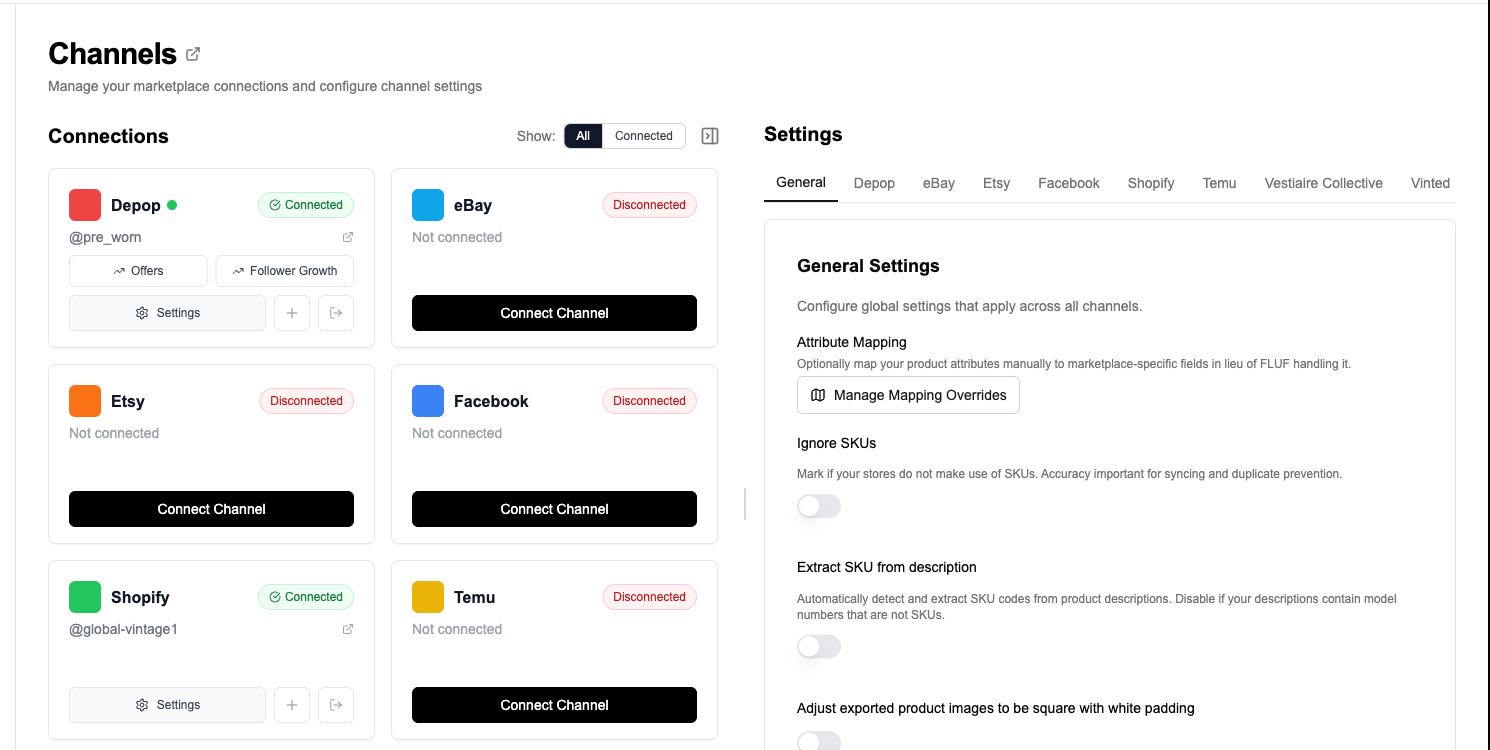
The manual workflow is painful. You copy the product title, rewrite the description to suit Vestiaire, re-upload images, double-check brand and condition, and then repeat the same process for the next item. If you carry a serious designer catalogue, that is hours of repetitive listing work. FLUF Connect shortens the process by pulling your Shopify product data into one place, mapping it toward Vestiaire’s listing structure, and giving you a faster review-and-publish flow.
Why Sell on Both Shopify and Vestiaire Collective?
Shopify and Vestiaire Collective do different jobs in a resale business. Shopify is your owned storefront, where you control presentation, pricing, and repeat customer relationships. Vestiaire Collective is a destination marketplace for buyers specifically shopping premium and designer fashion. Running both gives you a stronger mix of control and discovery than relying on either channel alone.
| Shopify | Vestiaire Collective | |
|---|---|---|
| Primary role | Your own branded store and master catalogue | Marketplace exposure for luxury and designer resale |
| Buyer relationship | You own the store experience and customer data | Marketplace-led demand and trust layer |
| Best inventory | Anything you want to merchandise directly | Designer fashion, bags, shoes, accessories, premium pieces |
| Listing structure | Flexible catalogue with variants and richer merchandising | More structured single-item luxury listings with review expectations |
| Why pair them | Keeps your catalogue organised | Helps premium items reach a buyer base already looking for luxury resale |
Shopify is the clean source of truth
For many sellers, Shopify is where product data is most complete. Your title, imagery, pricing logic, SKU structure, and merchandising live there already. That makes it a sensible source channel when you want to expand to another marketplace without copying the same details over and over.
Vestiaire gives luxury inventory a more relevant destination
Vestiaire is not trying to be everything for everyone. It is focused on pre-owned designer and luxury fashion, which means the buyer intent is more specific than on a general ecommerce store. If you sell premium pieces, crosslisting there can put the right items in front of a marketplace audience that already expects branded resale inventory.
The combination reduces wasted catalogue work
Without a crosslisting workflow, your team ends up maintaining the same item twice: once in Shopify and once again in Vestiaire. FLUF Connect changes that. You build the product once in Shopify, then use that product record as the foundation for your Vestiaire listing. The job becomes reviewing and adapting, not starting from zero.
How to Crosslist from Shopify to Vestiaire Collective with FLUF Connect
FLUF Connect is built for sellers who want their source catalogue to power multiple channels. For Shopify to Vestiaire Collective, the process is straightforward: connect both accounts, import your Shopify products, review the destination-specific details, and publish the listings you want on Vestiaire.
1. Connect your Shopify store
Shopify connects through FLUF’s Shopify setup flow. Once connected, FLUF verifies access, imports your existing products, and prepares your store as a source channel for crosslisting. Large catalogues may take a little longer to finish importing, but the goal is the same: get your existing product data into FLUF so it can be reused elsewhere.
2. Connect Vestiaire Collective
Connect Vestiaire Collective using the FLUF browser extension. Sign in to your Vestiaire account in Chrome and follow the connection steps in FLUF to import your wardrobe.
3. Import your Shopify catalogue into FLUF
After Shopify is connected, your products become selectable inside the Listings flow. This is the important foundation step: instead of recreating products later, you are choosing from inventory that already exists in your catalogue.
4. Choose the products that actually fit Vestiaire
Not every Shopify product belongs on Vestiaire Collective. The strongest candidates are designer clothing, luxury handbags, shoes, jewellery, and premium accessories. FLUF lets you be selective, so you can push the right subset of inventory rather than dumping your whole store into a channel that has a narrower luxury focus.
5. Review the field mapping before publishing
This is where Shopify and Vestiaire differ. Shopify is more flexible. Vestiaire expects tighter luxury-specific listing data. FLUF carries over the core fields automatically, then gives you a review step so you can confirm the destination category, condition wording, materials, brand details, and any other structured data that needs to be right before the listing goes live.
6. Publish to Vestiaire Collective
Once reviewed, FLUF pushes the listing to Vestiaire Collective. Instead of rebuilding the item by hand, you are approving a mapped listing based on your Shopify source data.
7. Track the listing from one system
After publishing, FLUF keeps Vestiaire connected to the same broader workflow as your other channels. Your team can view indexed listings in FLUF and track Vestiaire sales through the Orders flow, rather than treating the channel as a totally separate island.
Want your Shopify catalogue working harder on luxury channels?
What Transfers When You Crosslist from Shopify to Vestiaire Collective?
The point of FLUF Connect is to reuse your source listing data, not to force you into duplicate admin. Shopify already contains most of the information needed to start a Vestiaire listing, so FLUF carries over the core fields automatically and highlights the areas where a luxury-specific review still matters.
| Shopify Field | Vestiaire Collective Field | Transfer Status | Notes |
|---|---|---|---|
| Title | Listing title | ✅ Automatic | Imported from your Shopify product title as the starting point. |
| Description | Description | ✅ Automatic | Core product copy transfers across, then can be refined for Vestiaire’s luxury audience. |
| Images | Listing photos | ✅ Automatic | Existing product photos are reused so you do not upload the gallery again. |
| Price | Listing price | ✅ Automatic | Vestiaire pricing should still be sanity-checked against your margin goals and channel-specific positioning. |
| SKU | Internal product context | ✅ Preserved | Useful for keeping your catalogue organised and matching records across channels. |
| Brand | Brand | ⚡ Review | Especially important on Vestiaire, where designer-brand accuracy matters. |
| Condition | Condition | ⚡ Review | Shopify’s flexible product copy often needs translating into Vestiaire-style condition choices. |
| Category | Vestiaire category | ⚡ Smart mapped | The closest destination category can be suggested, but luxury-specific review is still wise. |
| Materials / attributes | Structured attributes | ⚠️ May need input | Vestiaire can require more product-specific detail than a standard Shopify listing includes. |
| Variants | Destination listing setup | ⚠️ Review | Shopify’s variant-friendly structure is not the same as a marketplace single-item workflow. |
What usually needs a quick check? Brand precision, category fit, condition wording, materials, and whether a product genuinely belongs on Vestiaire at all. FLUF removes the repetitive copying step, but it still leaves room for the human review that luxury listings deserve.
Examples of strong Shopify to Vestiaire listings
| Shopify product type | Likely Vestiaire fit | Why it works |
|---|---|---|
| Designer handbag | Strong fit | Vestiaire buyers actively shop premium bags and expect branded resale listings. |
| Luxury heels or boots | Strong fit | Footwear with clear brand and condition details translates well. |
| Premium outerwear | Strong fit | Structured categories and strong brand recognition make review easier. |
| Fast-fashion basics | Weak fit | Better kept on Shopify or other broader resale channels. |
| Multi-variant commodity product | Review carefully | Vestiaire is better suited to single-item, luxury-focused listing logic than broad variant stacks. |
What Syncs Between Shopify and Vestiaire Collective?
Shopify and Vestiaire Collective are connected inside FLUF, but they do not have the same automation depth. Shopify is a richer operational hub in FLUF. Vestiaire currently supports connection, wardrobe indexing, crosslisting, and order tracking, while some deeper sync behaviour is still being expanded. That matters if you are deciding how hands-off you want this pair to be.
| Workflow | Status | What it means in practice |
|---|---|---|
| Crosslisting Shopify products to Vestiaire | ✅ Supported | You can use Shopify as the source and publish suitable products to Vestiaire. |
| Vestiaire wardrobe indexing | ✅ Supported | Your connected Vestiaire listings can be shown in FLUF. |
| Order tracking | ✅ Supported | Vestiaire sales appear in FLUF’s Orders workflow alongside other channels. |
| Price and inventory sync | ⚠️ Rolling out | Do not assume Vestiaire has the same sync depth as Shopify or the most mature channels yet. |
| Auto-listing rules | ⚠️ Rolling out | The connection exists, but this pair should still be treated as a reviewed publishing flow. |
| Relisting / offer automation | ❌ Not a core Vestiaire workflow | Those deeper automations are stronger on channels like Depop, eBay, and Vinted. |
The practical takeaway is simple: use Shopify as the organised source catalogue, use Vestiaire for premium distribution, and rely on FLUF to shorten the publishing process and centralise visibility. Just be careful not to assume every automation layer is identical across every channel.
Manual Workflow vs FLUF Connect
Without FLUF, crosslisting from Shopify to Vestiaire means recreating the same item in a second system. That is slow, repetitive, and exactly the kind of work that creates inconsistent listings across channels.
| Task | Manual Shopify → Vestiaire workflow | With FLUF Connect |
|---|---|---|
| Rebuild listing | Copy title, description, price, photos, and product details by hand. | Start from the Shopify product you already have. |
| Luxury listing review | Figure out the whole destination setup manually for every item. | Review a mapped listing instead of building from zero. |
| Catalogue visibility | Store and marketplace records live in separate places. | Both channels sit inside the same FLUF workflow. |
| Scale up | The admin burden increases item by item. | Bulk crosslisting and a shared source catalogue save time as volume grows. |
| Expand later | Adding more channels means even more duplication. | The same Shopify source can power other channels like eBay, Depop, and Vinted. |
The real value here is not that Vestiaire becomes completely hands-off. It is that your team stops wasting time rebuilding products that already exist in Shopify.
Automation Features for Shopify + Vestiaire Collective
FLUF Connect covers more than simple product export. Shopify remains one of the most operationally powerful channels in the platform, while Vestiaire adds specialised marketplace reach for premium inventory.
- Shopify as source channel: import existing products, preserve SKU structure, and reuse your catalogue across more marketplaces.
- Vestiaire connection: connect through the Chrome extension and view your wardrobe inside FLUF.
- Orders workflow: keep Vestiaire sales visible in the same broader operational system as your other channels.
- Bulk workflows: crosslist many suitable products without opening each destination channel separately.
- Future-ready setup: once Shopify is connected, it is easier to expand the same catalogue into other marketplaces from one dashboard.
If your bigger goal is broader catalogue distribution, this pair also works well as a stepping stone. Many sellers start with Shopify as the master catalogue, then add Vestiaire for luxury inventory while also sending other products to eBay, Depop, or Vinted through the same FLUF setup.
Pricing
Shopify to Vestiaire Collective crosslisting is covered by the same FLUF Connect plans as your other channels. Pricing scales by product count, not by this specific pair page.
| Plan | Monthly | Crosslisted products |
|---|---|---|
| Starter | £9/month | Unlimited |
| Seller | £29/month | Unlimited |
| Pro | £99/month | Unlimited |
| Super Seller | Custom pricing — tell us what you need | Unlimited |
You also get unlimited listings on the £9/month Starter plan before upgrading, which is enough to validate whether Shopify plus Vestiaire is a good fit for your premium inventory.
Common Questions About Shopify to Vestiaire Collective Crosslisting
Can I list my Shopify products on Vestiaire Collective without recreating each item?
Yes. That is the core reason to use FLUF Connect here. Your Shopify product becomes the source record, so titles, descriptions, images, and pricing can carry across instead of being rebuilt manually.
Does every Shopify product belong on Vestiaire Collective?
No. Vestiaire is strongest for designer and luxury inventory. FLUF makes it easy to choose the right subset of your Shopify catalogue rather than pushing everything blindly.
What usually needs manual review before publishing to Vestiaire?
The main review points are luxury-specific: brand accuracy, category fit, condition wording, materials, and whether the product matches the standard Vestiaire buyers expect. FLUF handles the repetitive transfer so your time goes into checking the important parts.
Is inventory sync identical to Shopify’s deeper automation?
Not yet. Shopify is one of FLUF’s most operationally mature channels. Vestiaire currently supports connection, indexing, crosslisting, and order tracking, while deeper price and inventory sync layers are still rolling out.
Why use Shopify as the source instead of listing directly on Vestiaire only?
Because Shopify gives you the cleanest catalogue control. It is easier to manage inventory, pricing logic, SKUs, and product structure in one place, then reuse that work for Vestiaire and other marketplaces through FLUF Connect.
Can I expand beyond Vestiaire later?
Yes. Once Shopify is connected, the same source catalogue can also feed channels like eBay, Depop, and Vinted from the same dashboard.
Related Guides
- How to Sell on Shopify — use Shopify as a stronger source catalogue
- How to Sell on Vestiaire Collective — understand how the luxury marketplace works
- Shopify to eBay — expand your Shopify catalogue onto a broader marketplace
- Shopify to Depop — reuse Shopify stock for social resale buyers
- How to Sell on Multiple Platforms — build a wider multi-channel workflow
- Pricing — compare plans and product limits
Sources & Verification
Last verified: 2026-04-17. These references reflect FLUF Connect’s current support docs and live channel coverage.
- Connect Shopify — Shopify connection flow, import behaviour, and channel settings
- Connect Vestiaire Collective — Vestiaire connection flow, wardrobe indexing, and supported workflow
- How Inventory Sync Works — overall sync behaviour and SKU matching guidance
- Sell on Shopify — Shopify’s role inside a multi-channel business
- Sell on Vestiaire Collective — luxury marketplace positioning and seller expectations
- Pricing — current FLUF Connect plans and product limits
Also from a store platform: Crosslist from BigCommerce to Vestiaire Collective.
Frequently Asked Questions
Yes. FLUF Connect uses your Shopify catalogue as the source, so the core listing data transfers across instead of being rebuilt item by item.
Core fields such as title, description, images, price, and SKU context transfer automatically. Brand, condition, category fit, and luxury-specific attributes should still be reviewed before publishing.
No. Vestiaire Collective is best for designer and luxury fashion. FLUF Connect lets you choose the products that fit the destination channel instead of publishing your whole catalogue blindly.
Shopify is one of FLUF Connect's deepest operational channels, while Vestiaire currently supports connection, indexing, crosslisting, and order tracking. Some deeper price and inventory sync layers are still rolling out for Vestiaire.
Because Shopify usually holds the cleanest catalogue data. That makes it a strong source of truth for titles, images, SKUs, and pricing before you adapt the listing for a specialist luxury marketplace.
Yes. Once Shopify is connected in FLUF Connect, the same source catalogue can also be reused for other supported channels like eBay, Depop, and Vinted.