 FLUF Connect
Connecting Depop to FLUF Connect
Depop is one of the most popular platforms for vintage and fashion resale. FLUF offers two connection methods to suit your workflow.
Prerequisites
- Active Depop account with verified email
- At least one listing on Depop (recommended)
- For Method 1: Google Chrome browser + FLUF Utility Chrome Extension
- For Method 2: 2FA must be disabled on Depop mobile app
Method 1: Chrome Extension (Recommended)
This is the fastest and most reliable way to connect Depop.
Step 1: Install FLUF Utility Chrome Extension
- Visit the Chrome Web Store
- Search for "FLUF Utility" or use the install link provided in the connection modal
- Click Add to Chrome
- The extension icon will appear in your Chrome toolbar
Step 2: Log Into Depop
- Open a new Chrome tab
- Go to depop.com
- Log in to your Depop account
- Keep this tab open in the background
Step 3: Connect in FLUF
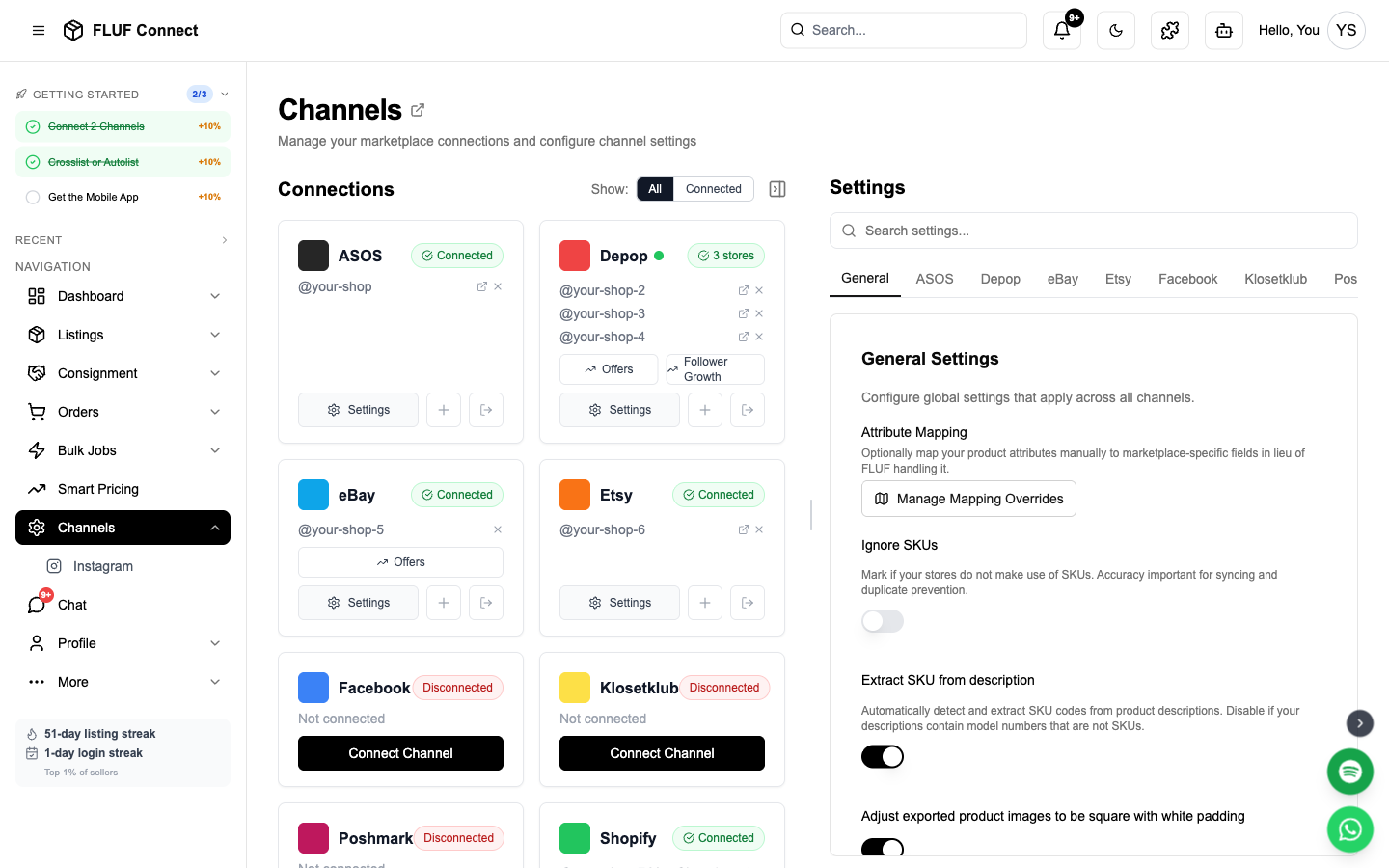
- Navigate to Connect → Channels
- Click Add Channel and select Depop
- Select Chrome Extension Method
- Click Connect with Chrome Extension
- FLUF will automatically detect your Depop session
- Connection completes in seconds!
Security: Your Depop password is never stored in FLUF. The Chrome Extension securely handles authentication.
Method 2: Magic Link (Alternative)
If you can't use Chrome Extension, use Depop's Magic Link authentication. This method also works on the FLUF mobile app — watch the mobile how-to video.
Step 1: Request Magic Link
- Navigate to Connect → Channels
- Click Add Channel and select Depop
- Select Magic Link Method
- Enter your Depop email address
- Click Send Magic Link
Step 2: Get Magic Link from Email
- Check your email for "Log In To Depop" from Depop
- DO NOT CLICK THE LINK — this will log you into Depop's website instead
- Right-click the "Log in to Depop" button in the email
- Select Copy Link Address (Chrome) or Copy Link (Firefox/Safari)
- The link will be a long URL — copy the entire thing
Step 3: Paste Magic Link in FLUF
- Return to the FLUF Connect window
- Paste the full magic link URL into the input field
- Click Connect
- FLUF will authenticate using the magic link
Critical: Two-Factor Authentication must be disabled on your Depop account for Magic Link to work. With 2FA on, the magic link won't arrive and the connect screen will hang on "Loading Depop…".
What Happens After Connecting
- ✅ FLUF verifies your Depop authentication
- ✅ Your existing Depop listings are imported (may take 2-5 minutes)
- ✅ You can now crosslist new items to Depop
- ✅ Sales on Depop trigger automatic inventory sync across all channels
- ✅ Depop connection status appears on the Channels page
Sync Behavior
- What syncs: New listings, sold items, price changes, inventory updates
- Sync speed: Updates are synced periodically throughout the day
Re-authentication
Depop sessions can expire. You'll need to reconnect if:
- You change your Depop password
- Your session token expires (typically 30-60 days)
- You log out of Depop manually
How to reconnect:
- Go to Channels
- Click the Reconnect button on your Depop card
- Follow the same connection method you used initially
Running two Depop stores? Each store shows its own status dot on the Channels page, so you can see exactly which one needs reconnecting. Reconnect refreshes whichever store you're currently logged into on Depop — so to fix a specific store, log into that Depop account in your browser first, then click Reconnect.
After Connecting
Next steps to get selling:
- Create your first listing — Crosslist to Depop instantly
- View your listings — See all Depop products alongside other channels
- Manage orders — Track Depop sales with centralized fulfillment
- View analytics — Monitor Depop performance
Channel Settings
Once connected, you can configure Depop-specific settings in Channels → Depop → Settings.
Relisting & Visibility
| Setting | Description |
|---|---|
| Activate relisting | Delete and relist products by age. Max 1/30th of total stock is relisted per day. Boosts visibility by refreshing listings. |
| Boost all products | Automatically boost all products when listed on Depop. Increases visibility but costs Depop credits. |
Shipping
| Setting | Description |
|---|---|
| Domestic shipping price | Default domestic shipping cost for new listings |
| International shipping price | Default international shipping cost |
| Shipping method | Choose between Depop Shipping (via Evri) or Other. US sellers see size-based options. |
| Parcel size | When using Depop Shipping (Evri): Small (under 1kg), Medium (under 2kg), or Large (under 5kg). Defaults to Small. |
Offer Management
| Setting | Description |
|---|---|
| Automatic offer management % | Set to 100% to disable. Otherwise, offers at or above this % are auto-accepted, counter offers sent below, and offers sent to likers. Example: 80% = accept £8+ on a £10 item. |
| Offers to likers delay | How many hours to wait before sending offers to likers |
Messaging
| Setting | Description |
|---|---|
| Post-purchase message | Message sent to buyers automatically after an order is detected. Leave blank to disable. |
| Refund message | Message sent when processing refunds through Shopify order management |
Order Alerts
| Setting | Description |
|---|---|
| Overdue dispatch threshold | Get alerts when Depop orders are unshipped after X days. Set to 0 to disable. |
Troubleshooting
Chrome Extension not detecting Depop session?
- Make sure you're logged into depop.com in Chrome
- Refresh the Depop tab and try again
- Check that the FLUF Utility extension is enabled
- Try logging out of Depop and back in
Magic Link not working?
- Verify you copied the entire link URL from the email
- Make sure 2FA is disabled on Depop mobile app
- Request a fresh magic link if it's been more than 15 minutes
- Check spam folder for Depop email
Connection keeps expiring?
- Depop sessions have limited lifespans
- Use Chrome Extension method for longer session duration
- Re-authenticate when prompted
Not seeing all Depop listings?
- Import can take 2-5 minutes for large inventories
- Check Channels page for import progress
- Only active Depop listings are imported (sold items excluded)
Connect More Channels
Maximize your reach by connecting additional marketplaces:
- Connect eBay — OAuth authentication, instant sync, 180M buyers
- Connect Shopify — Custom app token, your own online store
- Connect Vinted — Chrome Extension, European resale leader
- Connect Facebook Marketplace — Chrome Extension, billions of buyers
- Connect Etsy — OAuth authentication, handmade and vintage
See also: How Inventory Sync Works · Common Issues · Connecting Multiple Depop Accounts