 FLUF Connect
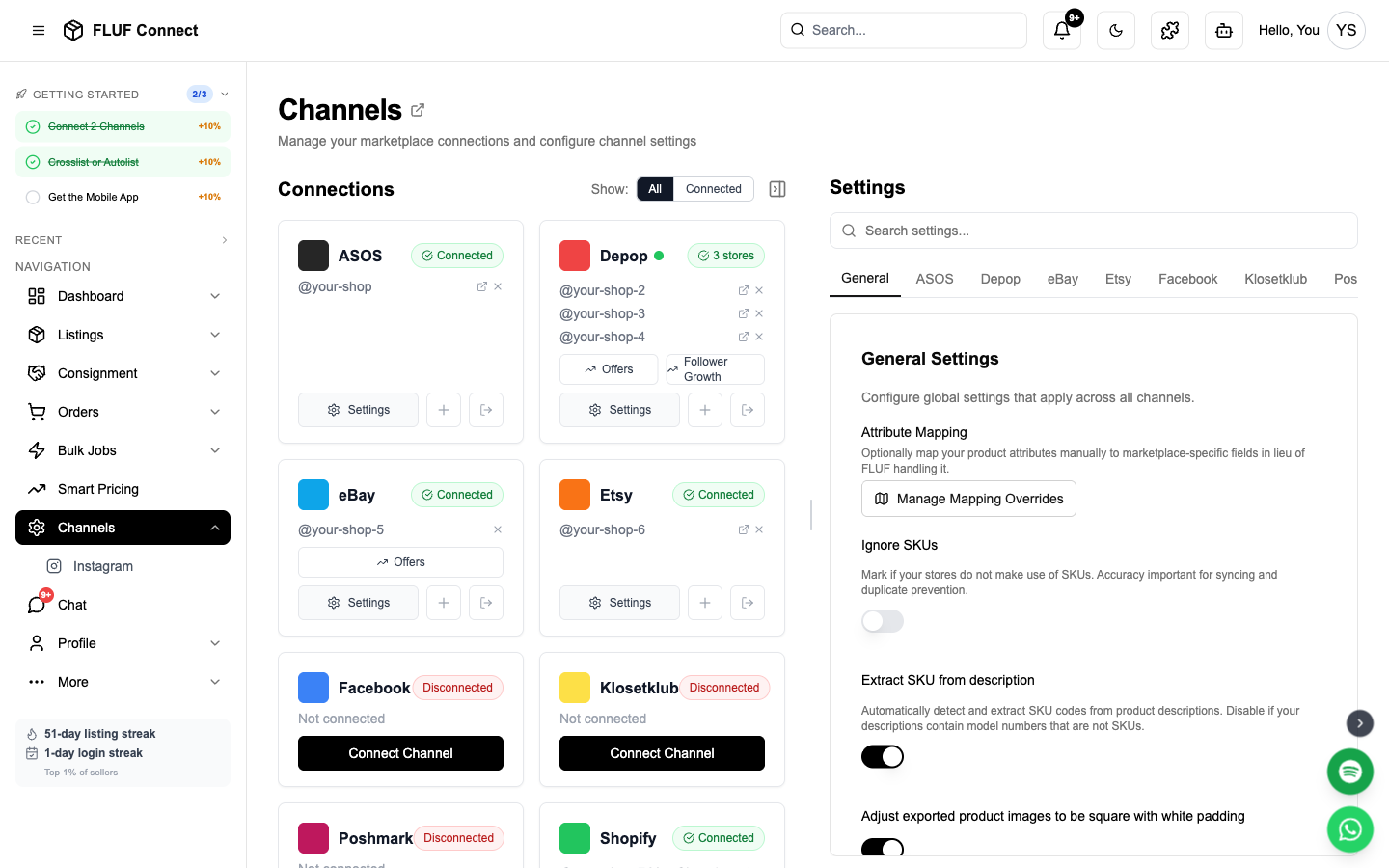
Connecting Etsy to FLUF Connect
Etsy is the global marketplace for handmade, vintage, and unique items. FLUF uses OAuth authentication for secure access to your Etsy shop.
Why Connect Etsy?
- 96M+ active buyers worldwide
- OAuth authentication — secure, no password stored
- Real-time sync via webhooks
- Perfect for vintage, handmade, and unique products
Prerequisites
- Active Etsy seller account
- At least one listing on your Etsy shop (recommended)
- Shop must be in good standing
Connection Steps
Step 1: Start Connection
- Navigate to Connect → Channels
- Click Add Channel and select Etsy
- Click Authorize with Etsy
Step 2: Authorize FLUF
- You'll be redirected to Etsy's secure login page
- Log in with your Etsy seller credentials
- Review the permissions FLUF is requesting:
- View your shop listings
- Create and update listings
- View and manage orders
- Update inventory levels
- Click Allow Access
- You'll be redirected back to FLUF Connect
Step 3: Select Your Shop
If you have multiple Etsy shops:
- A dropdown will appear with your shops
- Select the shop you want to connect
- Click Confirm
Note: You can connect multiple Etsy shops by repeating the connection process.
What Happens After Connecting
- ✅ FLUF verifies your Etsy authorization
- ✅ Your existing Etsy listings are imported (may take 5-15 minutes)
- ✅ Webhooks registered for real-time sync
- ✅ You can now crosslist products to Etsy
- ✅ Sales across all channels sync inventory back to Etsy
Sync Behavior
- Sync method: Webhooks (real-time)
- What syncs: New listings, inventory updates, orders, price changes
- Sync speed: 1-5 minutes for most updates
Etsy-Specific Features
Listing Types
- Physical products — Standard crosslisting support
- Digital products — Limited support (file delivery handled by Etsy)
- Variations — Size, color, and custom variations supported
Etsy Categories
FLUF automatically maps categories:
- Clothing → Etsy clothing categories
- Vintage → Vintage category (items 20+ years old)
- Handmade → Appropriate handmade categories
- Supplies → Craft supplies categories
Tip: Etsy requires accurate categorization. Review category mapping in Settings → Category Mapping.
Pricing Notes
- Listing fee: $0.20 per listing (4-month duration)
- Transaction fee: 6.5% of sale price
- Payment processing: 3% + $0.25 per transaction
- Consider fees when setting prices in channel settings
After Connecting
Next steps to start selling:
- Create listings — Crosslist to Etsy
- View your listings — Manage all products in one place
- Manage orders — Centralize fulfillment
- View analytics — Track Etsy performance
Re-authorization
- Etsy OAuth tokens may expire periodically
- You'll be notified when re-authorization is needed
- Simply repeat the connection process to re-authorize
- No listings or data is lost during re-authorization
Channel Settings
Once connected, you can configure Etsy-specific settings in Channels → Etsy → Settings.
Listing Behavior
| Setting | Description |
|---|---|
| Auto-renew listings | Automatically renew expired listings on Etsy. Etsy listings expire after 4 months. When enabled, FLUF will renew them before expiry. |
| Daily Etsy listing limit | Safety limit for listings per day before Etsy charges fees (£0.16 each). Default: 500. This prevents accidental mass listing costs. |
Order Alerts
| Setting | Description |
|---|---|
| Overdue dispatch threshold | Get alerts when Etsy orders are unshipped after X days. Set to 0 to disable. |
Troubleshooting
Connection failed?
- Verify your Etsy shop is in good standing
- Ensure you're logging into the correct Etsy account
- Try a different browser or clear cookies
- Check if Etsy is experiencing any outages
Listings not syncing?
- Verify channel connection is active
- Check Sync History for error messages
- Etsy may take 5-15 minutes to process large catalogs
- Draft listings are not imported (must be active)
Inventory not updating?
- Ensure SKUs are set on your listings
- Check webhook status in channel settings
- Try manual sync in Dashboard → Sync Now
Connect More Channels
Maximize your reach by connecting additional marketplaces at Channels:
- eBay — OAuth authentication, 180M buyers
- Depop — Chrome Extension, Gen-Z favorite
- Shopify — Your own online store
- Vinted — European resale leader